MILESTONE
USER MANUAL
ETHOS EZ User manual MA073-006 Terminal chapter Page - 60 -
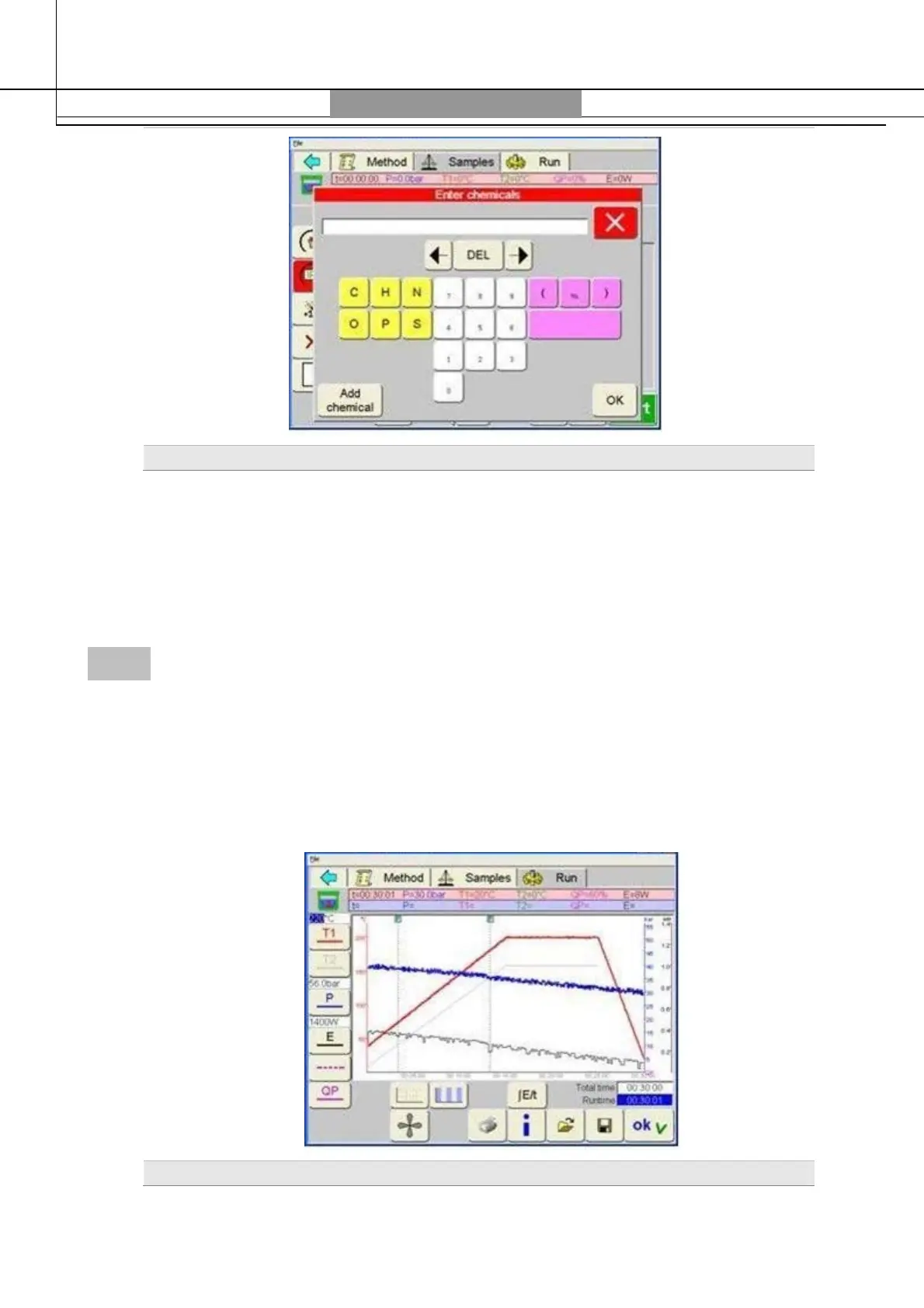
Chemical Addition
Over the field
Chemicals
user can enter with a simple click on the name of the most commonly used
reagents for digestion (acids).
If user double-clicks the input cell, a complete keyboard will show up in which chemicals not in the
list can be entered in letters and figures (with formula or name).
The quantity of added chemical can be entered either in milliliter
[ml]
or gram
[ml].
RUN
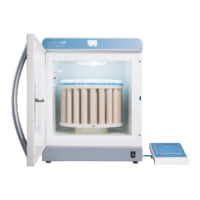
During microwave program run the software monitors all control parameters data. The
profiles of temperature, pressure and microwave energy are plotted in real time in the
Graphic
section.
The drawn curves of temperature or pressure are shown in the same colors as the pre-set
curves, but with a stronger tone.
At the end of the program, the complete process run can be printed out or saved on the
Flash Card. Together with the run; also the associated method is saved or opened.
Profiles


 To Next Page