MILESTONE
USER MANUAL
ETHOS EZ User manual MA073-006 Terminal chapter Page - 70 -
SYSTEM INFORMATION
System info is printed out together with the report and can also be
edited under the Register
Process run
. System info of system
administration is taken over in any case as default.
Balance Setting
BALANCE SETTING
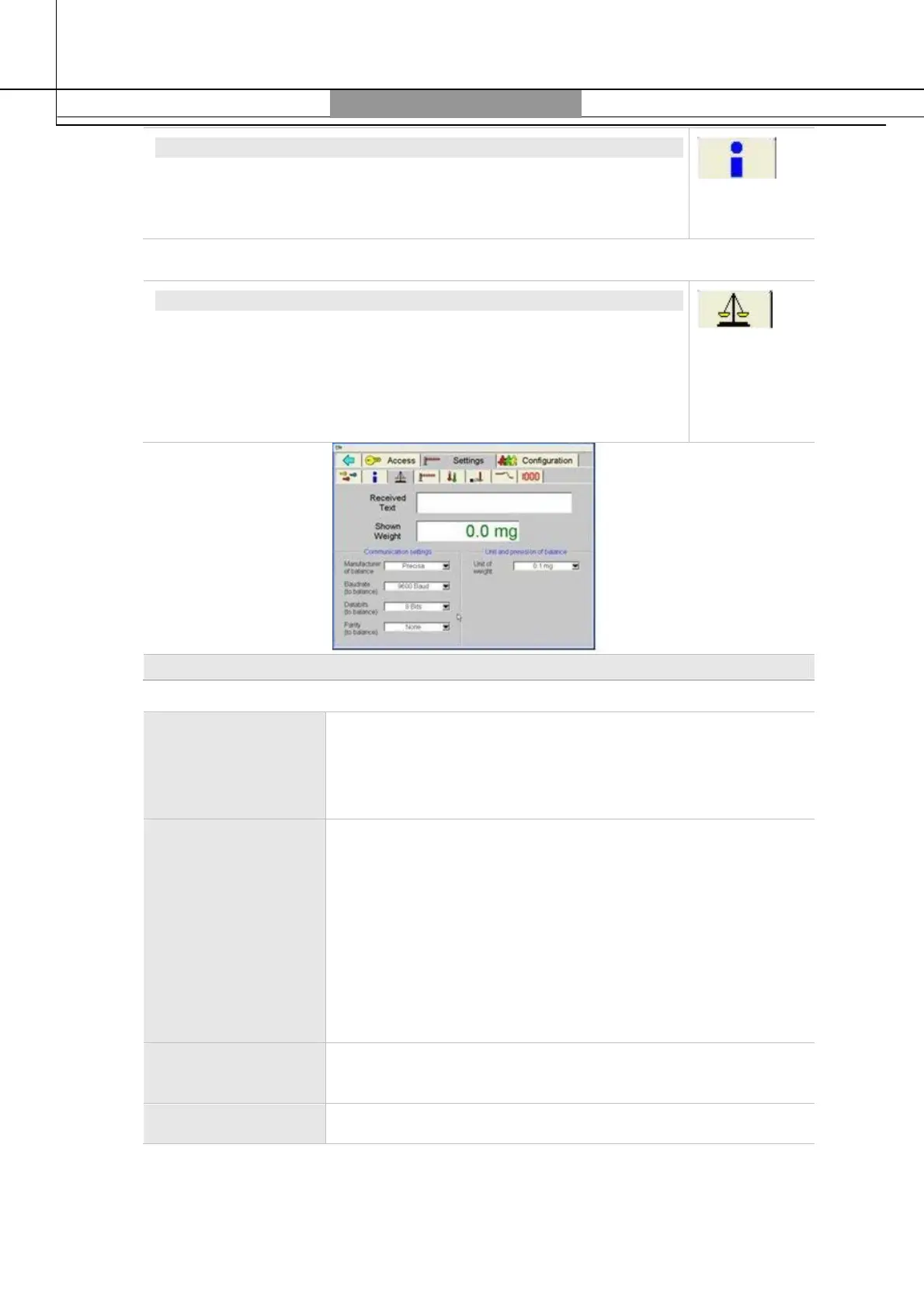
An electronic balance can be connected to the terminal via an
interface cable. On the
Balance Settings
section is set the
communication with the connected balance (also consult the
operator manual of the balance).
No saving is necessary after modifications.
Balance Settings
Received Text,
Shown Weight
During functioning communication with the balance, the text
received from the balance and the weight picked up from it
are shown.
Balance
Manufacturer
<
Others
>: Touching on
Print
on the balance (see also balance
manual) the weight is transferred on the terminal and
touching the balance icon is added to the sample table report.
Precisa:
Weight is constantly updated on the terminal.
Touching the balance icon the weight is entered into the
active cell of the sample table.
In case for a Precisa balance user selects <
Others
> touching
Print
on the balance, weight will be transferred to the
terminal.
Baud rate, Data
bits and Parity
Communication settings of balance.
Unit of weight The format selected here is used in the weight table.



 To Next Page