EasyManua.ls Logo

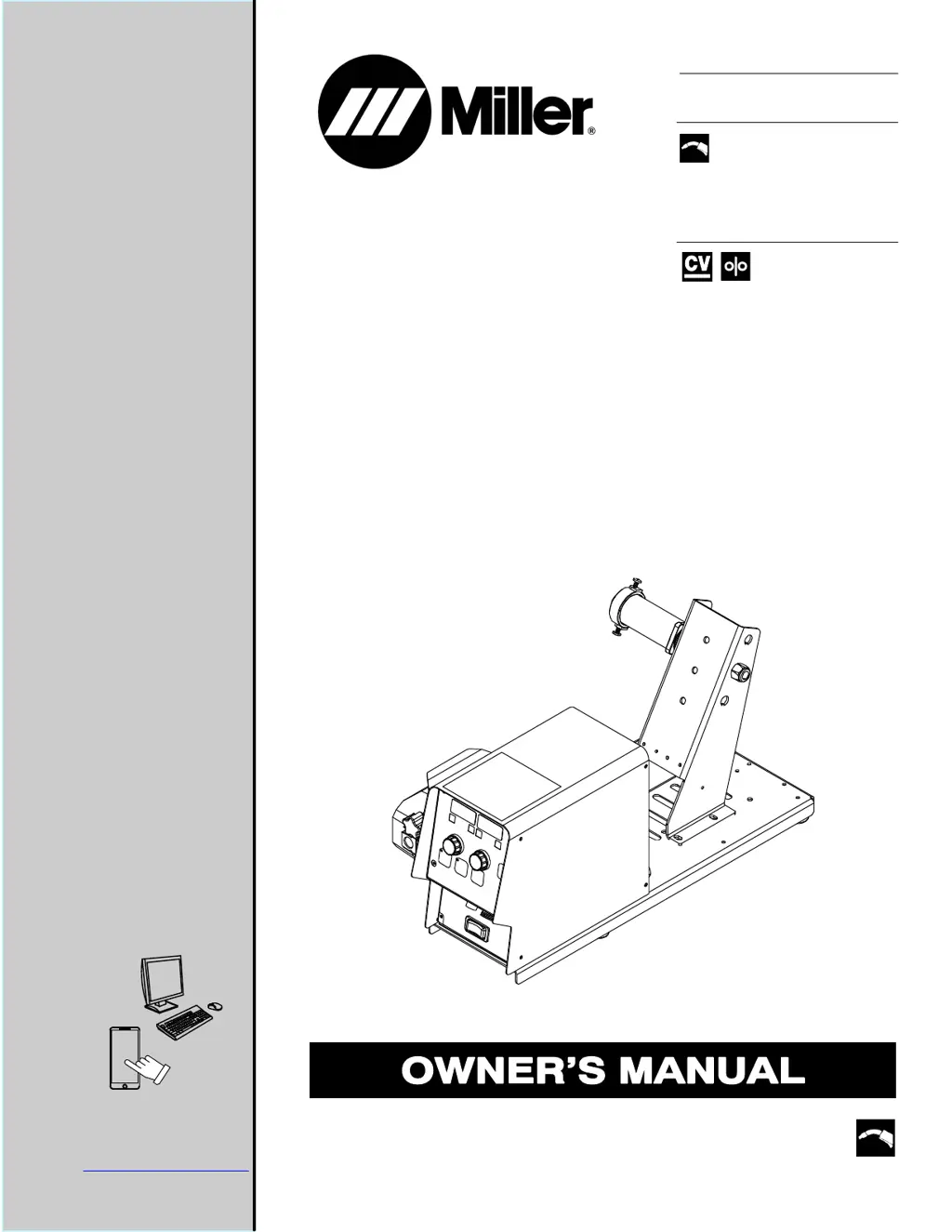
Miller S-74 MPa Plus - User Manual

Miller S-74 MPa Plus
52 pages
Print Icon
To Next Page IconTo Next Page
Loading...
Processes
Description
MIG (GMAW) Welding
MIG (GMAW-P) Welding
Flux Cored (FCAW) Welding
(Gas- And Self-Shielded)
Wire Feeder
Aluminum Push/Pull Capable
OM-273245N 202106
File: MIG (GMAW)
CE
S-74 MPa Plus
For product information,
Owner’s Manual translations,
and more, visit
www.MillerWelds.com

Table of Contents

Other manuals for Miller S-74 MPa Plus

Questions and Answers

  • R
    Ryan NovakAug 19, 2025
    Why is my Miller Wire Feeder giving me erratic weld output?
    • A
      Andrea EricksonAug 19, 2025
      Erratic weld output can stem from several factors. Try the following: * Ensure all connections are tightened and clean. * Replace the contact tip. * Confirm the correct wire size is selected. * Check the drive roll pressure in both the wire feeder and the gun. * Inspect and replace the liner if necessary. * When welding aluminum, use minimal drive roll pressure and brake tension for consistent wire feeding.
  • R
    Ryan CollinsAug 21, 2025
    Why does my Miller Wire Feeder wire feed erratically?
    • M
      mhuertaAug 21, 2025
      Erratic wire feeding can be caused by several factors. Try the following: * Ensure the correct wire size is selected. * Check the drive roll pressure in the wire feeder and gun. * Clean or replace the drive rolls as necessary. * Inspect and replace the liner if necessary.
  • K
    katherinewalkerAug 25, 2025
    What to do if my Miller Wire Feeder wire does not feed and there is burnback in the contact tip?
    • H
      hannahharrellAug 25, 2025
      If the wire isn't feeding and there's burnback, consider the following: * Verify the drive roll size is correct. * Check the drive roll pressure in the wire feeder and gun. * Inspect and replace the liner if necessary.
  • K
    Kathleen BrooksAug 26, 2025
    How to troubleshoot G. Cal ERR.2 on Miller S-74 MPa Plus Wire Feeders?
    • M
      Michael PrestonAug 27, 2025
      To address a G. Cal ERR.2 error, take these steps: * Verify the wire is fed through the contact tip. * Check the drive roll pressure in the wire feeder and gun. * Verify the drive roll size is correct.
  • R
    Rebecca EvansAug 28, 2025
    What to do if my Miller Wire Feeder wire feeds, shielding gas flows, but welding wire is not energized?
    • J
      Juan BrownAug 28, 2025
      Check to see if the ground clamp or weld cable is connected.
  • R
    Rebekah BartonAug 30, 2025
    Why is my Miller Wire Feeder gun overheating on water-cooled models?
    • V
      vperezAug 30, 2025
      Gun overheating in water-cooled models can occur due to: * Insufficient coolant flow rate; ensure it's at least 1 qt/min. * Corrosion buildup decreasing coolant flow rate. Backflush the coolant system, clean the coolant system filter, and clean the fittings.
  • P
    Paul SmallSep 1, 2025
    How to troubleshoot G. Cal ERR.1 on Miller S-74 MPa Plus?
    • C
      conwaymeredithSep 1, 2025
      To troubleshoot a G. Cal ERR.1 error: * Straighten the gun cable. * Check the drive roll pressure in the wire feeder and gun. * Verify the proper wire size is selected. * Inspect and replace the liner if necessary.
  • K
    Kerry DurhamSep 3, 2025
    What to do if pressing gun trigger does not energize Miller Wire Feeder? Shielding gas does not flow and wire feeder does not feed.
    • M
      Michael RossSep 3, 2025
      To solve this issue: * Secure the plug from the gun control cable into the Gun Control receptacle on the feeder. * If applicable, have the nearest Factory Authorized Service Agent check the optional water flow switch.
  • T
    Travis CollinsSep 5, 2025
    How to troubleshoot a completely inoperative Miller Welding Accessories unit?
    • B
      Brittney HickmanSep 5, 2025
      If your Miller Welding Accessories unit is completely inoperative, begin by checking the circuit breaker on the welding power source and the wire feeder. Then, inspect the 14-pin plug and cord connections to the welding power source, ensuring you also check the welding power source itself. Verify the continuity of the Power switch S1, replacing it if necessary. Finally, check the 14-pin filter board and connections, replacing if needed, and inspect the motor board PC1 and its connections, replacing if necessary.
  • E
    Edward GriffithSep 7, 2025
    What to do if Miller Welding Accessories motor runs at high speed?
    • J
      john74Sep 7, 2025
      If the motor in your Miller Welding Accessories runs at high speed regardless of the wire speed control setting, there are several things you can check. First, inspect the push-pull gun WFS potentiometer and control cable, replacing if necessary. Next, check the tachometer board PC51 for correct feedback, replacing it if needed. Also, check the trigger filter board PC8 RC18, replacing if necessary. Verify the functionality of the encoders on the display board. Check the motor board PC1 and its connections, replacing if necessary. Lastly, see if the gun has groove for Accu-mate connection.

Summary

Safety Precautions and Hazard Warnings

Symbol Usage and General Warnings

Explains the meaning of DANGER, WARNING, and NOTICE symbols used in the manual.

Arc Welding Hazards Overview

Details hazards associated with arc welding, including electric shock, fumes, gases, and fire.

Installation, Operation, and Maintenance Hazards

Covers specific hazards during installation, operation, and maintenance, such as falling equipment, overheating, and static discharge.

Electromagnetic Interference and EMF Safety

Addresses hazards from High-Frequency and Arc Welding interference and EMF effects on medical implants.

California Proposition 65 Warnings

Warns about exposure to chemicals known to cause cancer or birth defects.

Principal Safety Standards References

Lists principal safety standards and their websites for reference.

Miscellaneous Symbols and Definitions

Product Specifications and Environmental Data

Serial Number and Rating Label Location

Indicates where to find the serial number and rating information on the product's rear panel.

Unit Specifications Overview

Details input power, welding power source type, wire feed speed, wire diameter, and welding circuit rating.

Environmental Specifications

Covers IP rating, electromagnetic compatibility (EMC) information, and temperature ranges for operation and storage.

Equipment Installation Guidelines

Selecting an Installation Location

Provides guidance on choosing a suitable location for the welding equipment, considering safety and clearance.

Equipment Connection Diagrams

Illustrates how to connect the welding power source, wire feeder, gas cylinder, and workpiece.

Rear Panel Connections and Drive Assembly

Details the rear panel connections and the assembly/rotation of the wire drive mechanism.

Wire Feeder 14-Pin Plug Information

Explains the pin configuration of the 14-pin plug for connecting the wire feeder to the power source.

Wire Type, Size, and Feed Speed

Provides a table listing wire types, sizes, and corresponding optimal wire feed speed ranges.

Installing the Welding Gun

Guides the user through the process of installing the welding gun, with and without Accu-Mate connection.

Installing and Threading Welding Wire

Details how to install the wire spool, guides, drive rolls, and thread the welding wire through the gun.

Operating the Wire Feeder

Power and Jog;Purge Controls

Explains the operation of the power switch and the jog/purge switch for feeding wire and purging gas.

Front Panel Interface Overview

Details the front panel controls, including displays, adjustment knobs, and push buttons for setup and operation.

Understanding Display Information

Explains the readings and indicators shown on the left and right displays for voltage, arc length, amperage, and wire feed speed.

Adjusting Settings and Selecting Programs

Guides on using adjustment controls and push buttons to set parameters, start sequences, and select weld programs.

Power Source Selection Menu

Details how to select the appropriate power source from the menu for optimal welding performance.

Operational Terms Glossary

Provides definitions for key terms related to wire feeder operation and welding processes.

Setting Sequence Parameters for Programs

Program Sequence Parameters Overview

Details the parameters (Volts, IPM, Seconds, Inches) available for sequence steps like Preflow, Run-in, Start, Weld, Crater, Postflow, and Retract.

Programming and Setup Menu Options

Setup Menu Navigation and Parameters

Explains how to enter and navigate the Setup Menu to adjust basic operational parameters.

Advanced Setup Menu Options

Details advanced settings like parameter locking, range limits, trigger modes, and power source synergic modes.

Configuring Start Sequences

Guides on setting start parameters for synergic pulse and non-synergic MIG welding.

Configuring Crater Fill Sequences

Explains how to set crater fill parameters for synergic pulse and non-synergic MIG welding.

Profile Pulse Feature Configuration

Describes how to enable and configure Profile Pulse for optimizing aluminum weld bead appearance.

Maintenance, Diagnostics, and Troubleshooting

Routine Maintenance Schedule

Outlines recommended maintenance tasks and their frequencies for the wire feeder.

Understanding Diagnostic Error Codes

Explains the meaning of various error messages displayed by the unit for troubleshooting.

Troubleshooting Common Issues

Provides solutions for common problems like no weld output, erratic wire feed, or gun overheating.

Electrical Diagram and Wiring

Main Circuit Diagram

Presents the main circuit diagram of the wire feeder, showing internal components and connections.

Gun Trigger Connector Wiring

Illustrates the wiring and pin assignments for the left and right gun trigger connectors.

Parts List and Assembly Diagrams

Main Assembly Parts List

Lists parts and quantities for the main assembly of the wire feeder, with diagrams.

Control Box Components

Details the parts and quantities for the control box, including circuit cards and connectors.

Drive Assembly Parts List

Lists components of the wire drive assembly, such as rolls, shafts, motors, and knobs.

Drive Roll and Wire Guide Kits

Provides a selection guide for drive rolls and wire guides based on wire size and type.

Miller True Blue Limited Warranty Details

Warranty Coverage and Exclusions

Details the warranty periods for parts and labor, and lists exclusions from warranty coverage.

Miller S-74 MPa Plus Specifications

General IconGeneral
Input Voltage24 VAC
Input Frequency50/60 Hz
Weight46 lb
Output Voltage Range14 VDC
Wire Feed Speed Range50 - 780 IPM
Dimensions15.5 in

Related product manuals