EasyManua.ls Logo

Miller T94i Series - User Manual

Miller T94i Series
40 pages
Print Icon
To Next Page IconTo Next Page
Loading...
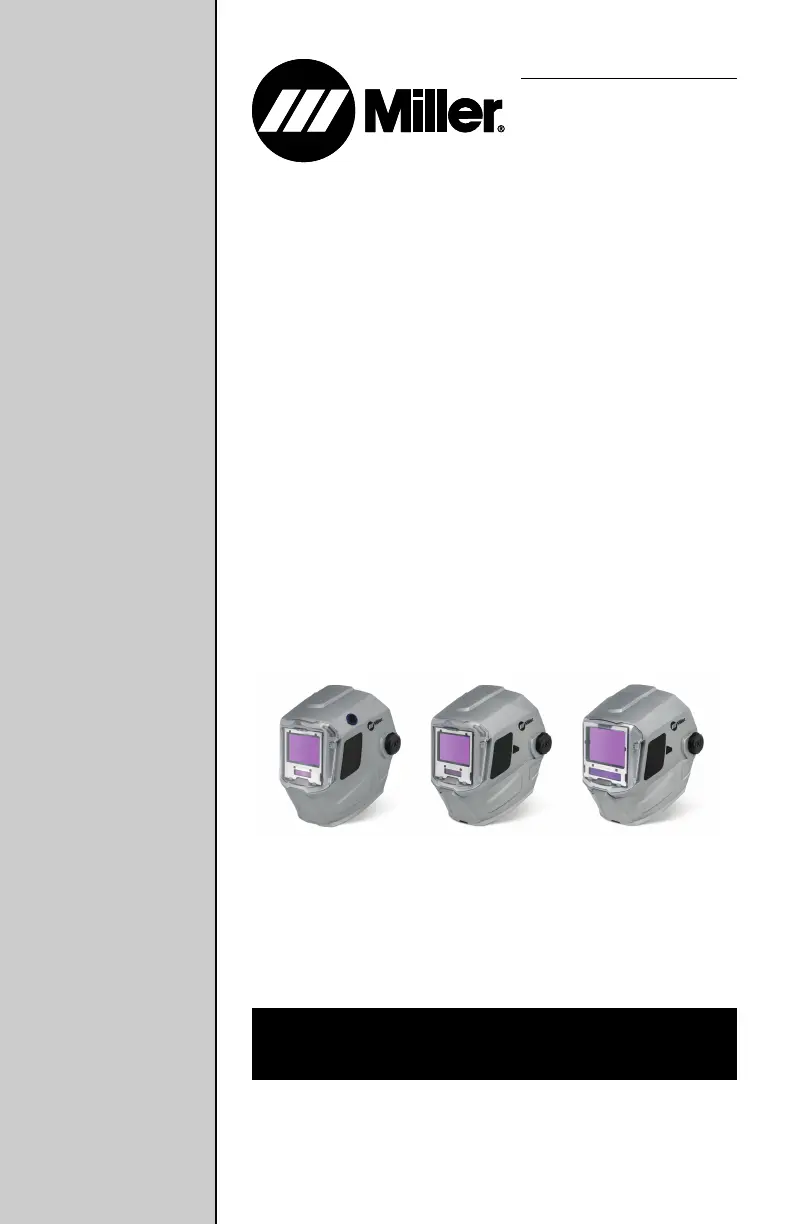
T94, T94i, and
T94i XL
Series
Auto-Darkening Helmets
OM-255503E 2021-05
T94 T94i T94i XL
OWNER’S MANUAL

Other manuals for Miller T94i Series

Questions and Answers

  • J
    Joshua EstradaAug 18, 2025
    What to do if my Miller T94i Motorcycle Accessories auto-lens is not switching and stays light?
    • W
      woodsamandaAug 18, 2025
      If your Miller Motorcycle Accessories auto-lens stays light and won't darken during welding, stop welding immediately. Press the Mode (On/Off) button. If the power is On, check the sensitivity and adjust it accordingly. Clean the lens cover and sensors to remove any obstructions. Ensure the sensors face the arc; angles of 45 degrees or more may prevent the arc light from reaching the sensors.
  • A
    anthony25Aug 20, 2025
    What to do if my Miller T94i Motorcycle Accessories auto-lens is not turning on?
    • R
      rachelmendozaAug 20, 2025
      If the auto-lens settings on your Miller Motorcycle Accessories do not appear when you press the Mode button, check the battery. Make sure it's in good condition and installed correctly. Inspect the battery surfaces and contacts, and clean them if needed. Also, ensure the battery has proper contact; gently adjust the contact points if necessary. This is especially important if the helmet has been dropped.
  • J
    James ChungAug 23, 2025
    What to do if my Miller Motorcycle Accessories auto-lens has sections that are not going dark?
    • J
      joshua43Aug 23, 2025
      If sections of your Miller Motorcycle Accessories auto-lens are not going dark, and you see distinct lines separating light and dark areas, stop welding immediately. This may be due to a cracked auto-lens, possibly from dropping the helmet, or weld spatter. The lens may need replacement, but note that most cracked lenses are not covered under warranty.
  • H
    Holly WelchAug 26, 2025
    What to do if Miller Welding Accessories auto-lens is switching or flickering?
    • J
      John LinAug 26, 2025
      If your Miller Welding Accessories auto-lens is flickering during welding or cutting, review the sensitivity setting recommendations and increase the sensitivity if possible. Make sure the arc sensors aren't blocked from the arc light. Also, check the lens cover for dirt and spatter. Increasing the lens delay to 0.1 - 0.3 seconds might also help reduce the switching.
  • A
    adamsmithAug 28, 2025
    How to fix Miller Welding Accessories auto lens not turning on?
    • J
      John BruceAug 28, 2025
      If your Miller Welding Accessories auto-lens isn't turning on, check the batteries to ensure they're in good condition and installed correctly. Clean the battery surfaces and contacts if necessary. Also, check the battery for proper contact and gently adjust the contact points, especially if the helmet has been dropped.
  • A
    Anne SmithAug 30, 2025
    Why Miller Welding Accessories auto-lens has inconsistent shading?
    • H
      huntstevenAug 30, 2025
      The inconsistent or lighter shading you're seeing on the edges and corners of your Miller Welding Accessories auto-lens is referred to as an angle of view effect. Auto-darkening lenses have an optimal viewing angle of 90° to the lens surface. When the viewing angle varies in the dark state, welders might notice lighter areas at the edges and corners, which is normal and not a safety hazard.
  • L
    Lauren Velazquez DVMSep 2, 2025
    What to do if sections of Miller Welding Accessories auto-lens are not going dark?
    • N
      Nathan AyalaSep 2, 2025
      If sections of your Miller Welding Accessories auto-lens aren't darkening and distinct lines separate the light and dark areas, stop welding or cutting immediately. The auto-lens may be cracked, possibly from dropping the helmet or weld spatter. The lens may need replacing, but most cracked lenses aren't covered by warranty.
  • B
    Bradley PatelSep 4, 2025
    Why is my Miller Motorcycle Accessories auto-lens switching or flickering?
    • M
      Mark MillerSep 4, 2025
      If your Miller Motorcycle Accessories auto-lens darkens and lightens while welding, review the sensitivity setting and increase it if possible. Make sure that nothing is blocking the arc sensors from direct access to the arc light. Inspect the lens cover for dirt and spatter. Increasing the Lens Delay to 0.1 – 0.3 seconds might also help reduce the switching.
  • T
    Tyler MartinezSep 7, 2025
    What to do if my Miller Motorcycle Accessories auto-lens stays dark after welding?
    • C
      Christina PayneSep 7, 2025
      If your Miller Motorcycle Accessories auto-lens stays dark after the weld arc is extinguished, or stays dark when no arc is present, fine-tune the sensitivity setting in small increments. In very bright conditions, try reducing the surrounding light levels.
  • R
    Ryan BartlettSep 9, 2025
    Why is my Miller T94i auto-lens shading inconsistent?
    • C
      Carol BradleySep 9, 2025
      Inconsistent or lighter shading on the edges and corners of your Miller Motorcycle Accessories auto-lens, also known as an angle of view effect, is normal. Auto-darkening lenses have an optimum viewing angle of 90 degrees to the lens surface. When the viewing angle varies in the dark state, slightly lighter areas may appear at the edges and corners. This is not a safety hazard and may be more noticeable when using magnifying lenses.

Summary

Safety Precautions

Arc Welding Hazards

Outlines arc welding hazards and required personal protective equipment (PPE).

Specifications

Operating Instructions

Helmet Controls Overview

Identifies and explains the various controls on the helmet's digital display.

Mode Control Settings

Explains how to select and use different modes like Weld, Cut, Grind, and X-Mode.

Variable Shade Control

Guides users on adjusting the lens shade for different welding processes.

Lens Delay Control

Explains how to set the delay time for the lens to switch from dark to clear.

Sensitivity Control

Guides users on adjusting the lens sensitivity for optimal performance in various lighting conditions.

Adjusting Headgear

Replacing Lens Covers

Replacing The Battery

Maintenance and Storage

Troubleshooting

Miller T94i Series Specifications

General IconGeneral
Auto-Darkening LensYes
Number of Arc Sensors4
Grind ModeYes
TIG Amp Rating5 A
Shade State5-13

Related product manuals