EasyManua.ls Logo

Miller Digital Performance Series - User Manual

Miller Digital Performance Series
32 pages
Print Icon
To Next Page IconTo Next Page
Loading...
®
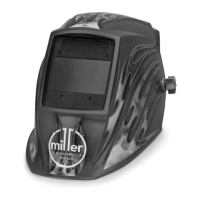
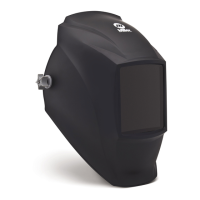
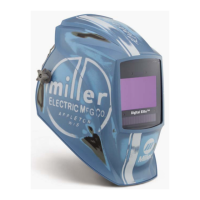
Models: Digital Elitet
Digital Pro-Hobby
)
Digital Performance Series
)
OM-256 476C
201301
To help us serve you better, go to www.MillerWelds.Com/Register
Auto-Darkening Helmets

Questions and Answers

Miller Digital Performance Series Specifications

General IconGeneral
BrandMiller
ModelDigital Performance Series
CategoryMotorcycle Accessories
LanguageEnglish

Summary

Welding Helmet Safety Precautions

Symbol Usage

Explains safety symbols used in the manual for hazard indication.

Arc Welding Hazards

Details risks associated with arc welding processes, including eye and skin protection.

Proposition 65 Warnings

States California Proposition 65 warnings for chemicals known to cause birth defects or cancer.

Lens Shade Selection

Provides a table for selecting appropriate lens shade numbers for various welding processes.

Principal Safety Standards

Lists relevant safety standards like ANSI Z49.1 and Z87.1 for welding.

Product Specifications

Operating Instructions

Helmet Controls Overview

Identifies and explains the various controls on the helmet's lens assembly.

Auto On;Off and Low Battery Indicator

Explains the auto on/off function and the low battery indicator light.

Mode Selection

Describes how to select different operating modes (Weld, Cut, Grind, X-Mode).

Variable Shade Adjustment

Details how to adjust the lens shade for different welding applications.

Lens Delay Adjustment

Explains how to set the delay for the lens to return to clear state.

Sensitivity Adjustment

Guides on adjusting lens sensitivity for optimal performance.

Lens Adjustment Procedure

Provides a step-by-step guide for adjusting lens settings.

Adjusting Headgear

Headgear Fit Adjustments

Covers top straps, tightness, angle, and distance adjustments for proper fit.

Replacing Lens Covers

Replacing Outside Lens Cover - Pro-Hobby

Step-by-step guide to replace the outer lens cover on Pro-Hobby helmets.

Replacing Inside Lens Cover - Pro-Hobby

Instructions for replacing the inner lens cover on Pro-Hobby helmets.

Replacing Outside Lens Covers - Elite;Performance Quick-Release

Guide for replacing outer lens covers on Elite/Performance Quick-Release models.

Replacing Inside Lens Cover - Performance

Steps to replace the inner lens cover on Performance Series helmets.

Replacing Lens Covers - Elite Standard

Instructions for replacing lens covers on Digital Elite Standard helmets.

Replacing the Battery

Battery Replacement Procedure

Provides instructions for replacing the batteries in the auto-darkening lens assembly.

Installing Optional Magnifying Lens

Magnifying Lens Installation

Guides on how to install optional magnifying lenses to enhance vision.

Helmet Maintenance

Cleaning and Care Instructions

Details recommended cleaning and maintenance procedures for the helmet.

Troubleshooting Guide

Common Issues and Solutions

Lists common problems and their solutions for the auto-darkening helmet.

Parts List

Digital Pro-Hobby Parts

Lists all part numbers and descriptions for the Digital Pro-Hobby model.

Digital Performance Parts

Lists all part numbers and descriptions for the Digital Performance model.

Digital Elite Standard Parts

Lists all part numbers and descriptions for the Digital Elite Standard models.

Digital Elite Quick Release Parts

Lists all part numbers and descriptions for the Digital Elite Quick Release models.

Limited Warranty

Warranty Information and Terms

Outlines the warranty terms and duration for Miller auto-darkening helmets.

Related product manuals