EasyManua.ls Logo

Miller Digital Elite - User Manual

Miller Digital Elite
32 pages
Print Icon
To Next Page IconTo Next Page
Loading...
®
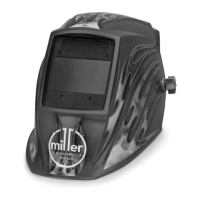
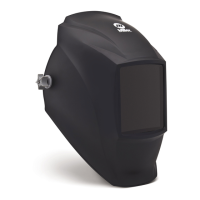
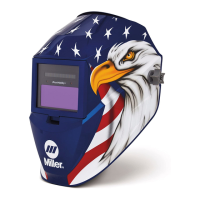
Models: Digital Elitet
Digital Pro-Hobby
)
Digital Performance Series
)
OM-256 476C
201301
To help us serve you better, go to www.MillerWelds.Com/Register
Auto-Darkening Helmets

Questions and Answers

  • E
    espinozaericJul 27, 2025
    What to do if my Miller Digital Elite Motorcycle Accessories auto-lens is not switching?
    • D
      Deborah WatsonJul 27, 2025
      If your Miller Motorcycle Accessories auto-lens stays light and doesn't darken during welding or cutting, stop immediately. First, ensure the lens is turned on. If it is, verify the mode settings and adjust the sensitivity, referring to the recommendations. Also, clean the lens cover and sensors to remove any obstructions. Confirm that the sensors face the arc directly, as angles of 45 degrees or more might prevent the arc light from reaching them.
  • S
    Sherri Taylor MDAug 1, 2025
    Why is my Miller Digital Elite auto-lens switching or flickering?
    • M
      martinezveronicaAug 1, 2025
      If your Miller Motorcycle Accessories auto-lens darkens and then lightens while welding or cutting, review the sensitivity setting recommendations and increase the sensitivity if possible. Ensure the arc sensors aren't blocked from direct arc light. Check the lens cover for dirt and spatter that might be blocking the sensors. Increasing the lens delay from 0.1 to 0.3 seconds may also reduce switching.
  • O
    orozcochelseaAug 6, 2025
    How to fix Miller Motorcycle Accessories auto lens not turning on?
    • K
      Katrina CrawfordAug 6, 2025
      If your Miller Motorcycle Accessories auto-lens doesn't darken when you press the On button, check the batteries. Make sure they are in good condition and installed correctly. Inspect the battery surfaces and contacts, cleaning them if needed. Ensure the battery has proper contact and gently adjust the contact points if necessary, especially if the helmet has been dropped. Also, confirm that the left and right battery trays are installed on the correct sides.
  • M
    Michele SchaeferAug 11, 2025
    What to do if my Miller Digital Elite auto-lens is not switching and stays dark?
    • H
      hernandezjenniferAug 11, 2025
      If your Miller Motorcycle Accessories auto-lens stays dark after the arc is extinguished, or when no arc is present, try reducing the sensitivity setting. In very bright conditions, lowering the surrounding light levels might be necessary. If the lens remains dark, press the Auto On/Off button to return it to the clear state.
  • L
    Linda StewartAug 16, 2025
    Why are sections of my Miller Digital Elite Motorcycle Accessories auto-lens not going dark?
    • Z
      znortonAug 16, 2025
      If sections of your Miller Motorcycle Accessories auto-lens aren't darkening and distinct lines separate light and dark areas, stop welding or cutting immediately. This may be caused by cracks from dropping the helmet or weld spatter. The lens may need replacement, but most cracked lenses aren't covered by warranty.
  • G
    Gina FryeAug 21, 2025
    Why is there inconsistent shading on my Miller Digital Elite Motorcycle Accessories auto-lens?
    • J
      Jasmine MccarthyAug 21, 2025
      The inconsistent or lighter auto-lens shading in the dark-state, noticeable on the outside edges and corners of your Miller Motorcycle Accessories is normal and doesn't pose a health or safety hazard. This is due to the angle of view effect, where auto-darkening lenses have an optimum viewing angle. This effect may also be more noticeable when using magnifying lenses.

Summary

Welding Helmet Safety Precautions

Symbol Usage

Explains the meaning of safety symbols and warnings used in the manual.

Arc Welding Hazards

Details the dangers associated with arc welding, including eye and skin burns from rays and sparks.

Proposition 65 Warnings

Provides California Proposition 65 warnings regarding chemicals known to cause birth defects or cancer.

Lens Shade Selection Guide

Offers a guide to selecting the appropriate lens shade number based on welding process and amperage.

Principal Safety Standards

Lists relevant ANSI safety standards for welding helmets and eye protection.

Product Specifications

Operating Instructions

Helmet Controls Overview

Identifies and explains the function of various controls on the auto-darkening lens.

Auto On;Off and Low Battery Indicator

Describes the auto-on/off function and the indicator for low battery status.

Mode Selection and Operation

Explains how to select different operating modes (Weld, Cut, Grind, X-Mode) for various applications.

Variable Shade Adjustment

Details how to adjust the lens shade level for optimal visibility during welding or cutting.

Lens Delay Control Settings

Explains how to set the delay time for the lens to return to its clear state after welding.

Sensitivity Adjustment Guide

Describes how to adjust the lens sensitivity to ambient light and welding arc conditions.

Typical Lens Adjustment Procedure

Provides a step-by-step guide for adjusting the auto-darkening lens settings.

Headgear Adjustments

Headgear Fit Adjustments

Covers adjustments for headgear top straps, tightness, angle, and distance for optimal fit and stability.

Lens Cover Replacement

Replacing Pro-Hobby Outside Lens Cover

Provides instructions for removing and replacing the outer protective lens on Pro-Hobby models.

Replacing Pro-Hobby Inside Lens Cover

Details the procedure for replacing the inner lens cover on Pro-Hobby series helmets.

Replacing Elite;Performance Outside Lens Cover

Instructions for replacing the outer lens cover on Digital Elite and Performance Quick-Release helmets.

Replacing Performance Inside Lens Cover

Guide for replacing the inner lens cover on Digital Performance Series helmets.

Replacing Elite Standard Lens Covers

Steps for replacing both inside and outside lens covers on Digital Elite Standard helmets.

Battery Replacement

Installing Magnifying Lens

Maintenance Procedures

Limited Warranty Information

Miller Digital Elite Specifications

General IconGeneral
Arc Sensors4
Shade Range5-13
TypeAuto-Darkening Welding Helmet
Welding ProcessesMIG, TIG, Stick, Flux-Cored
Power SupplySolar and Battery
Weight13.4 oz

Related product manuals