
 Need help?
Do you have a question about the MIMAKI UJF-6042MkII e and is the answer not in the manual?
Covers ink hazards, electrical safety, heat, and chemical use restrictions.
Periodic removal of ink or dust from the LED UV irradiation part.
Removing ink from the table, including caution on solvent use.
Cleaning the head and its surroundings, which are prone to contamination.
Cleaning the wiper, bracket, and cap to prevent dust and ink stains.
Instructions for replacing wipers and absorbers when a warning message appears.
Performing daily care and normal/hard head cleaning for nozzle recovery.
Using nozzle wash, wiper replacement, and recovery functions for persistent issues.
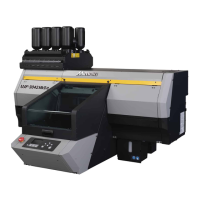
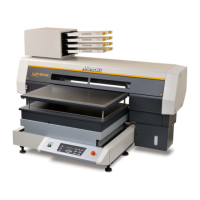
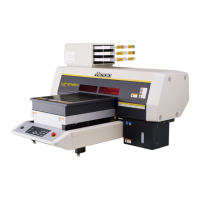
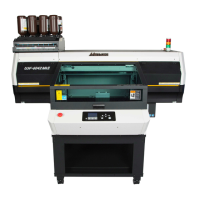
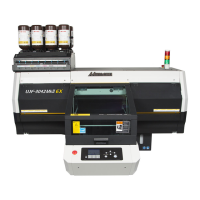
The Mimaki UJF-3042MkII/3042MkII e/3042MkII EX/3042MkII EX e/6042MkII/6042MkII e is an inkjet printer designed for precision printing. It utilizes ultraviolet curable (UV) ink, which requires specific handling and safety precautions. The device is built with extremely fine mechanisms, making it susceptible to issues caused by dust or paper powder on the nozzle surface. Therefore, regular care and maintenance are crucial for optimal performance and to ensure proper printing results.
This printer is primarily used for producing high-quality prints using UV ink. Its precision design allows for detailed and accurate output. The device is capable of handling various media types, including those that reflect UV light well, such as glass or glazed metal. It also features mechanisms to manage static electricity, which can be an issue when printing on certain media or in dry environments.
The printer incorporates several features to maintain print quality and head stability. These include a capping station, mist filters, and a wiper system, all designed to keep the print heads clean and prevent ink clogging. It also has a waste ink tank to collect excess ink and a system for managing antifreeze liquid, which is essential for the machine's internal mechanisms.
To ensure stable ink discharge, especially when the printer is not used for extended periods, it may be necessary to periodically discharge a small amount of ink (flushing). The device includes a "CUSTODY WASH" function for this purpose. When the machine is not in use, it's recommended to turn off the power switch on the front while keeping the main power switch on the side and the cable socket inserted.
The printer's performance is significantly influenced by the working environment and media conditions. For instance, if the head gap is set wide due to fibers on the media, or if media that reflects UV light well is used, adjustments to the refreshing level for drawing and automatic maintenance settings may be required. Infrequently used print heads can become unstable, necessitating an increase in the refreshing level to maintain usage rate. In dry environments or with media prone to static, using an optional ionizer or humidifier is recommended to prevent mist or dust accumulation around the printing area and head.
When printing on markedly uneven media, it's important to fill the gap by setting media that are not in use to prevent degradation of the head from reflected light.
Regular maintenance is critical for the longevity and performance of the Mimaki printer. The manual outlines a comprehensive schedule for daily, weekly, and monthly care, as well as maintenance when needed.
Daily Care:
Periodically Care (Twice a week for Ver.2 PR-200 ink, once a month for Ver.3 PR-200 ink):
Periodically Care (Once a week):
Periodically Care (Once a month):
Maintenance when needed:
Consumables Replacement:
Recovery Method for Defective Nozzle Discharge: If nozzle discharge issues occur, a systematic recovery process is recommended:
Safety Precautions:
 General
| Print Resolution | 1200 x 1200 dpi |
|---|---|
| Interface | USB 2.0, Ethernet |
| Power Supply | AC 100-240V, 50/60Hz |
| Print Technology | UV-LED Inkjet |
| Maximum Media Thickness | 153 mm |
| Ink Type | UV curable ink |
| Ink Colors | CMYK + White + Clear |




 To Next Page
