18
ISO
Capture Format
White balance refers to the temperature of the color in the
picture. It is best to manually choose the desired temperature or
a preset to ensure consistent results and reduce flicker.
There is one simple rule to time-lapse photography: capture as
much information as possible.
This means using RAW image format. It is okay to use JPG for tests
or rough sequences, but always use RAW when capturing your
final sequence.
Aperture
Focus & Zoom
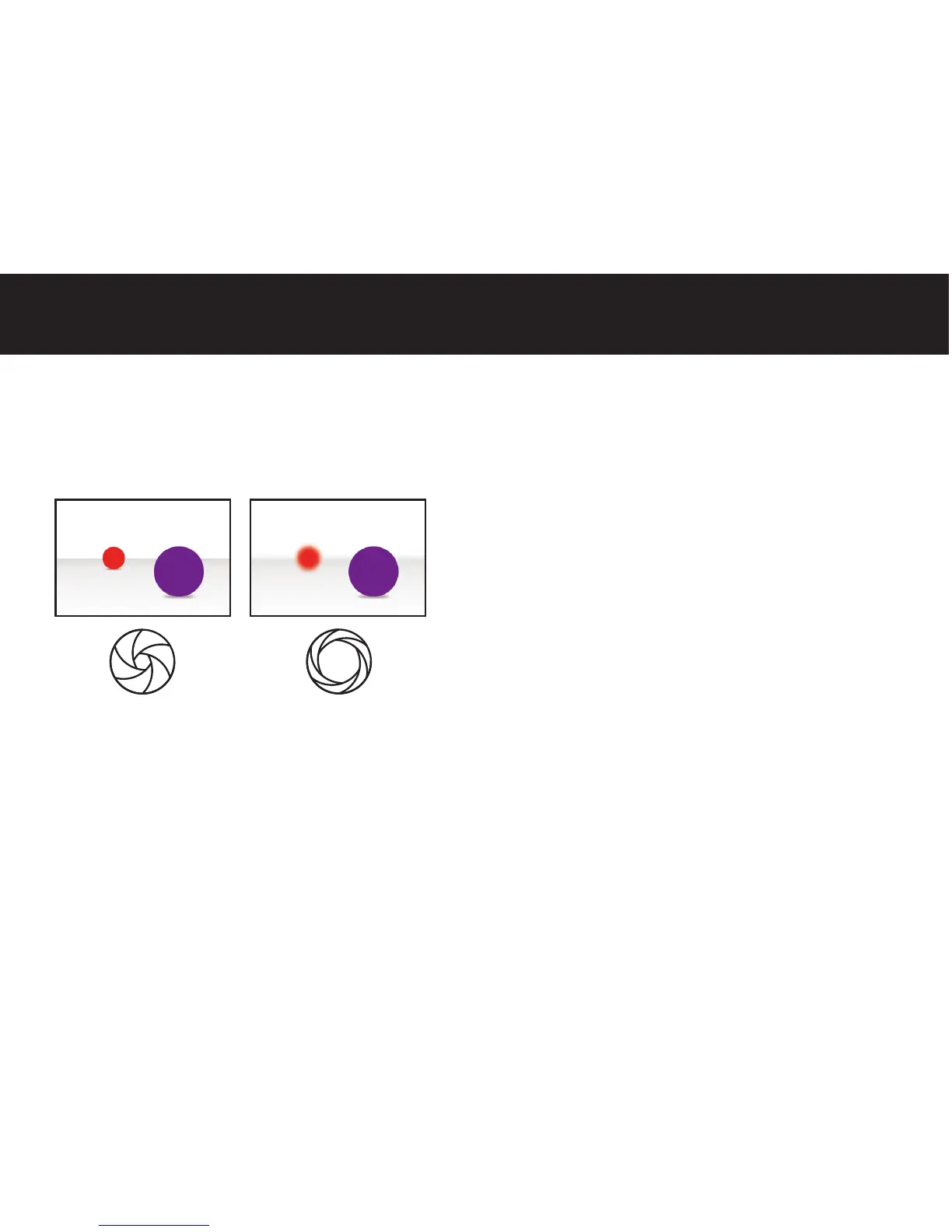
The aperture setting controls the amount of light that enters
the camera as well as the depth of field (DOF). A large aperture
lets in more light and produces a shallow DOF; whereas, a small
aperture will capture less light and show more objects in focus.
First, make sure you disable autofocus and image stabilization
on your lens or camera. Choose a focal length that allows you to
capture enough context around your subject.
Time-lapse photography is all about change; many times the
subtle changes around your main subject are what make a time-
lapse great. For the same reason, avoid extreme zoom.
17
Small Aperture Large Aperture
White Balance
ISO refers to the sensitivity of the camera to light. A small number
provides less sensitivity, while a high number generates high
sensitivity. Low settings generate cleaner images. In contrast high
ISO settings produce nosier images as the camera tries to extract
as much information as possible from the sensor. Every camera
is different; take a couple of test photos at varying ISO settings to
see if the noise level is acceptable. Much like the other settings we
have discussed, never use auto ISO because it can produce flicker
and other inconsistencies.



 To Next Page