6
3 Parameter programming
3-1 Example 1: Single-parameter setting by scanning 1D barcodes
Important notes:
1) After each successful programming, the platform will beep twice.
2) Throughout the programming barcode menus, the factory default settings are indicated with
asterisks (*).
Two programming modes have been provided as bellows:
❶ Single-scan setting
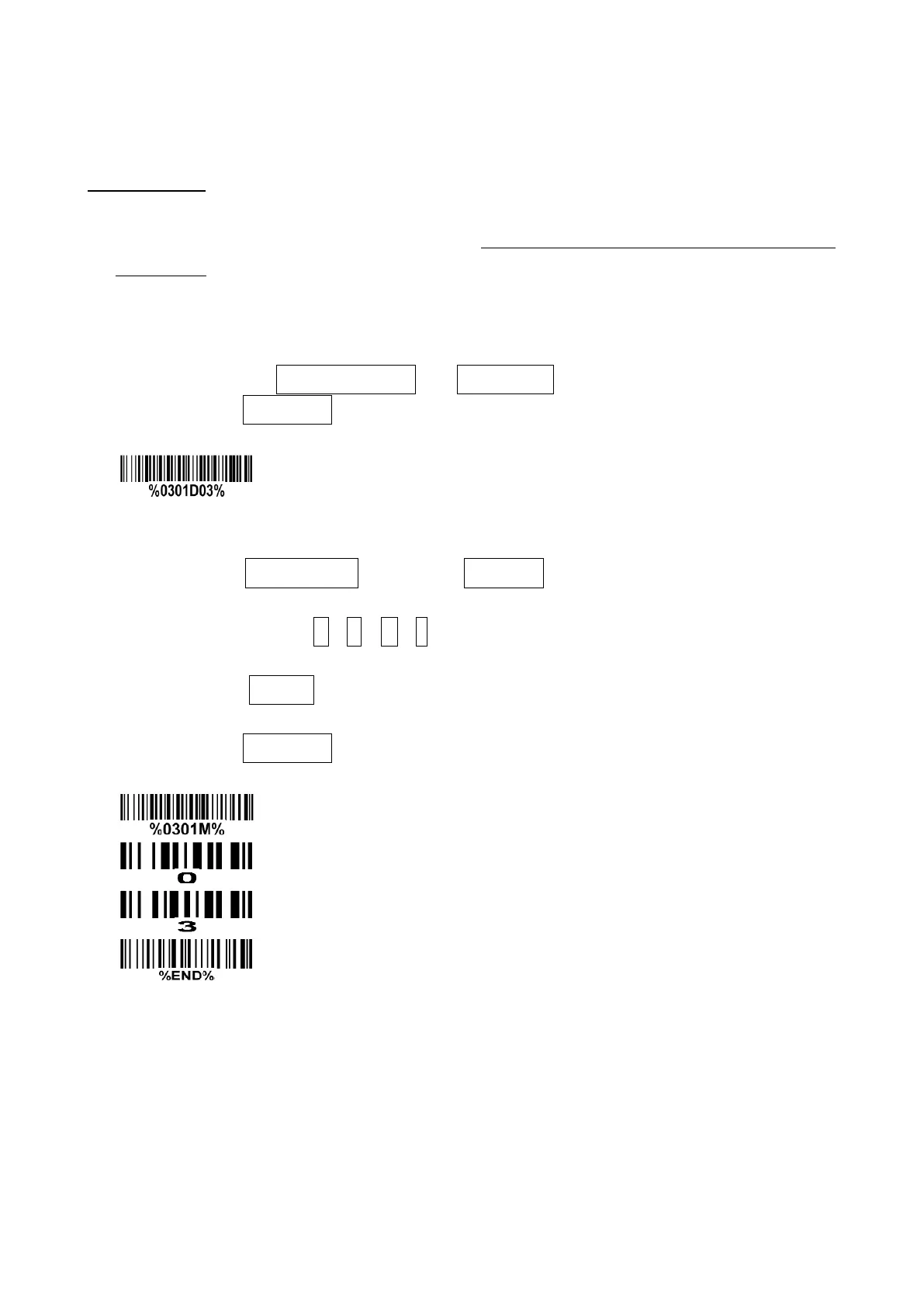
Scan the appropriate Single-scan setting (e.g. %0101D00%) according to the user‘s demand.
Example: To set Flow control to be XON/XOFF.
Steps: Scan the following barcode.
❷ Multiple-scan setting
Step 1. Scan the Option barcode barcode (e.g. %0101M%) according to the user‘s demand.
Step 2. To the right of the option barcode, the necessary alphanumeric inputs are listed. Scan two
alphanumeric entries from 0 to 9 or A to F, refer to 10 Configuration alphanumeric entry barcode.
Step 3. Repeat Step 2, if more user parameters input are required.
Step 4. Scan the %END% barcode, listed on the lower left hand corner of each parameter setting
part.
Example: To set Flow control to be XON/XOFF.
Steps: Referring to 3-6 RS-232 interface, scan the following barcodes in order.



 To Next Page