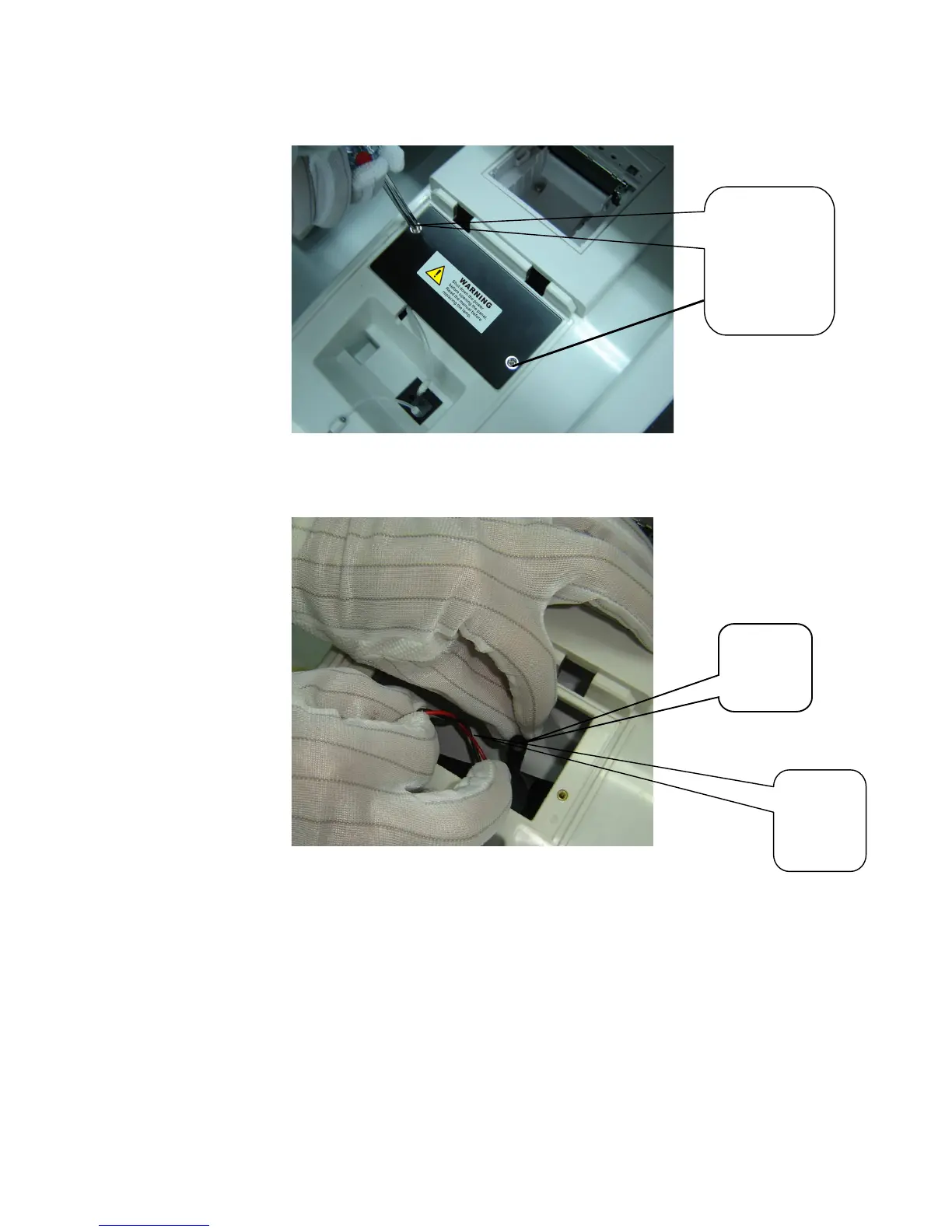
1 Open the optical window cover, use cross screw driver to unscrew the screws on
the lamp replacement window cover. Remove the cover.
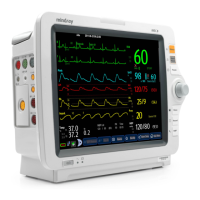
2 Unscrew the fastening screw of the lamp base (if it is difficult to dismount, some
tools like the clipper might be used). Put the screws in a proper place outside the
instrument. Pinch the lamp base directing line and then carefully take the lamp
assembly out).
Unscrew the
two screws
and remove
the
replacement
window cover
Lamp
base
directing
line
Lamp
base
fastening
screw



 To Next Page