BeneVision N Series Patient Monitor Operator’s Manual 20 - 5
• Calibrate the Vigileo monitor before monitoring. See the Vigileo operator’s manual for the
calibration instructions.
• For the Vigileo monitor, Flow Control must be set to 2 seconds.
20.5.4 Connecting the EV1000 Monitor
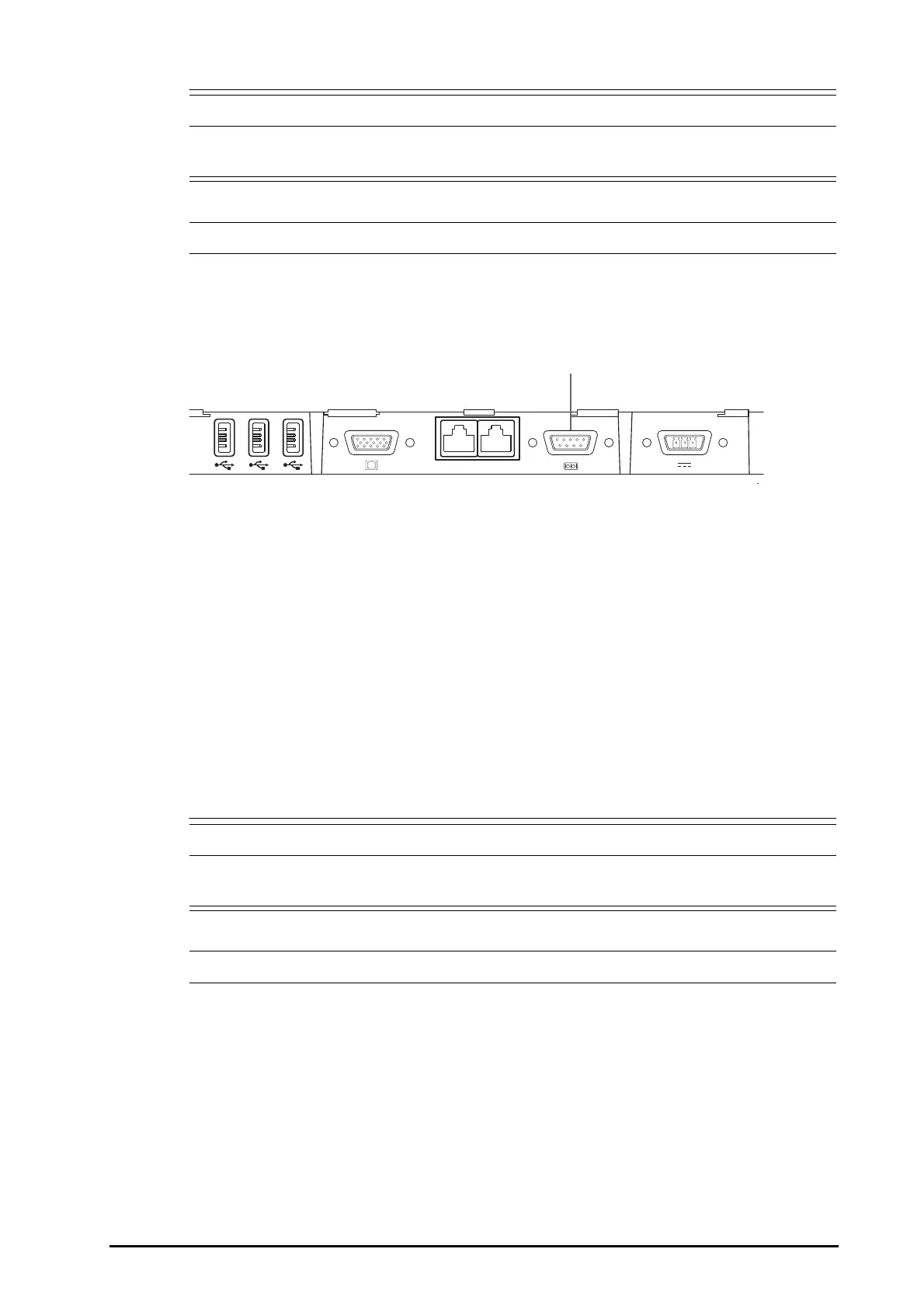
The following figure shows the rear housing of the EV1000 monitor.
To connect the EV1000 monitor, follow this procedure:
1. Connect CN1 with the CCO/SvO2 cable connector of the CCO/SvO2 module.
2. Insert UART into the serial port on the rear housing of the EV1000 monitor.
3. Enter the Serial Port Setup menu of the EV1000 monitor, and make the following settings:
◆ Device: IFMout
◆ Baud Rate: 19200
◆ Parity: None
◆ Stop Bits: 1
◆ Data Bits: 8
◆ Flow Control: 2 seconds
For more information, see the EV1000 operator’s manual for the operation of the monitor.
• Calibrate the EV1000 monitor before monitoring. Refer to the EV1000 Operator’s Manual for the
calibration instructions.
• For the EV1000 monitor, Flow Control must be set to 2 seconds.
(1) serial port



 To Next Page