Image Optimization 5-3
5.1.3 Quickly Saving Image Setting
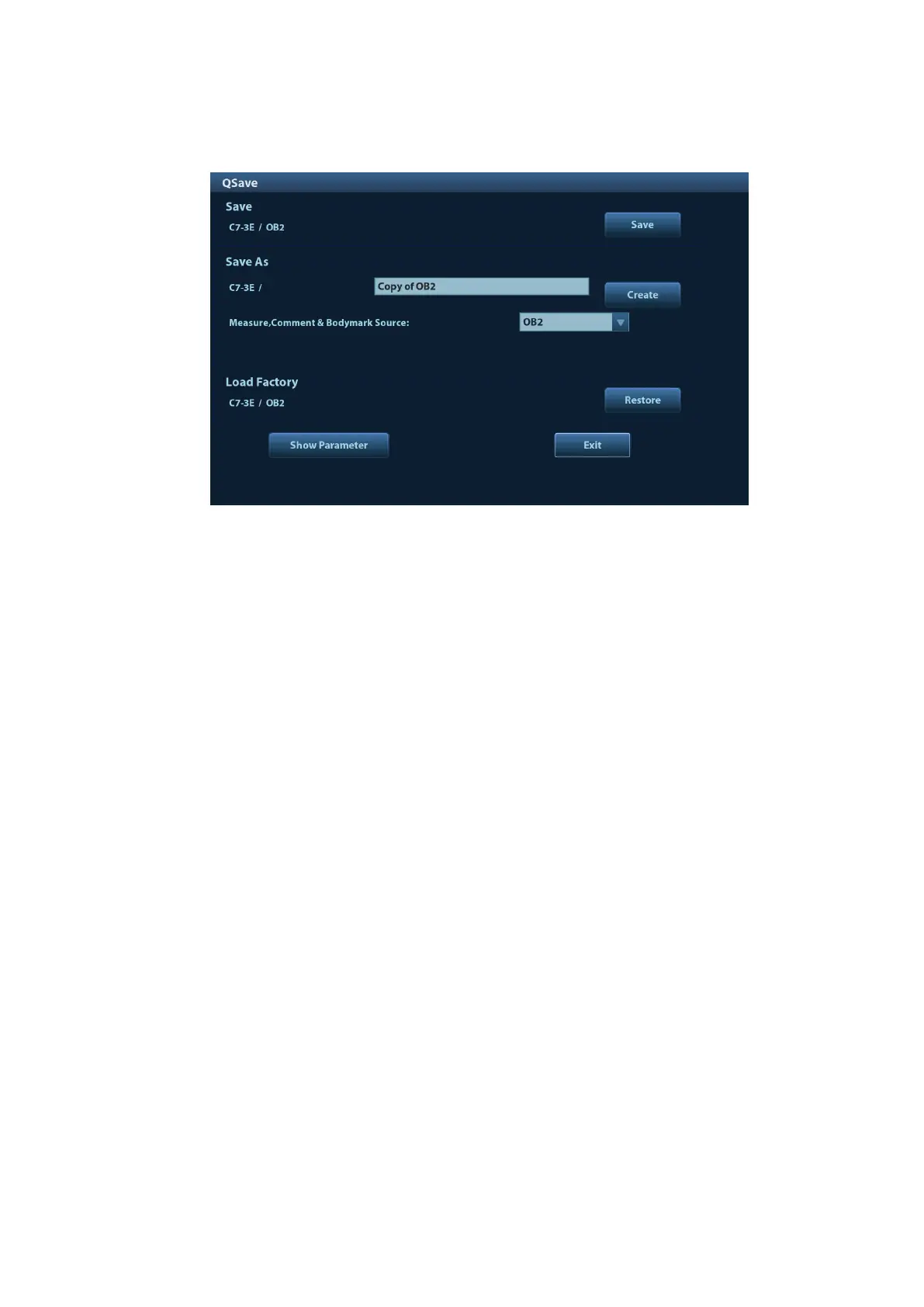
Press <F7> to enter the image data saving dialogue box.
Save image parameter adjustment:
Click [Save] to save the current image values for the current exam mode of the certain probe.
Create a new exam data (using current image parameter setting):
Enter the name in the box after the ―Save As‖ to assign a name for a user-defined exam mode,
and click [Create] to save the current image parameters, measurements, comments, body
mark settings to the exam mode.
Restore factory setting:
Settings of the current exam mode and the probe can be restored to factory data by clicking
[Restore].
View image parameter
Tap [Show Parameter] to view the image parameter of the current exam mode and the
probe.
Tap [Advanced]. The value to TIC/TIB/TIS can be set.
Tap [Advanced], and then enable the M-mark line. The M-mark line always appears after
being set when entering PW/M/TVM mode for once. Press <PW>/<M>to enter the
corresponding mode one time.



 To Next Page