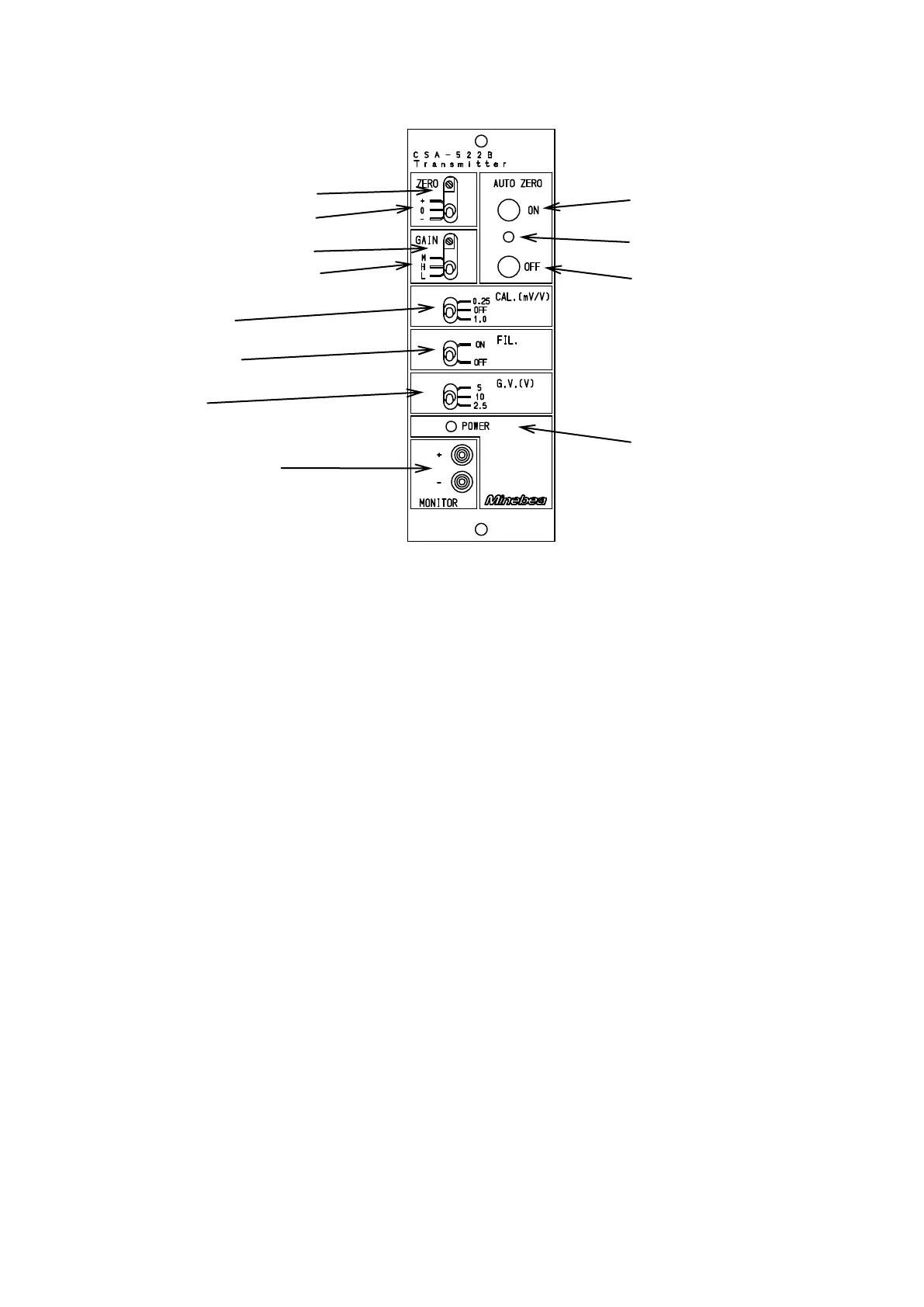
1. Each function and name
1-1. Front panel
① POWER LED
It lights by turning on the power supply (POWER switch ON).
② ZERO Fine control trimmer
It is a trimmer for the fine control of zero.
③ ZERO Coarse control switch
It is a switch for the coarse control of zero. Some ±0.3mV/V input is shifted.
④ GAIN Fine control trimmer
It is a trimmer for the fine control of amplification degree.
⑤ GAIN Coarse control switch
It is a trimmer for the coarse control of amplification degree. It is 1000 times in L, 2000 times in M,
and 3000 times in H.
⑥ CALIB switch
It is a switch that turns the CAILB value on and off.
⑦ FILTER switch
It is a switch that changes the frequency response.
It is 25 kHz in OFF, and 1 Hz or 30 Hz in ON. (Change with the DIP switch on the circuit board.)
⑧ GV switch
The power supply voltage of the bridge to the strain gage applied transducer is selected.
⑨ MONITOR terminal
It is a terminal to monitor the output voltage value.
⑩ AUTO ZERO LED (Options)
LED lights while auto zero executions
⑪ AUTO ZERO ON switch (Options)
The analog output when pushing is adjusted to 0 volt.
Please release the auto zero when you calibrate.
⑫ AUTO ZERO OFF switch (Options)
Auto zero is released.
③ ZERO coarse control switch
② ZERO fine control trimmer
④ GAIN fine control trimmer
⑤ GAIN coarse control switch



 To Next Page