miniDSP Ltd, Hong Kong / www.minidsp.com / Features and specifications subject to change without prior notice 12
3.2 CONFIGURATION
To configure the UMA-8, open the USB Audio Control Panel (from Start Menu -> miniDSP Ltd -> UAC2 Control
Panel). It has several panes, described below.
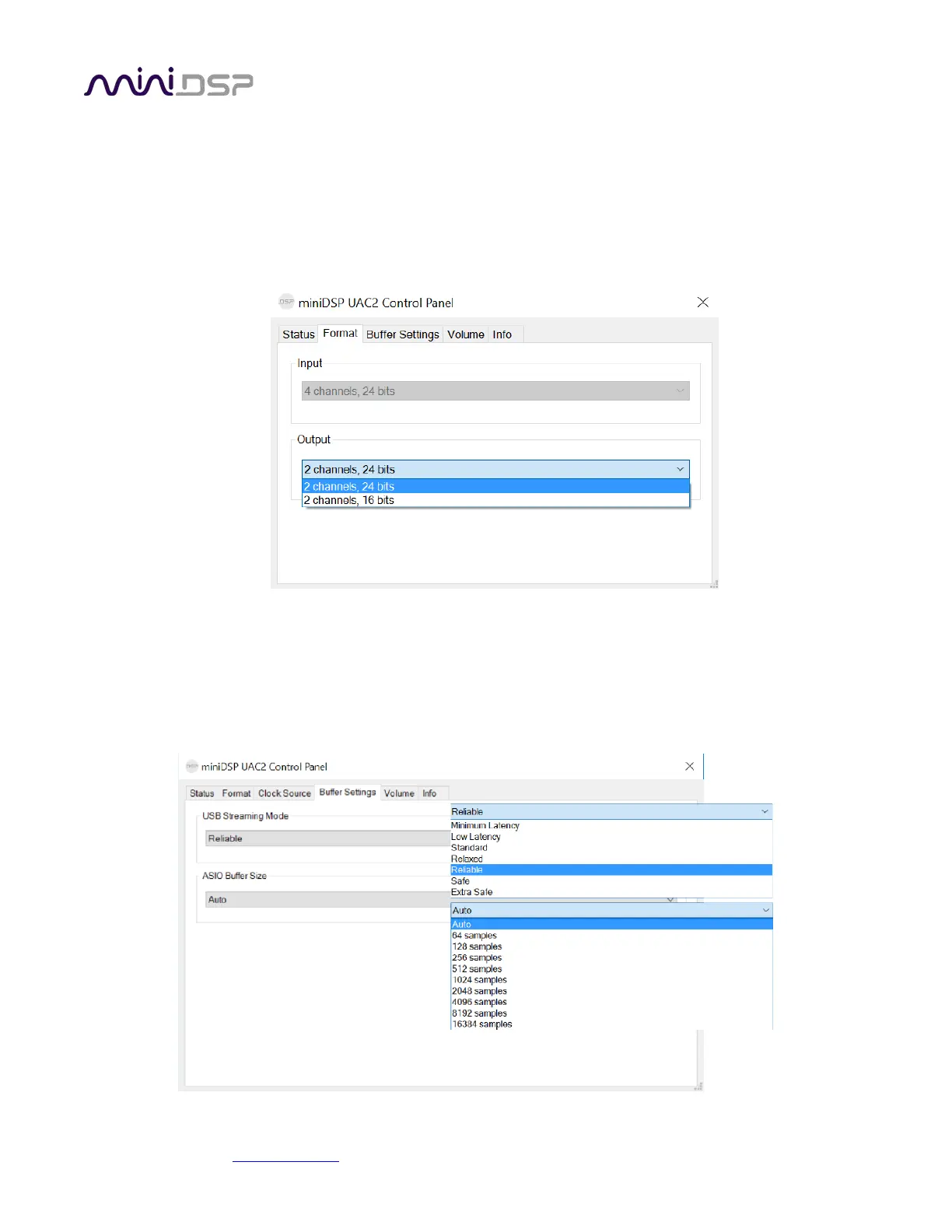
3.2.1 Format
This panel selects the input and output data format.The screenshot here shows the DSP mode.
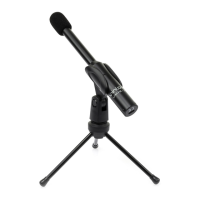
3.2.2 Buffer settings
The buffer settings are for those looking to optimize buffering and latency settings. Note that changing these
settings may result in unstable operation. For example, the lowest latency settings require high amounts of CPU
and memory, and may not work on some machines. If you do not require lowest latency, we recommend that
you do not depart from the default safe settings.


 To Next Page