8
1.7 Startup
1.7.1 In-Car Use
Connect the included auxiliary DC power adaptor to your car’s power port. Plug the USB
plug into the camcorder’s USB port. Charging will begin immediately. Please note that the
camcorder’s internal battery has a very limited capacity and is only intended for use in
emergency use situations.
1.7.2 In-Car Camera
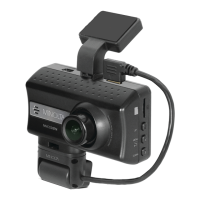
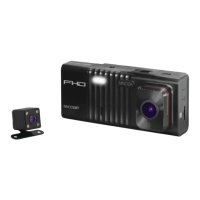
The camcorder comes with a second built-in camera. This camera is used to record the
interior of your vehicle at the same time as the front camera is recording the road in front of
you. Press the RIGHT button to change the view on the LCD screen to the in-car camera.
Video files from the in-car camera are saved as separate files on the memory card. Simply
rotate the in-car camera to change the view of the camera.
1.7.3 USB Cord / Computer Use
Connect the included USB cable to a free USB port on your computer, and connect the
other end of the cable into the camcorder’s USB port. The battery may be charged while
the camcorder is powered on or off. The camcorder will automatically power on and show
two different modes you can select from. The modes are ‘Mass Storage’, where you can
access stored videos and images, and ‘PC camera’, where the camcorder will function like
a web cam. Use the LEFT or RIGHT buttons to select your desired mode and press the OK
button to enter that mode.
Your camcorder acts like a memory card reader when connected and your videos and
photos stored on your camcorder memory can easily be accessed this way.
To access the files on your PC, go to Start (or File Explorer) → This PC → and find
Removable Disk. Your media will be stored in a folder on this drive.
1.7.4 Using the IR Night Vision Mode
This camcorder has built-in infrared (IR) LEDs for night vision recording - giving you the
ability to capture photos and videos in a dark environment.
The infrared LEDs automatically activate when the level of ambient light is low and will turn
off when the level of ambient light is high.


 To Next Page