Need help?
Do you have a question about the Minolta MNCD42 and is the answer not in the manual?
Important safety precautions for operating and maintaining the camcorder.
Identification of the camcorder's physical components and buttons.
Detailed explanation of each button's function and purpose.
Step-by-step instructions for managing the memory card.
Guide on attaching and properly using the windshield mount.
Procedures for powering on the camcorder for different uses.
Simplified steps to begin recording video and operating the device.
Instructions for recording video, including starting, stopping, and mode selection.
Steps for taking still photographs and capturing photos during video recording.
How to review previously recorded video and photo files.
Interpretation of on-screen indicators and icons during operation.
Configuration options for video recording quality and features.
Configuration options for photo capture quality and features.
Options for managing recorded files, including deletion and locking.
System-wide configurations like frequency, language, and display settings.
Procedure for transferring media files to a PC.
Steps to reset the camcorder to its default state.
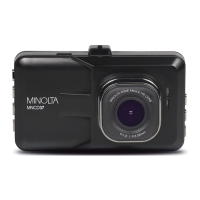
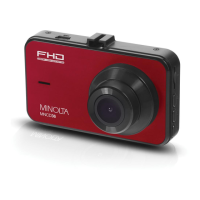
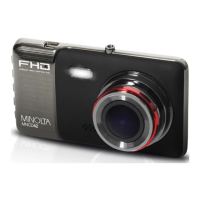
The Minolta MNCD42 is a compact dash cam designed for in-vehicle use, offering a range of features for capturing video and photos. Its primary function is to record driving incidents, daily life, travel, and outdoor activities, providing evidence when needed. The device integrates 1080p HD video capture and high-resolution photo capabilities, utilizing advanced video decoding technology for excellent video quality.
The MNCD42 operates in three main modes: Video Capture, Photo Capture, and Playback. Upon powering on, it defaults to Video Capture Mode and automatically begins recording. Users can manually start or stop recording by pressing the OK button. In Photo Capture Mode, accessible by short-pressing the Power/Mode button, the device can capture still images instantly with the OK button, or even during video recording by pressing the UP button. Playback Mode allows users to review captured video and photo files, cycling through them with the UP and DOWN buttons. Videos can be played or paused using the OK button, and files can be deleted or protected from deletion via the MENU button.
The dash cam is designed for ease of use, starting with its simple setup. A MicroSD memory card (Class 10 recommended, up to 64GB) is inserted with the gold pins facing the display screen. The device comes with a windshield suction cup mount, which screws into the mount port. This mount allows for wide-angle recording when attached to the car's windshield. For power, the MNCD42 connects to the car's power port via the included auxiliary DC power adaptor and USB cable. It automatically powers on and begins recording when connected. The internal battery has limited capacity, primarily for emergency situations.
The MNCD42 offers several user-adjustable settings to customize video and photo capture. In Video Mode, settings include:
In Photo Mode, settings include:
Playback Mode also offers file management features:
General setup settings, accessible from any mode, include:
To ensure optimal performance and longevity, the MNCD42 requires some basic maintenance. Users are advised not to disassemble or attempt to service the camcorder themselves. It should be protected from moisture and extreme temperatures. When moving from cold to warm environments, allow the camera to warm up gradually. The camera lens should not be touched or subjected to pressure, nor should it be exposed to direct sunlight for extended periods. For cleaning, abrasive chemicals, cleaning solvents, or strong detergents should be avoided; instead, the product should be wiped with a slightly damp soft cloth. It's normal for the camera body to feel warm during extended use. The LCD monitor should not be subjected to impact. To prevent fire or electric shock, the appliance should not be exposed to rain or moisture.
For the windshield suction cup mount, if it loses its grip over time, it should be thoroughly cleaned with soap and water, allowed to dry for two hours, and then reapplied. Before applying the mount, ensure the windshield is clean and free of dirt or debris.
Regarding the memory card, it should not be removed or inserted while recording to prevent damage or data loss. If the camcorder freezes or becomes unresponsive, a reset button is provided on the front body of the camcorder. Inserting a pointy object into this reset hole will power cycle the device and restore functionality.
Connecting the camcorder to a computer via the included USB cable allows for media transfer. The camcorder acts as a memory card reader, automatically downloading necessary compatibility drivers to sync with the PC. Files can be accessed through "Start" (or "File Explorer") as a "Removable Disk."
 General
| Video Resolution | 1080p |
|---|---|
| Loop Recording | Yes |
| G-Sensor | Yes |
| Parking Mode | Yes |
| Memory Card Type | microSD |
| Viewing Angle | 170 degrees |
| Display | LCD |
| Night Vision | Yes |
| Screen Size | 3.0 inches |
| Storage | Up to 32GB |
| Power Source | Car Charger |

 To Next Page