BASIC ADJUSTMENT SETTINGS
page27
PARENTAL MENU (CONTINUED)
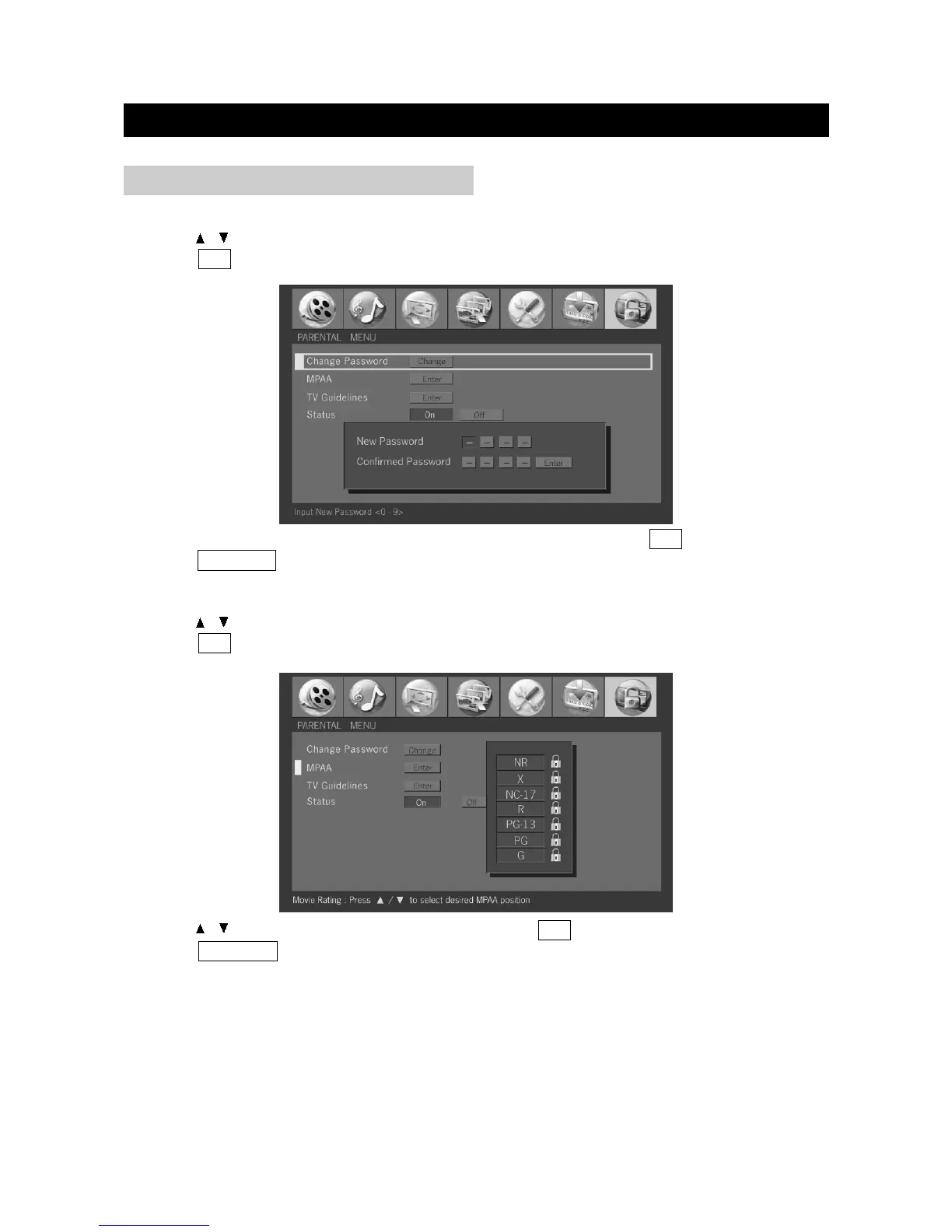
3. Enter your new password with numbers, then input it again and press OK to confirm.
4. Press TV MENU to exit.
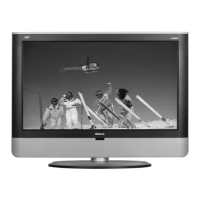
3. Press / to select desired MPAA position and press OK to confirm.
4. Press TV MENU to exit.
Change Password
1. Press / to select "Change Password" in "Parental" menu.
2. Press OK to display the Change Password menu.
MPAA (Movie Rating)
1. Press / to select "MPAA" in "Parental" menu.
2. Press OK to display the MPAA menu.


 To Next Page