BASIC ADJUSTMENT SETTINGS
page28
PARENTAL MENU (CONTINUED)
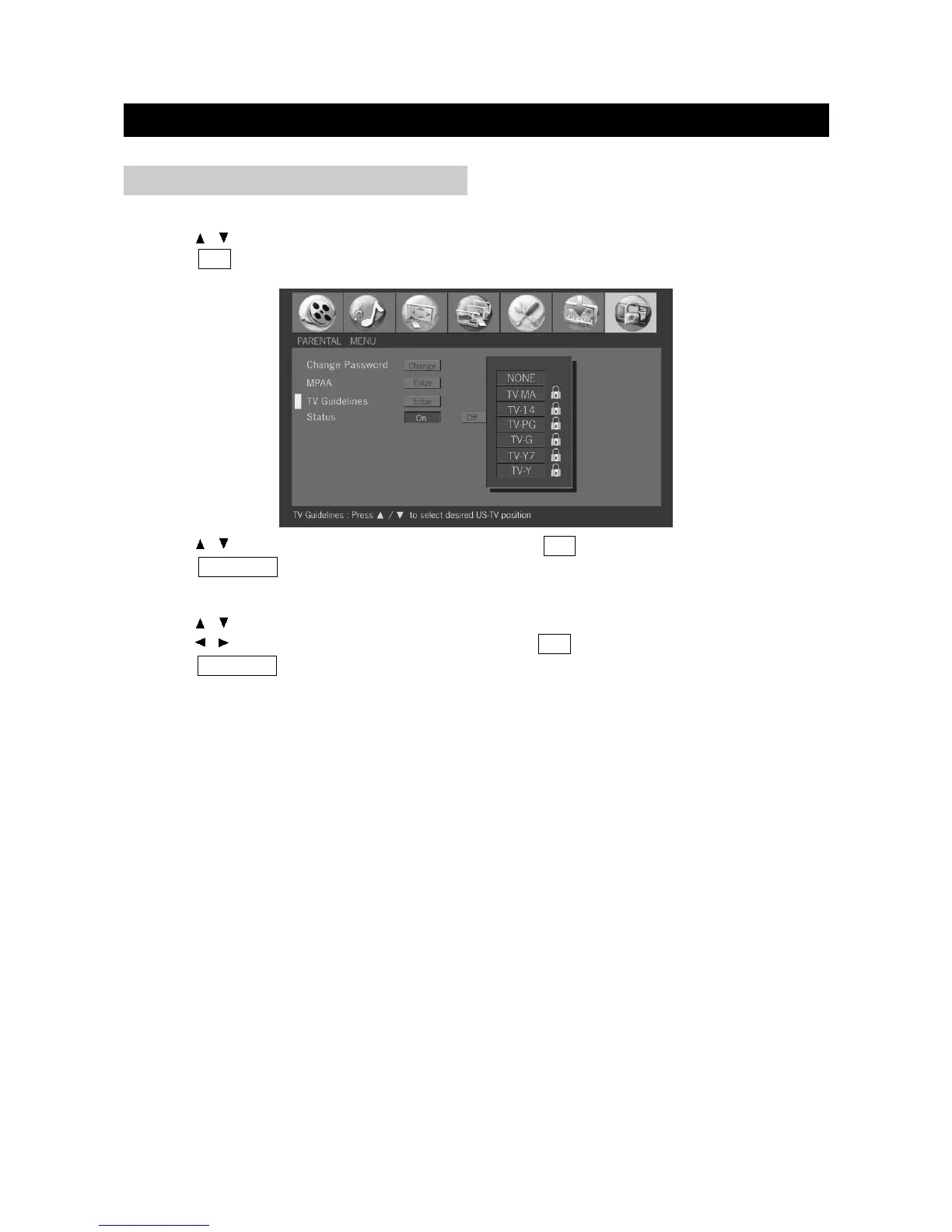
3. Press / to select desired US-TV position and press OK to confirm.
4. Press TV MENU to exit.
TV Guidelines
1. Press / to select "TV Guidelines" in "Parental" menu.
2. Press OK to display the TV Guidelines menu.
Status
1. Press / to select "Status" in "Parental" menu.
2. Press / to select password "On" or "Off" and press OK to confirm.
3. Press TV MENU to exit.


 To Next Page