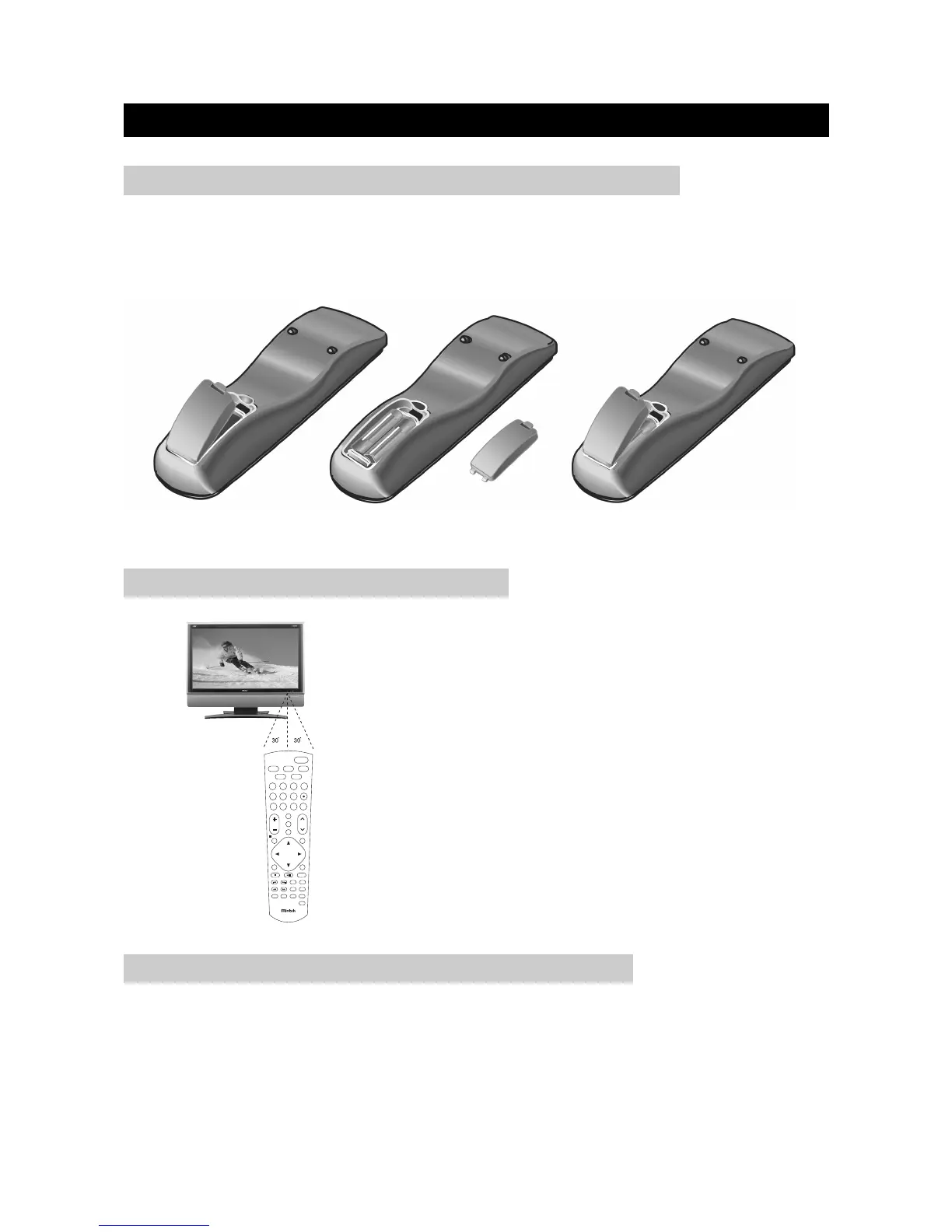
Insert supplied batteries via the battery compartment on the back of the remote control.
Make sure polarity matches the (+) and (-) marks inside the compartment.
PREPARATION
page5
INSERTING BATTERIES INTO THE REMOTE CONTROL
●
Do not expose remote to liquids, direct sunlight or shock.
●
The remote control unit may not work properly if the remote sensor window of the Display is
under direct sunlight or strong lighting. In such case, change the angle of the lighting or Display,
or operate the remote control unit closer to the remote sensor window.
CAUTIONS REGARDING REMOTE CONTROL UNIT
●
Use the remote control by pointing it towards the remote
sensor on the TV. Objects between the remote control and
the sensor may disrupt operation.
●
Effective range is 20 feet but is dependant on what your
viewing angle is.
●
Range can also be affected by direct sunlight on the TV’s
sensor.
USING THE REMOTE CONTROL UNIT


 To Next Page