MEMORY CARD PLAY OPERATION
How to play MEMORY CARD
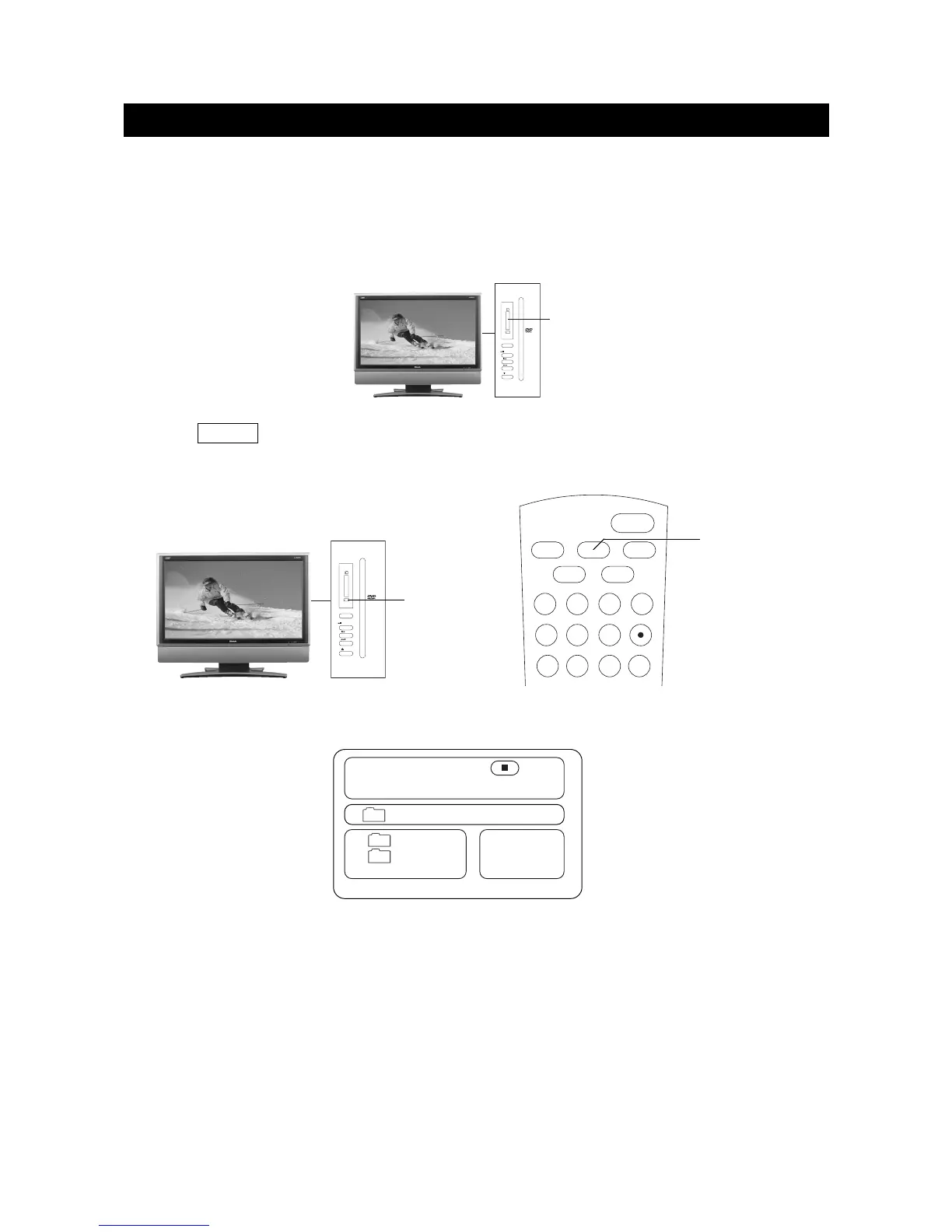
1. In DVD mode , press "DVD/CARD" button on the remote control to switch. Example :
2. Press "DVD/CARD" button on the remote control to switch.
1) If insert " Memory Stick " card to the "3 in 1DIGITAL CARD" slot , the screen displays " MS"
when the unit was switched to " CARD " play .
2) If insert " MMC " card,the screen display MMC ; if insert "SD" card , the screen displays
" SD" when the unit was switched to "CARD " play .
3. The operation of MEMORY CARD are the same as " MP3" operation .
NOTE: According to the content of the MEMORY CARD , the display picture will be different .
DVD/CARD
DVD/CARD
00:00 00:00
001/012
FOLDER
MP3
JPG
\
D SD
MEMORY CARD (MMC/SD /Memory Stick card ) can memory MP3 songs and digital pictures .
How to select MEMORY CARD to play
1. Turn on the power.
2. Insert MMC/SD/Memory Stick card to the "3 in 1 DIGITAL CARD" Slot.
3. Press VIDEO to select " DVD" mode .
4. Press" DVD/CARD" button on the remote control to switch : DVD /CARD.


 To Next Page