12
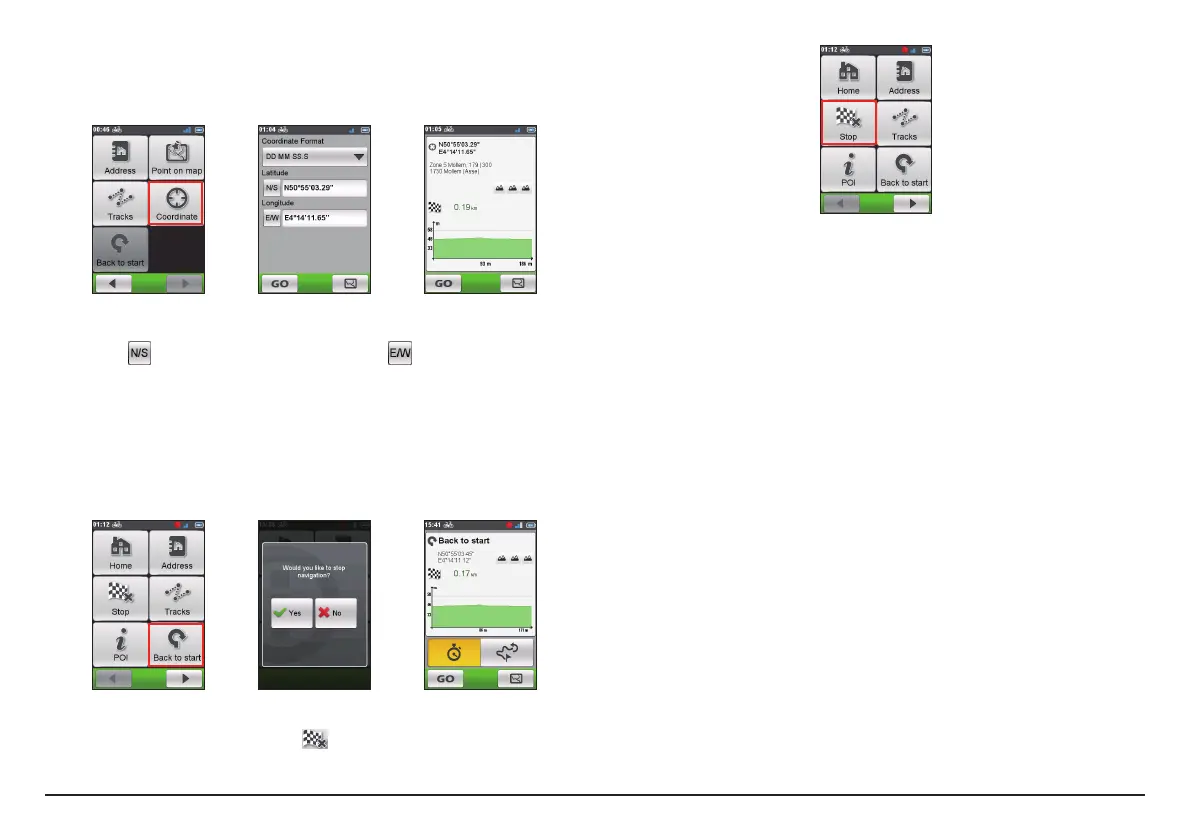
Searching for a location using GPS coordinates
You can manually input the coordinates of your target destination. Tap the
Latitude and Longitude fields to enter the coordinates of the location.
Note: Tap the Coordinate format option to change the input method for the Latitude/
Longitude coordinate.
Note: Tap
to change between North and South; tap to change between East and
West.
Other navigating options
Going back to start
Note: This feature is only available when the recording is in progress.
The Back to start function enables the device to navigate you back to the
starting point after you have reached the destination or completed your ride.
Stopping navigation
To stop navigation for your ride, tap
on the Navigate screen.


 To Next Page