10
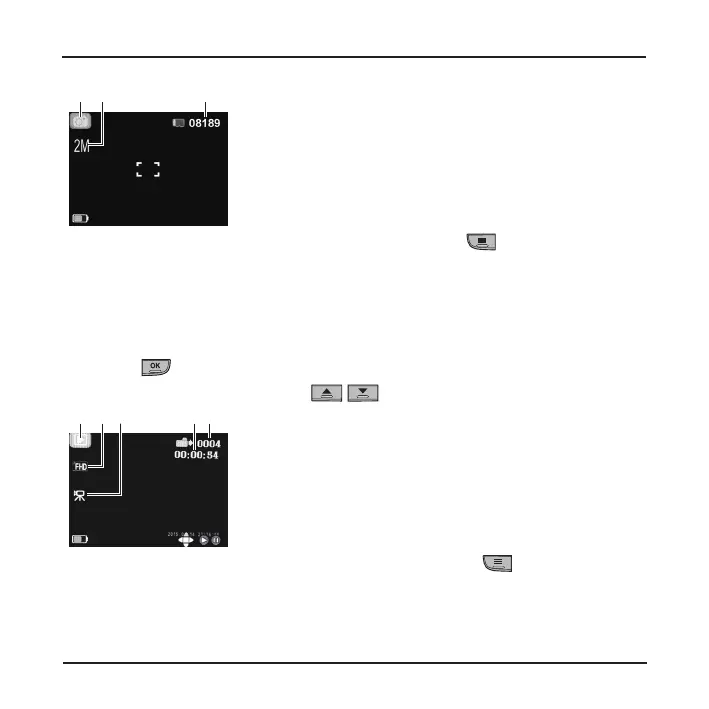
❶ ❸❷
❶
Current operation mode
❷
Image resolution
❸
Remaining amount of photos
Note: In capture mode, you can open the Capture menu by pressing .
Playback mode
To select a video or photo for playback (when not recording):
1. Press the Power key briey and repeatedly to switch to playback mode. The
screen will display the latest le.
2. Press
to play/pause the playback.
3. During playback, you can use
/ to switch to the previous/next le.
❶ ❺❷ ❸ ❹
❶
Current operation mode
❷
Image resolution
❸
Video
❹
Video duration
❺
Current le number
Note: In playback mode, you can open the Playback menu by pressing .












 To Next Page