4
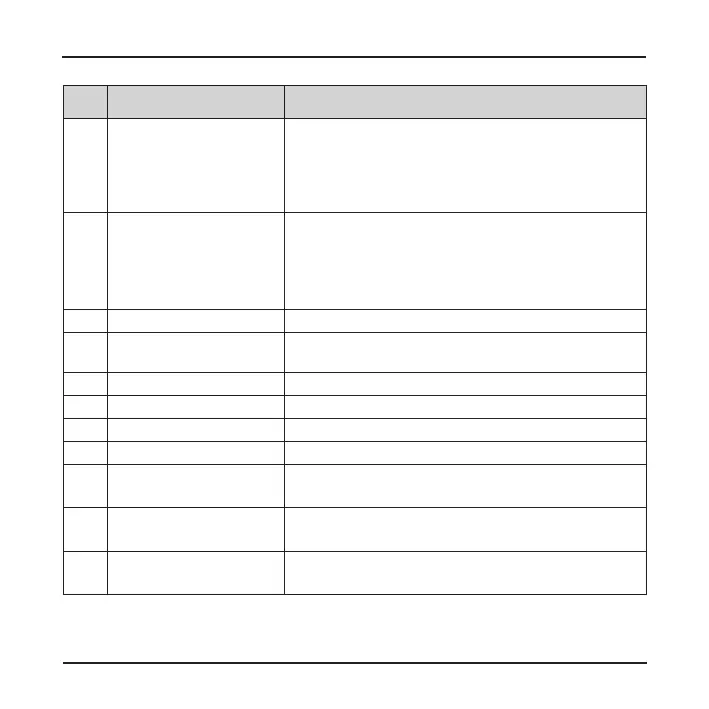
Name Description
❷
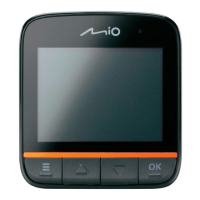
Power key
Press briey to turn on the device; press and hold to
turn off the device.
When the device is on and not recording: press
briey and repeatedly to cycle through the operation
mode: video > capture > playback.
❸
Status indicator
Glows in red when charging is in progress.
(The indicator will be off when the device is fully
charged.)
Flashes in green when recording is in progress.
Glows in green when the device is turned on.
❹
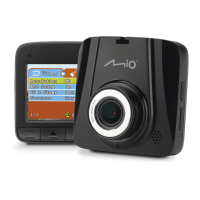
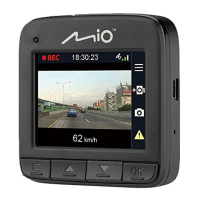
LCD screen Displays the output of your device.
❺
Camera lens Make sure that no object is blocking the camera lens
and no reective material appears near the lens.
❻
Mini-USB connector Connects to the charger.
❼
Shutdown switch Turns off the device.
❽
Speaker Outputs audio.
❾
Microphone Receives sounds.
❿
OK key
Starts or stops recording.
Acts as the ENTER button.
⓫
Down key
Moves to the next item.
Zooms out of the image.
⓬
Up key
Moves to the previous item.
Zooms in the image.











 To Next Page