Mio SLICE User Guide 4
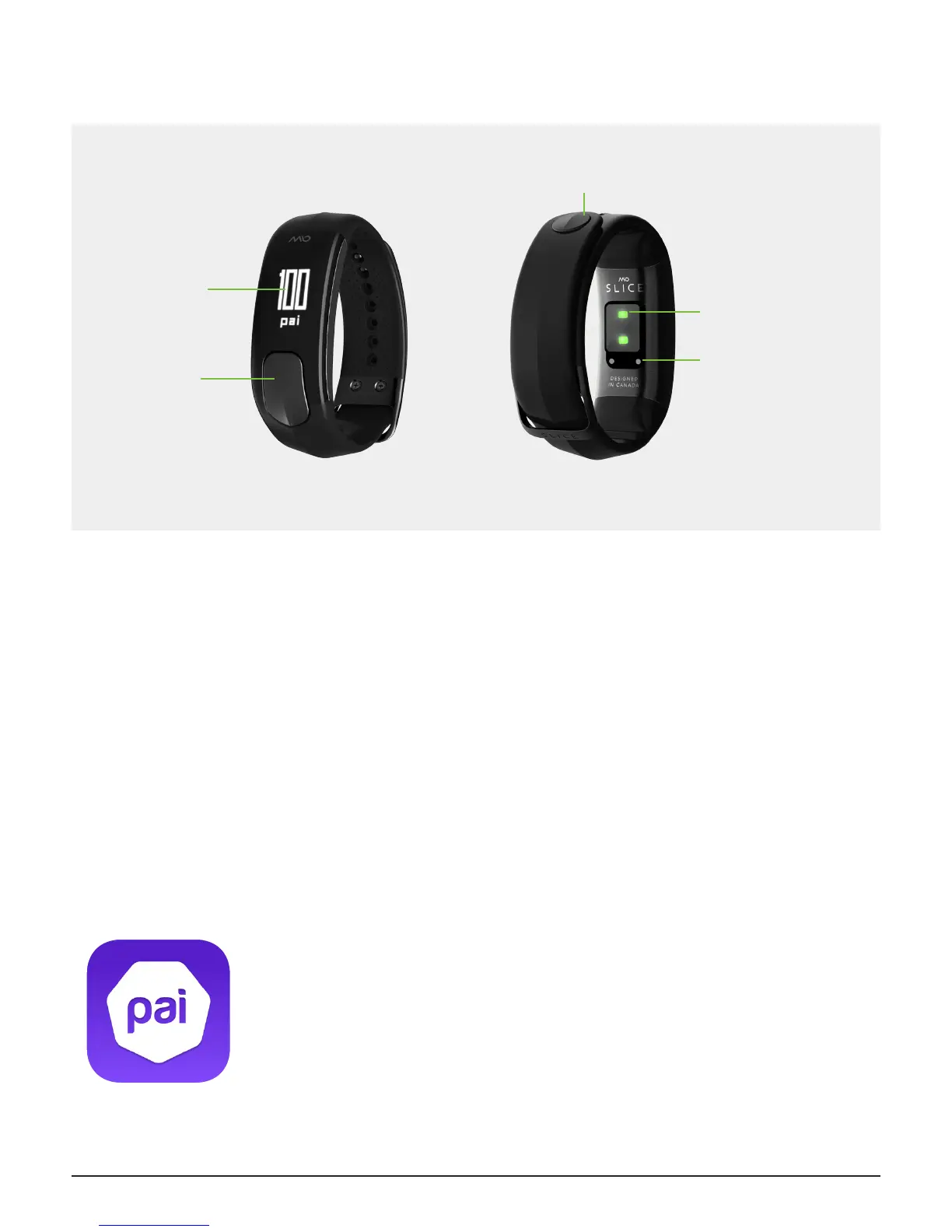
YOUR MIO SLICE
PAI (PERSONAL ACTIVITY INTELLIGENCE)
PAI is revolutionary new system that turns your heart rate data into a single, personal score, showing how much
activity you need to stay healthy. Everyone’s goal is the same, to keep your PAI score above 100 over a 7-day rolling
window to maintain optimal health, but what it takes to achieve that goal is a personalized experience.
PAI points are calculated based on your heart rate data and personal prole. To earn more PAI points, increase the
intensity of whatever activity you choose to get your heart rate up.
Your PAI Score and PAI Points Earned Today can be found anytime on your Mio SLICE and in the Mio PAI app.
Learn more about PAI at mioglobal.com/PAI.
GETTING STARTED
Fully charge Mio SLICE before you start using it. To activate and congure your SLICE,
download the Mio PAI app on your compatible smartphone.
The Mio PAI app is available for download on the Apple App Store and the Google Play
store.
A list of compatible smartphones can be found at mioglobal.com/compatibility
Display
Button
Charging Pins
Heart Rate
Sensor
Clasp


 To Next Page