Mio SLICE User Guide 8
NAVIGATING MIO SLICE
Mio SLICE has one button, which can be pressed in two ways:
SCREEN TIMEOUT
Mio SLICE automatically turns off its screen to conserve battery. To wake the screen, press the button. You can
customize this screen timeout duration in Device Settings.
ALL-DAY MODE
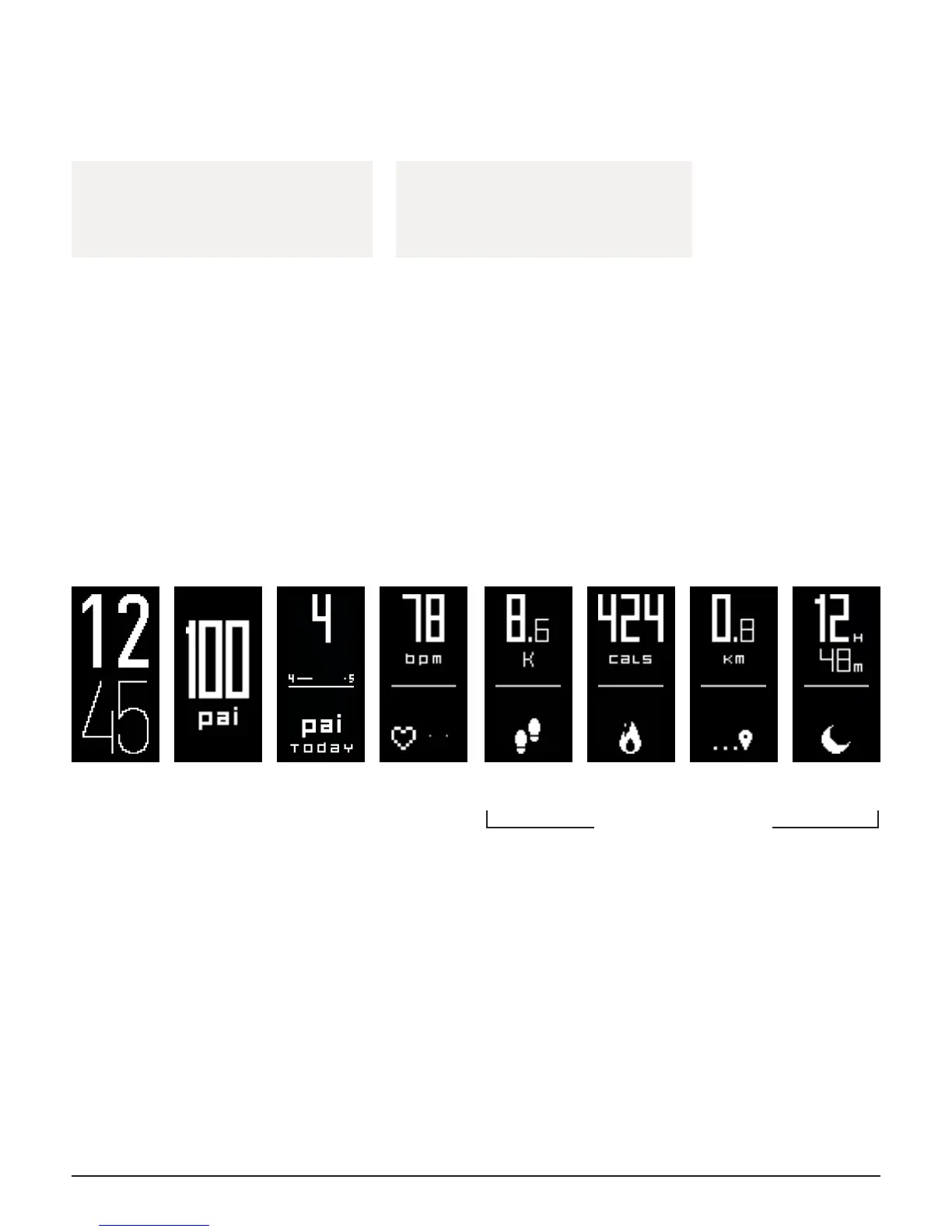
Mio SLICE automatically tracks your heart rate, PAI, calories, steps, distance, and sleep data in All-Day Mode.
These values reset to 0 at midnight each day, with the exception of your PAI score, which is based on your total
activity in the last 7 days.
Time PAI PAI Points
Earned Today
Heart Rate &
Intensity Zone
Steps Calories Distance Sleep
can be disabled via app
Short
Press
• Scroll to next screen
• Dismiss a notication
Long
Press
• Enter Workout Mode
• Exit Workout Mode


 To Next Page