MIOPS MOBILE Remote User Manual
c. User Interface
The user interface is built on several widgets, which allow you to change parameters and values
easily. You can change the values of parameters by using the touch screen of your smartphone.
There are a few different widgets that you need to get familiar with.
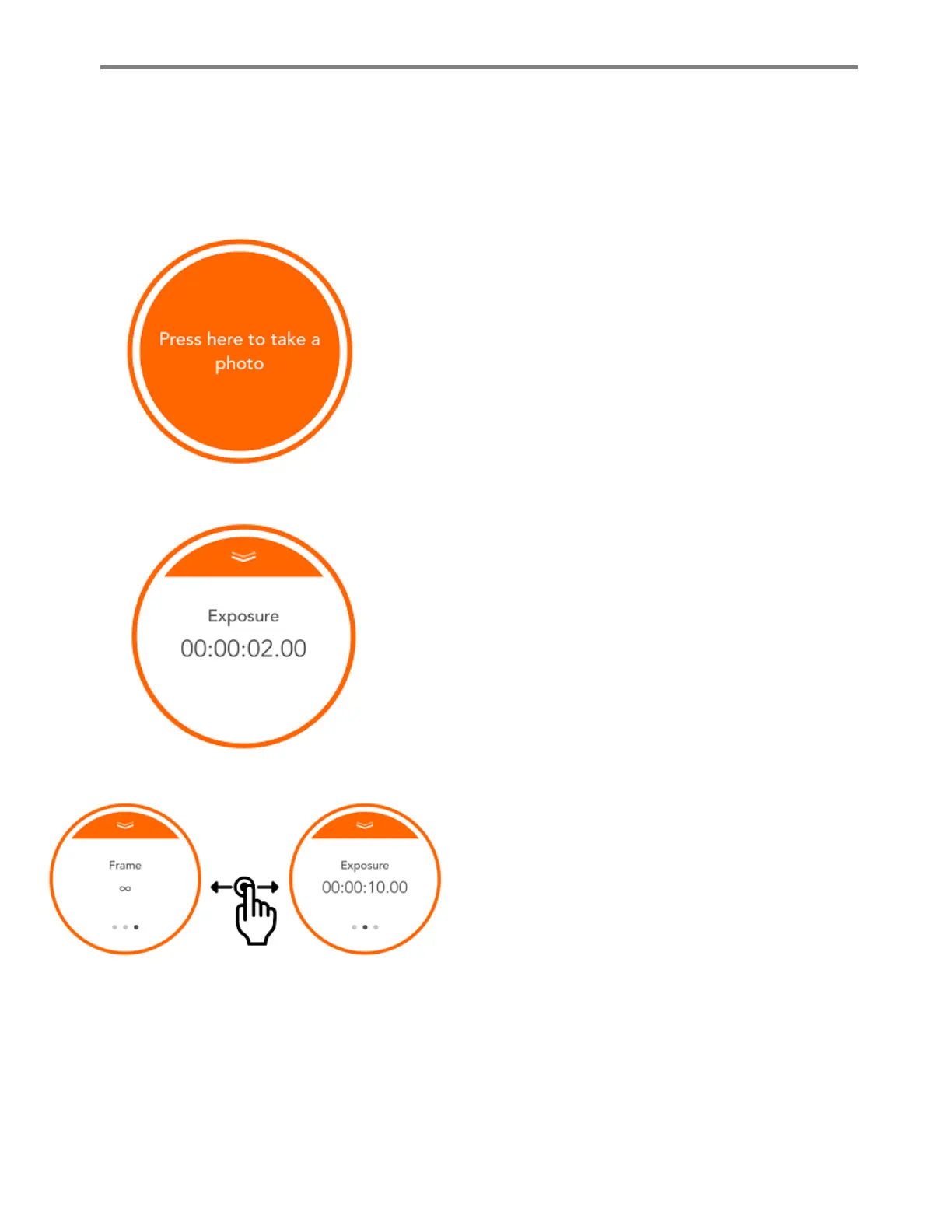
This is the basic button of action. If the mode you selected
does not have any parameter to set, the mode will have this
kind of a button. In such a case, the only thing you need to do
is touching the orange button.
You can read the instructions on the button, to learn exactly
what to do in that particular mode. These modes do not have
any parameters to adjust, so you can start using them the
moment you select it.
The second type of button has a parameter to be adjusted. The
name of the parameter and the current value are displayed in
the button. In order to change the value, you can just touch the
value and a selection menu will appear. Depending on the type
of the parameter, a numeric keypad may appear.
If the parameter only toggles between two values, it will
change each time you touch it.
If the mode has multiple parameters, then you
will see dots at the bottom. You can switch
between different parameters by swiping the
button to the right or left. Each time you swipe
the button, the parameter on the screen will
change. Also, the dot of the selected parameter
will be highlighted at the bottom. In order to
change a parameter, swipe the circle accordingly.
Action Button with Parameter
Switching between Parameters



 To Next Page