MIOPS MOBILE Remote User Manual
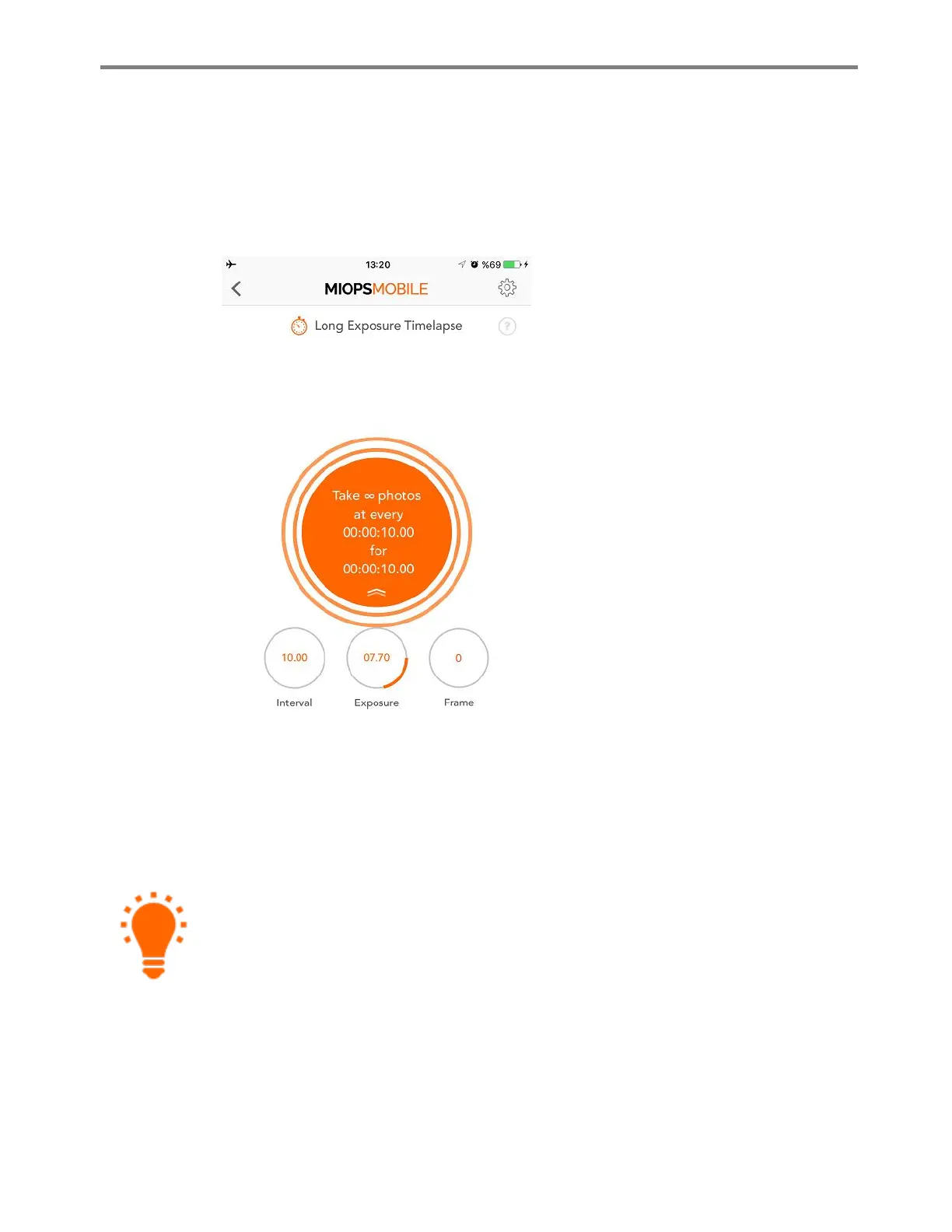
When you start the Long Exposure Timelapse mode, you will see three counters at
the bottom of the page. The first one will show the interval. Each time timer of the
interval goes off, a picture with the custom exposure will be taken. After the
exposure is over the frame counter will be increased by 1 and the interval counter
will start again. This will continue until the targeted number of frames is achieved.
The long exposure time lapse mode
requires that your camera is set to BULB
mode. This is the only way of achieving
custom exposures. If you do not set your
camera to BULB mode, the exposure value
of your camera will be valid and you will
not get pictures with the exposure set on
the MIOPS app.
Once you start the Long Exposure mode,
you can take your smartphone away.
MIOPS Mobile Remote will be able to
complete the whole process without
needing your smartphone.
i. Bulb Ramping Timelapse
The Bulb Ramping Timelpase mode gives you the opportunity to take time lapse
pictures with changing exposures. In regular time lapse modes, all of the pictures will
have the same exposure. This can be enough for some cases, but sometimes the
light changes throughout the whole photo taking process. The exposure needs to be
adjusted accordingly to avoid too dark or too bright pictures. Bulb Ramping
Timelapse mode takes care of that.
Rather than a single exposure value, this mode makes you set two exposure values.
These are the initial exposure and the final exposure. The process starts with the



 To Next Page