FleX-Net
TM
Installation and Operation Manual
105
Paging Modules
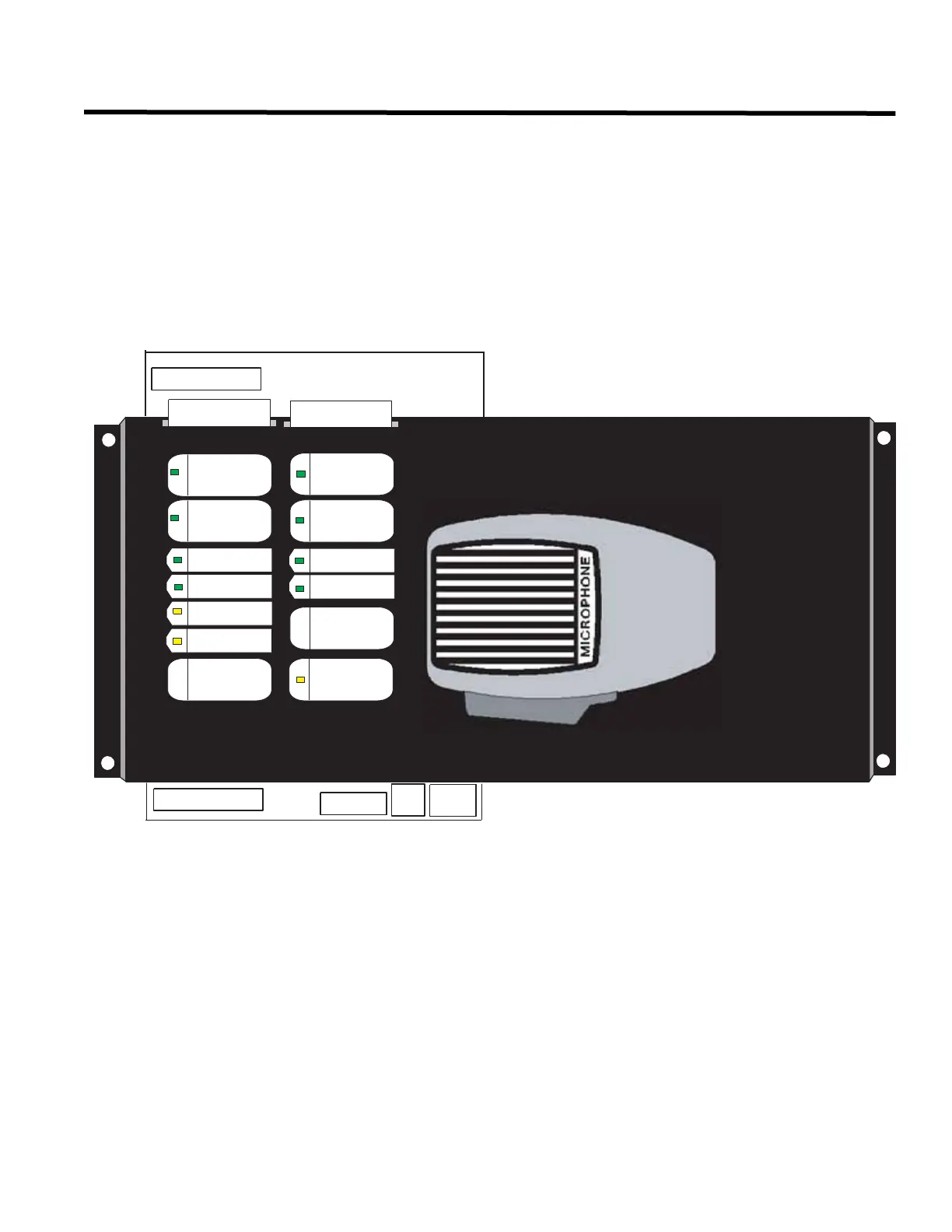
The QMP-5101N Network Master Paging Control Module mounts into the BB-5008 and BB-5014 backboxes.
QMP-5101N Netw ork Master Paging Control Module
The QMP-5101N Network Master Paging Control Module connects via a ribbon cable to the first QAZT-5348DS or
QAZT-5302DS Zoned Selector Panel and to the previous display module. It also has wiring terminals for connection
to the ANC-5000 Audio Network Controller Module in the cabinet
Slide-in labels NP-6659 are placed so that push buttons and LEDs are labelled as shown in Figure 71.
Figure 71: QMP-5101N Netw ork Master Paging Control Module
Connect ribbon cable from P1 (IN) to previous display module. Connect P2 (OUT) to the QAZT-5348DS or QAZT-
5302DS Zoned Selector Panel or next display module. Wire the positive and negative terminals and the
microphone MIC positive, negative and shield to the ANC-5000 Audio Network Controller Module corresponding
terminals.
PAGE TO
ALERT
WARDEN
PAG E
ALL CALL
A.C. ON
PAGE
READY
PRE-TONE
ACTIVE
AMPLIFIER
TROUBLE
MIC
TROUBLE
LAMP
TEST
PAGE
CANCEL
PAGE TO
EVAC
MIC.
ACTIVE
ALL CALL
MINUS
IN
OUT
NP-6659
NP-6659


 To Next Page