62
I ndicators, Controls, and Operation
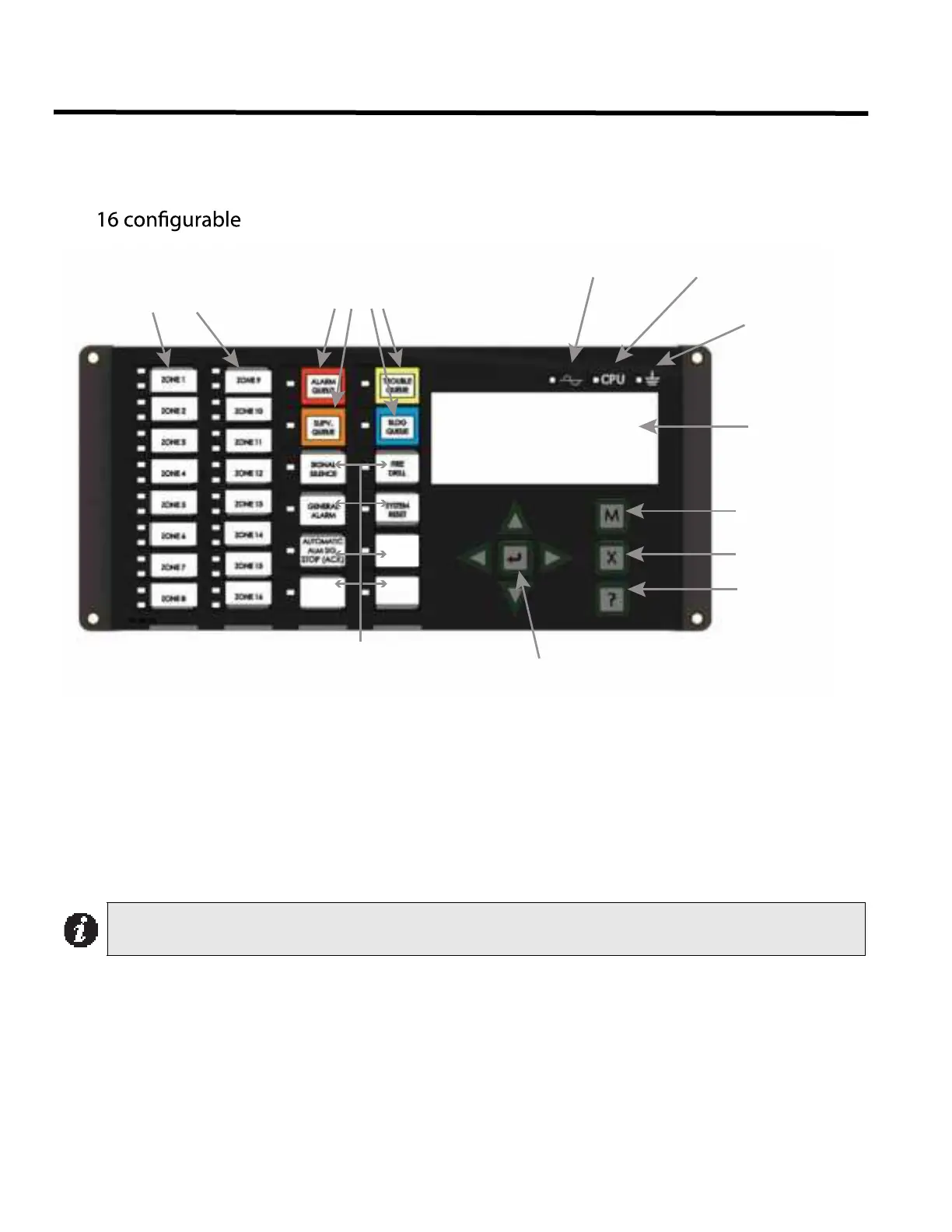
Refer to Figure 43 below for LED indicators, control buttons, and switches locations.
Figure 43: I ndicators and Control Location
LED indicators are amber (trouble or supervisory), red (alarm), or green (AC On), and may illuminate continuously
(steady) or at one of two flash rates:
• Fast Flash: 120 flashes per minute, 50% duty cycle
• Trouble Flash: 20 flashes per minute, 50% duty cycle
Paper Labels for Buttons and I ndicators
Buttons and indicators are supplied with paper labels. These labels slide into the plastic label templates on the face
of the panel. Paper labels allow for easy English / French selection and custom-printed zone information.
Note: The General Alarm LED and pushbutton, and the Automatic Alm Sig Stop (Ack) or General Alarm
Cancel LED and pushbutton, are active only on a system configured for “Two Stage.”
LAMP
TEST
bi-coloured zone
indicators and 16
trouble indicators
Queue controls and
indicators for Alarm,
Supervisory,
Trouble and Monitor
AC On
Indicator
CPU Fault
Indicator
Ground Fault
Indicator
LCD Display
4 lines
20 characters
Menu
Cancel
Info
Cursor buttons
and Enter button
Control and Indicators for Signal Silence,
General Alarm, General Alarm Cancel (Auto-
matic Alm Sig Stop (ACK)), Fire Drill, System
Reset, Lamp Test (Visual Indicator Test) and
Spare programmable Buttons


 To Next Page