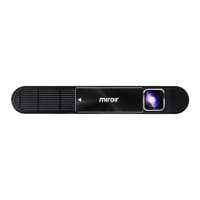
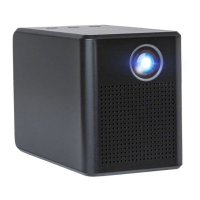
LOCATION OF PARTS AND CONTROLS
Projector Lamp1.
Focus Wheel2.
AC Adapter (not shown)
3.
HDMI Cable (not shown)
4.
Micro HDMI Adapter (not shown)
5.
Mini HDMI Adapter (not shown)
6.
9 10
7.
MHL Cable (not shown)
5-pin to 11-pin micro USB Adapter (not shown)
8.
CHARGING THE PROJECTOR
The Projector is charged using the included AC Adapter.1.
The LED Indicator Light will illuminate Red to indicate the Projector is 2.
currently charging and then revert to Green when the Projector is fully
charged.
Important: Fully charge the Projector internal battery before rst use
(approximately 3 to 5 hours). The approximate run-time is 2 hours.
3. A low battery icon will show on the screen when the Projector battery is 3.
low. Use the included AC Adapter to charge your Projector. If the battery is
too low, the projector will automatically shut o.
SET UP
Connect one end of the AC adapter to the Projector 12V port and plug the 1.
other end into an electrical outlet.
Connect the HDMI cable (included) to the HDMI port and the other end to 2.
your device.
Note: You may need an adapter to connect your device to the HDMI cable.
Please review the included Compatibility Guide for more information.
Connect a speaker to the 3.5mm audio out jack, if desired.3.
10



 To Next Page