Safety & Precautions
[Part I] Product
1.1
Scope of Delivery
1.2
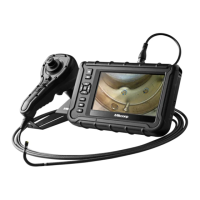
X750 Overview
1.3
Brightness Control Button
1.4
Custom Hotkey Function Button
1.5
Snapshot
1.6
Video Recording
1.7
Articulation Joystick / Articulation Lock Switch
1.8
Battery Changing
/ Charging
1.9
Assembly/Disassembly / Handling & Care
1.9.1
Base Unit + Tube Unit Installation
1.9.2
Tube Unit + Probe Stand Installation
1.9.3
Battery Unit Installation
1.9.4
Shoulder Strap
1.9.5
Handling & Care
1.10 Roll – Up Tubes / Probe Stand
1.11 I/O Ports Connection
1.12 Secondary Camera
/ LED
[Part II] On Screen Display (OSD) functions
2.1
Live View screen UI
2.2
Function list
2.3
Full screen
2.4
Zoom In/Out
2.5
Album
2.6
Album – Photo annotation function
2.7
Album – Compare function
[Part III] Main MENU settings
3.1
MENU
3.2
WIRELESS FUNCTION
3.3
USB
3.4
SD CARD STATUS
4
7
7
8
9
9
10
10
11
12
13
13
15
16
17
17
19
20
21
21
21
22
25
25
25
27
29
31
31
32
33
34
[Table of Contents]



 To Next Page