•
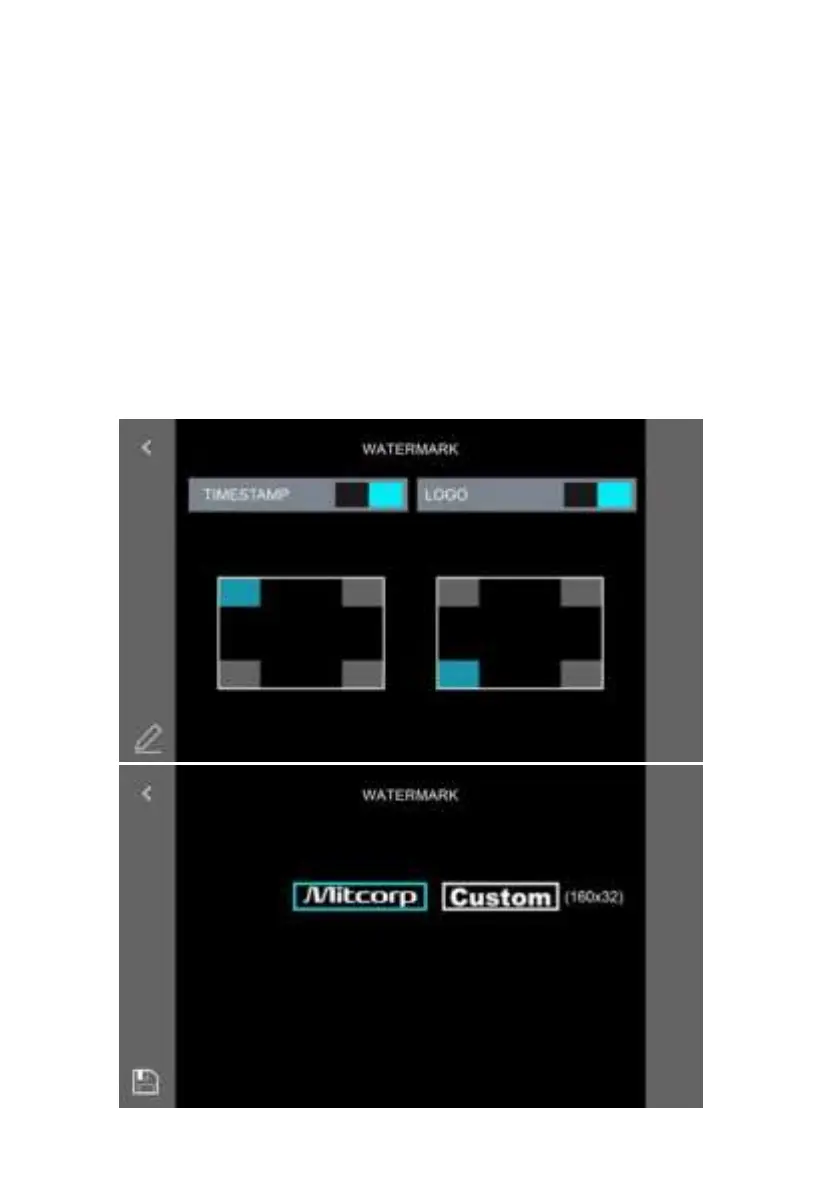
3.8 WATERMARK
On/off switch for both timestamp and Logo watermark on photos.
Timestamp and Watermark positions are adjustable to the 4 corners of the
photos. Tap the position block icon as needed.
The Watermark logo can be replaced:
1.)SavethelogoleontheSDcardintherootdirectory.Resolution:160*32;
File Format: .JPG; black back (RGB-0.0.0.)
2.)Thesystemwillshowtheexistinglelistbelow.Tapthelethenthe“save”
icon to load it into the systems memory. The logo should then show in the
preview window on the right (“Yours” as the sample case) when the process
is properly completed.
3.) Tap the preview window to enable the custom logo watermark.
- 40 -



 To Next Page