howl, and display the mean measured value.
NOTE:HL values tested by different impact devices are different,eg.780HLD≠780HLC
4.2.6 Power Off
Press【 】key to turn off the instrument.
5 Advice
Replacing the impact device must be done during Power off. Otherwise the main body can not
identify the type of the impact device, and it can damage the circuit board of the main body.
You could not save the current test value if the test times are less than the presetting times value.
Only type D and type DC of impact device have the function of strength measure option. You can
not modify the 【Set hardness or бb】setting when using other types of impact device. The 【Set
hardness or бb】setting would be set to【Hardness】 automatically after replacing the impact device
whether the setting is 【Hardness】 or not before.
Not all materials could convert to all hardness style value. The hardness style is reset to HL
automatically after changing the material. So select material first before changing the hardness
style.
6 Operation in Details
6.1 Power On
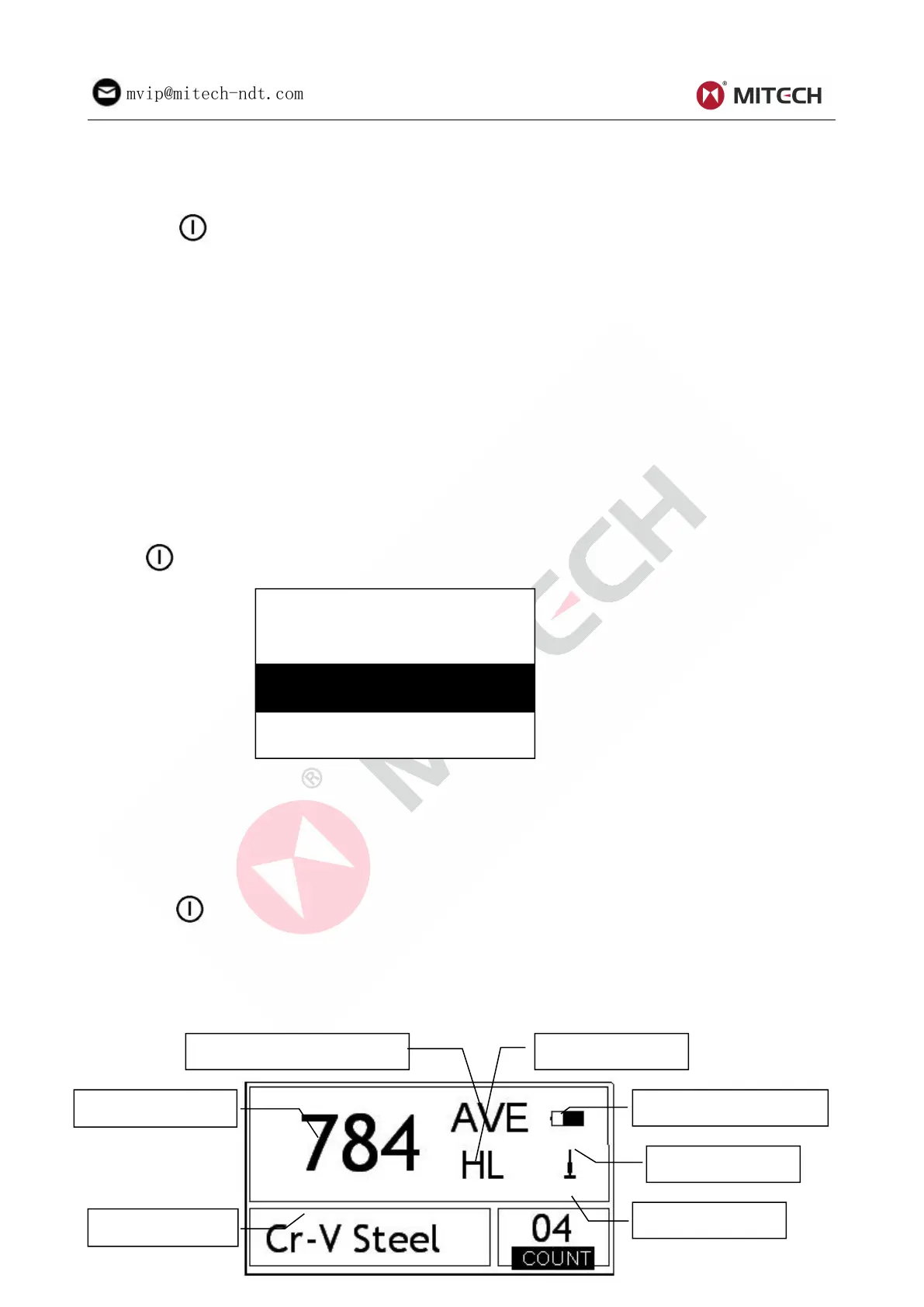
Press【 】 to power on the system. The screen shows as below:
The system would automatically detect the type of the impact device during power up, and would display
this information on the screen. Users should pay attention to the probe type displayed on the screen.
After pausing for several second, the screen will exit and enter the main display interface.
Note: If the instrument is in power off condition, it will turns on automatically after the charge
power is connected.
6.2 Power Off
Press key【 】 could power off the system in any conditions.
Note: If the charge power is connected, the instrument will turns on automatically after pressing
the power off key.
6.3 Testing
Below is the main display interface:



 To Next Page