Using the phone system 55Final
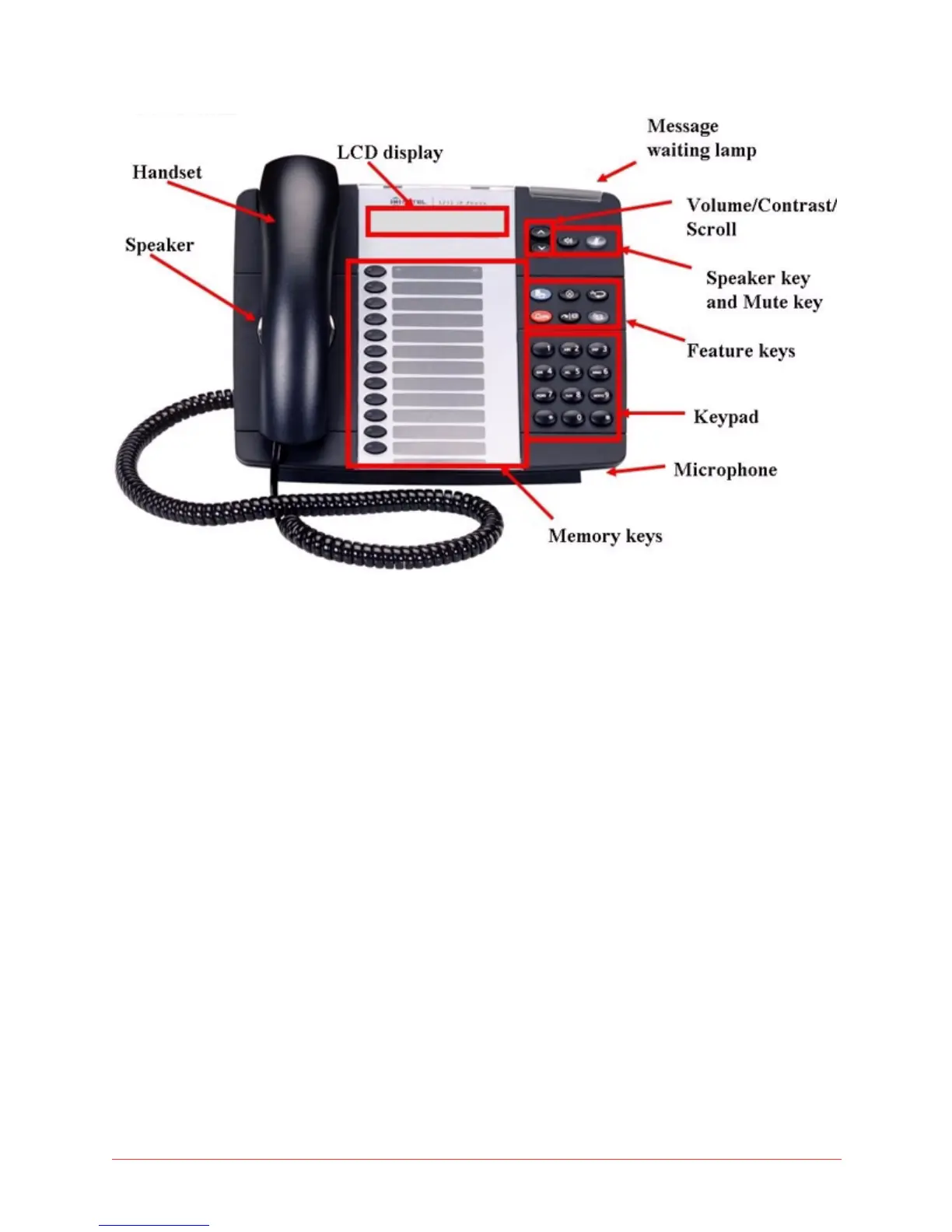
Figure 4: Mitel 5212 IP Phone
Initial set-up for Mitel 5212 IP phone service
To set up your new phone service, follow these steps:
1 Activate your phone. See “Activating a Mitel 5212 phone” on page 55.
2 Perform a Quick Set-up. See “Quick Set Up” on page 95.
Activating a Mitel 5212 IP phone
To activate a 5212 phone you must physically connect the phone, then log in
with your extension and PIN number.
To activate your phone, follow these steps:
1 Unplug your computer from the network.
2 Plug the phone into the network (through the supplied power pack or from
power over the Ethernet; consult the documentation provided in the box).
3 Plug the computer into the phone.
4 Plug the phone power pack into an outlet.



 To Next Page