Quick Reference Guide – Mitel 6867i Premium
For details on all the available features and options please refer to the 6867i IP Phone User Guide located at
http://mitel.ca/mitel-6867-sip-phone
-
Note:
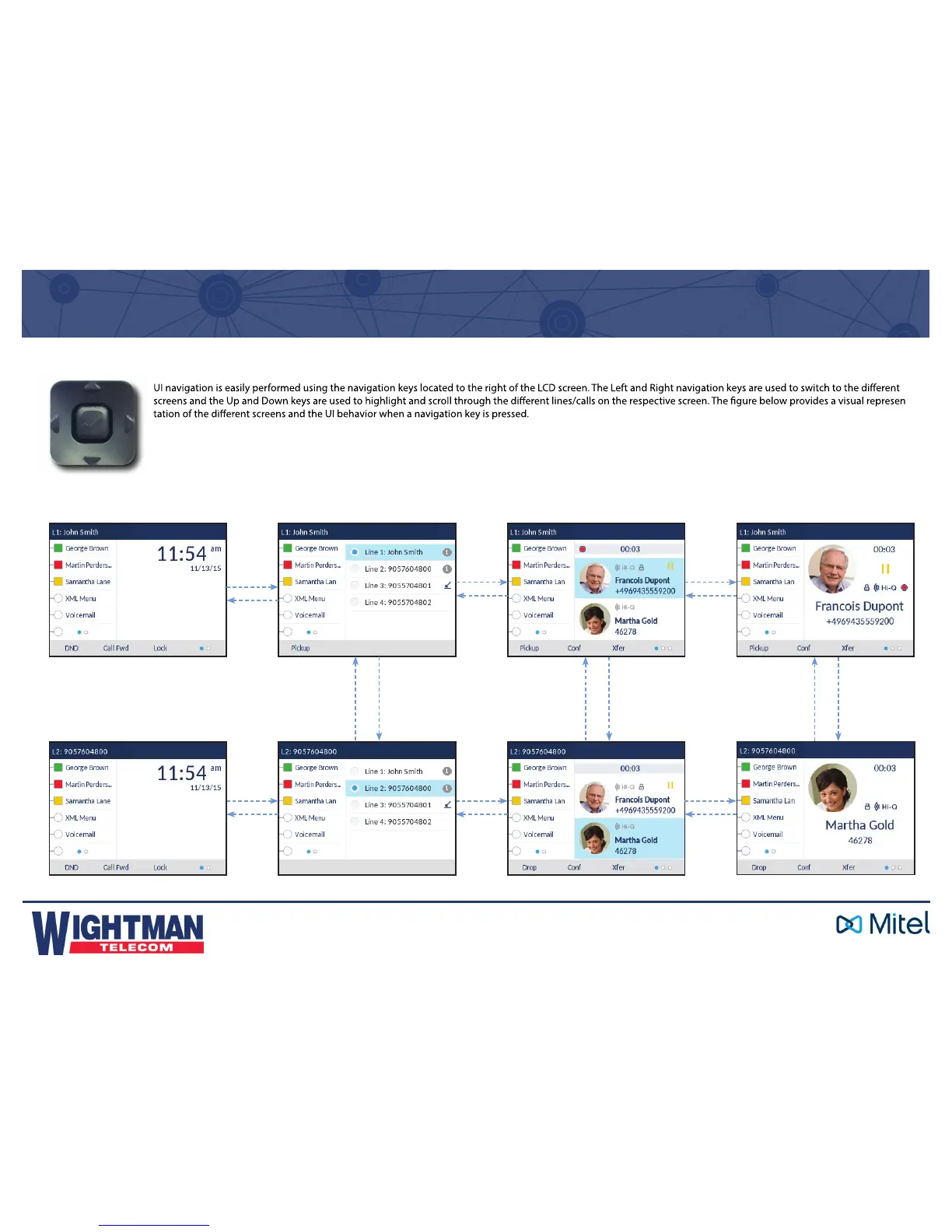
The Detailed-View Call Screen is only accessible when at least one call is in a ringing or connected state. Moreover, the Multi-View Call Screen is only accessible when
more than one call is a ringing or connected state.
Home Screen Line Selection Screen
Multi-View Call Screen Detailed-View Call Screen
Press Right
Press Left
Press Right
Press Left
Press Right
Press Left
Press DownPress Up
Press DownPress Up
Press DownPress Up
Press Right
Press Left
Press Right
Press Left
Press Right
Press Left
UI Navigation



 To Next Page