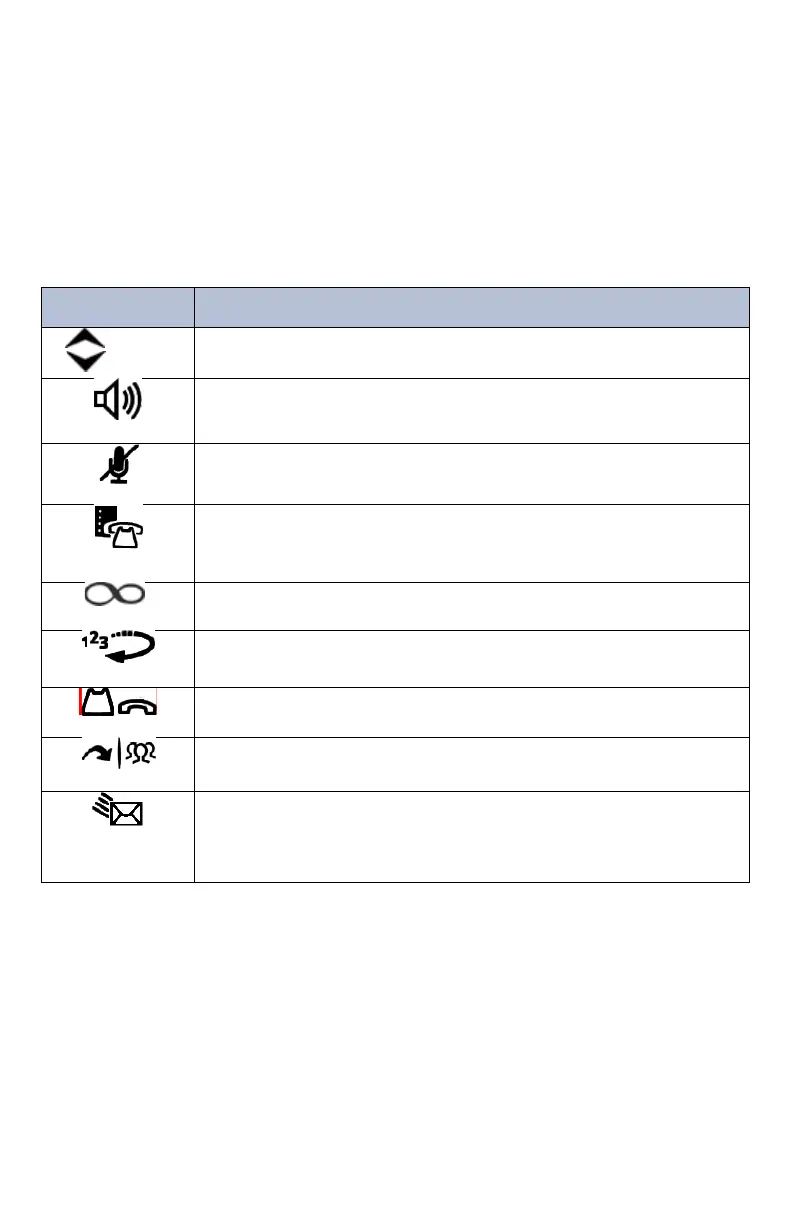
Feature Buttons
Feature buttons provide quick access to commonly used features. See the
following table for descriptions.
• Provides volume control for the ringer, handset, and speaker.
• Scrolls through feature options.
• Activates Handsfree Mode (speakerphone).
• Activates features.
Temporarily turns off your microphone during a call.
Activates the Application menu to view system information and
adjust Contrast and Brightness settings.
Activates features while on a call. The (Special) button does not
cancel features. To cancel features, press the Star button (*).
Calls the last external number dialed. You cannot redial internal
numbers.
• Places the current call on hold.
• Left/backspace when entering dialpad characters.
• Transfers the current call.
• Right/forward when entering dialpad characters.
• Connects to your voice mailbox and flashes to notify you of
waiting messages.
• Toggles between Alpha Mode and Numeric Mode when entering
dialpad characters.















 To Next Page