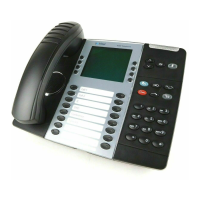
The Mitel MiVoice 4223 Office (DBC 223) is a digital system telephone designed for use with the MiVoice MX-ONE system. It features a rectangular graphic display, hands-free, headset, and loudspeaking functions, and supports up to four extra key panels (DBY 419 01).
Display and Interface:
The DBC 223 features a 240 x 39 pixel rectangular graphic display, divided into three virtual rows. The first row shows the user's extension name and number, time, date, and traffic information. The second row displays traffic cases and call progress messages. The third row is dedicated to soft-key information. Display messages can be terminated by three dots (...) indicating available functions or ongoing activity, or by an exclamation mark (!) for actions that cannot be performed.
Key Functions:
The telephone includes several dedicated keys:
- Diversion-key: Activates/deactivates call diversion and follow-me.
- Line 1 & Line 2 keys: Used for initiating and receiving calls.
- Inquiry-key: Used for initiating calls.
- Mute-key: Disconnects the microphone during a call; activates silent ringing when idle; cancels ringing for the current call and activates silent ringing for the next call when ringing.
- Speaker-key: Activates hands-free/loudspeaking mode.
- Clear-key: Disconnects a call.
- Call back-key: Activates call back on busy or no answer.
- Function keys (7 with LED): Programmable for facilities or Dial-by-Function.
- Volume +/– keys: Adjust incoming speech and ringing volume.
- Headset-key: Activates/deactivates headset mode.
- Soft-keys (F1-F4): Provide access to different features, changing based on the traffic state.
Triple Access Line:
The telephone has two incoming/outgoing lines (Line 1 and Line 2) and an Inquiry-key for making calls. Calls can be made or received on Line 1 and Line 2 by pressing the corresponding key. Pressing a line key automatically parks any previous call. Additional directory numbers (ADNs) and multiple represented directory numbers (MDNs) can be assigned to keys for making and receiving calls, and for supervising other telephones.
Soft-Key Menu Functions and Absence Services:
Soft-keys indicate available features based on the telephone's traffic state (idle, busy, calling). The F1-F4 keys display current functions on the third row of the display. If more than four functions are available, the F4-key typically offers a "more..." option to navigate through levels, with a "Return" option to go back to the first level.
The "Absence" soft-key, available in idle state, allows users to select from a list of absence services (e.g., Select Profile, Direct Diversion, Follow Me, Do Not Disturb, Diversion on no answer, Diversion on busy, External Follow Me, Absence reason). Services can be activated or deactivated, and additional information may be required. The soft-keys "Up" and "Down" facilitate scrolling through the list, while "Exit" leaves the absence programming.
Loudspeaker Function:
This function allows users to dial, monitor call progress, and converse without using the handset.
- To make calls: Dial the number, then press the Clear-key to end.
- To receive calls: Press Line 1, Line 2, or any key indicating an incoming call.
- Switching modes:
- Hands-free to handset: Lift the handset.
- Handset to hands-free: Press the Speaker-key, then replace the handset.
- Hands-free to headset: Press the Headset-key.
- Headset to hands-free: Press the Speaker-key.
- Headset to loudspeaking with headset: Press the Speaker-key.
- Loudspeaking with headset to loudspeaking with handset: Lift the handset.
- Loudspeaking with handset to handset: Press the Speaker-key.
- Loudspeaking with handset to loudspeaking with headset: Press the Headset-key.
- To clear the call: Press the Clear-key.
Tones and Ringing Signals:
The telephone provides various tone signals from the exchange. Ringing options can be programmed for triple access lines, additional lines, and multiple represented lines. Options include silent, periodic, delayed periodic, one muted, one muted delayed, immediate speech connection with single tone burst (function key controlled), and permanent immediate connection with single tone burst. The ringing signal volume can be adjusted using the + and - keys when the telephone is idle, ringing, or in programming mode. Silent ringing can be activated by pressing the Mute key when idle or ringing, indicated by a lit Mute LED.
Lamp Indications:
- Off: Free or non-requested function.
- Fast flash: Incoming call.
- Slow flash: Parked call.
- Lit with fast blink: Key using the line.
- Lit: Activated function or supervised line is busy.
Choice of Language:
Users can select the display language from up to ten available languages (English, French, German, Spanish, Italian, and 5-9 spare slots defaulting to English). This is done by dialing a procedure (08L# where L is the language code).
Call Forwarding (Diversion):
- Direct Diversion: Diverts incoming calls to an individual or predetermined common answering position. Activated via the "Absence" soft-key (Select Direct Diversion to NNNN, then Activate) or the Diversion-key, or by dialing *21#. A special dial tone and a lit Diversion lamp indicate activation.
- Diversion on No Answer: Diverts calls after 3 signals (approx. 14 seconds) to a predefined individual answering position. Activated via the "Absence" soft-key (Select Div on no answer to NNNN, then Activate) or by dialing *211#.
- Diversion on Busy: Diverts calls when the line is busy to a predefined individual answering position. Activated via the "Absence" soft-key (Select Div on busy to NNN, then Activate) or by dialing *212#.
- Diversion to Paging: Diverts calls to a paging number. Activated by dialing *218#.
- Follow-Me: Diverts calls to another extension within the private network. Activated via the "Absence" soft-key (Select Follow Me, then Select, dial extension number, then Enter) or by dialing 21extension number#.
- External Follow-Me: Forwards calls to any external telephone number. Activated via the "Absence" soft-key (Select External follow me, then Select, dial route access code and external number, then Enter) or by dialing *22#route access code and external number#.
- Personal Number: Allows up to 5 profiles for call handling, activated via a PEN key or dialing 10Profile#.
Messages:
- Manual Message Waiting (MMW): A function key with a lamp indicates a message. Pressing the MMW-key calls the party who requested the message. To check, press "Program", then MMW-key, then "Exit". To order for another extension, dial 31extension number#. To cancel, dial #31*extension number#.
- Message Diversion: Diverts incoming calls to a message diversion position, including a reason for absence and estimated time of return. Ordered by dialing 23reason*time# or via the "Absence" soft-key.
Group Features:
- Call Pick Up Group: Allows answering calls to other members in the group by lifting the handset and pressing "GrpPickUp" or dialing *8#.
- Internal Group Hunting: Calls to a common directory number for a group are indicated at a free extension. Members can temporarily leave the group by making follow-me to their own extension or by dialing #29*Group number#.
- Group Do Not Disturb: A master extension can activate "do not disturb" for a group by dialing 25group number#.
Other Features:
- Account Code: Charges a call to an account code or forces an account code before dialing an external number. Dial FCaccount code# before or during a call.
- Additional Directory Number (ADN): Additional numbers programmed on free function keys.
- Data Privacy: Allows making calls without disturbances like intrusion. Activated by dialing *41#.
- Direct Indialing: External subscribers can call directly without the PBX operator.
- Emergency State: PBX operator can switch to emergency state, restricting calls to authorized extensions.
- Free Seating: Users can log on/off free seating from DTS, mobile, or ATS telephones using 11RAC*FEN# for activation and #11# for deactivation.
- General Cancellation: Cancels all active call backs, diversions, follow-me, message waiting, and do not disturb by dialing #001#.
- Hot-Line: Automatically generates a call to a predefined number when the handset is lifted (direct) or after a timer expires (delayed).
- Interception Service: Diverts incoming calls to a message diversion position, storing information about absence and estimated return time.
- Least Cost Routing (LCR): Automatically routes external calls over the cheapest available route.
- Malicious Call Tracing (MCT): Signals to the PSTN that a malicious call has been received. Activated by pressing "TraceMalC" or the MCT-key during a call.
- Multiple Represented Directory Number (MDN): A directory number represented as a key on other digital system telephones.
- Night Service: Transfers incoming external calls to a selected extension or group.
- Parallel Ringing: If an extension is part of a parallel ringing list, features like call diversion or do not disturb apply to the main directory number, not itself.
Settings and Programming:
- Programmable Function Keys: Features can be programmed for single-key access.
- Dial-by-Function Key: Internal and external numbers can be programmed onto function keys.
- Abbreviated Numbers: Up to ten individual abbreviated numbers (0-9) can be programmed on digit keys.
- Ringing Options: The ringing signal can be individually programmed (0-6).
- Ringing Signal Tone Character: One of ten tone characters (0-9) can be selected for the ringing signal.
- Ringing Signal Melody: Melodies can be programmed for internal, external, and call back ringing signals. Notes and notations correspond to keys, with options for pitch steps, pauses, and octaves.
Miscellaneous:
- Telephone Register: A tray for noting common abbreviated numbers.
- Labelling: Protective cover for writing extension numbers and function key labels.
- Cleaning: Wipe with a damp cloth, mild soap solution if needed.
- Wall Mounting: Can be wall-mounted without a special console.
- Headset Function: Allows use of a headset, activated by the Headset-key. Headset Preset can be activated/canceled via "PhoneSet" soft-key or by holding the Headset key for 4 seconds.
- Hearing Level Function: Amplifies handset volume for impaired hearing. Changed via "PhoneSet" soft-key (Set Hearing Level) or by pressing C * 5 and Line 1.
- Display Contrast: Adjustable via "PhoneSet" soft-key (Display Contrast) or by pressing C * 5 and the top function key.
- Extra Handset: Allows another person to listen to an ongoing call.
- Firmware Indication: Displays the current firmware revision via "PhoneSet" soft-key (Firmware indication).
- Telephone Self-Test Function: Checks firmware, key lamps, and display pixels. Activated via "PhoneSet" soft-key (Local Test Mode) or by pressing C * 4.
Accessories:
- Option Unit (DBY 420 01): Allows connection of an extra bell, busy signal, or a combined extra bell and busy signal. Function can be checked/changed via "PhoneSet" soft-key (Option Units Settings) or by pressing C * 1.
Applications:
- Secretarial Supervision: Allows a secretary to supervise and intercept incoming calls for a group.
- Executive-Secretarial Service: Sets up links for secretaries to supervise and intercept calls for executives.
- Key Systems (Multiple Representation): Distributes incoming lines to an organizational unit, allowing any member to answer calls.

 Need help?

 To Next Page
 General