MITOPRO+ FLOOR STAND INSTRUCTIONS
TWO PANELS
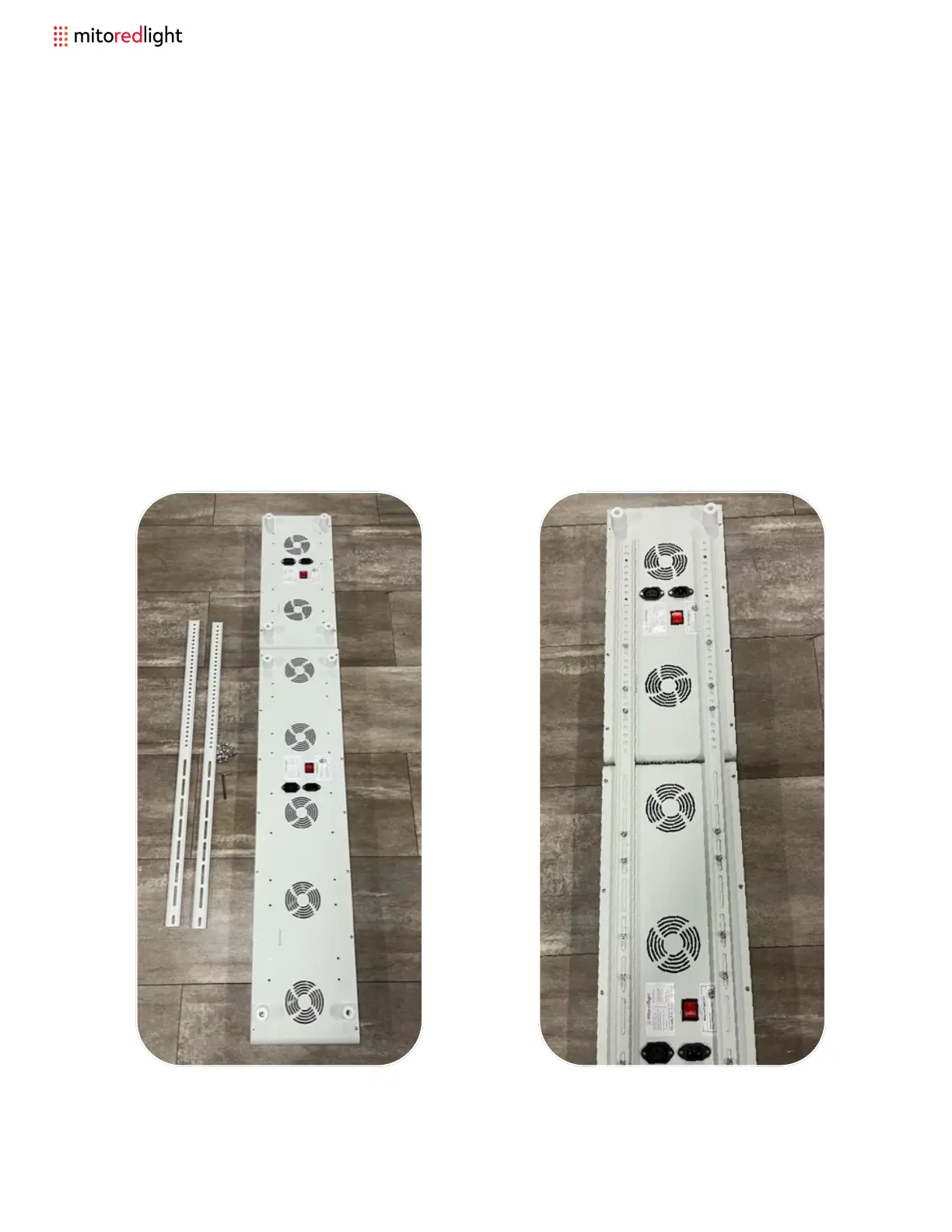
Step 1: Start by laying down both
MitoPRO 1500+ and MitoPRO 750+
panels face down with the 750+
oriented on top of the 1500+ like shown
below. Layout the provided brackets
and hardware. You will need a
minimum of 16 screws (4 screws top
and bottom of each panel per side).
Step 2: You will need to remove the
lower two rubber feet from the back of
the bottom of the 750+ and all four from
the 1500+. Lay out the brackets on the
back of the panel and screw down as
shown below.
16 www.mitoredlight.com



 To Next Page