EasyManua.ls Logo

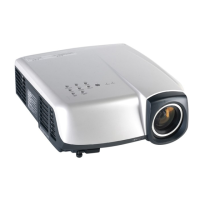
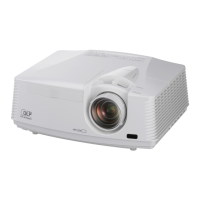
Mitsubishi Electric SL4SU - User Manual

Mitsubishi Electric SL4SU
34 pages
Print Icon
To Next Page IconTo Next Page
Loading...
EN – 1
ENGLISH
FRANÇAIS
DEUTSCH
ITALIANO
ESPAÑOL
LCD PROJECTOR
MODEL
XL8U
XL5U
SL4SU
User Manual

Other manuals for Mitsubishi Electric SL4SU

Questions and Answers

  • S
    Shannon BishopAug 19, 2025
    What to do if my Mitsubishi Electric Projector says 'no signal'?
    • J
      Jason AndrewsAug 19, 2025
      If your Mitsubishi Electric Projector displays 'NO SIGNAL', it indicates that the projector isn't receiving a signal from the connected device. Try these steps: * Ensure the connected device is powered on and functioning correctly. * Check if the external device outputs signals, especially if it's a notebook computer. * Verify that the cable connecting the projector to the external device is not defective. * Confirm that the projector is connected to the external device using the correct terminals. * Ensure the connected device is correctly selected as the input source. * If you're using an extension cord, replace it with the supplied cable to see if that resolves the issue. If it does, consider using an RGB signal amplifier along with the extension cord.
  • J
    Joseph WrightAug 26, 2025
    Why do images suddenly disappear on my Mitsubishi Electric SL4SU Projector?
    • B
      Brett SchwartzAug 26, 2025
      If images suddenly disappear on your Mitsubishi Electric Projector, here are a couple of potential causes and solutions: * **Blocked Airflow:** If the air inlet or outlet grille is blocked, remove the obstruction. Then, wait for the fan to stop, unplug the power cord, wait 10 minutes, plug the cord back in, and press the POWER button. * **Lamp Replacement:** If the STATUS indicator is blinking red, it means the lamp needs to be replaced. Replace the lamp.
  • D
    David BurkeSep 3, 2025
    How to unlock Mitsubishi Electric SL4SU when the password screen appears?
    • S
      Steven NelsonSep 3, 2025
      If you are seeing a password screen on your Mitsubishi Electric Projector, it means the PASSWORD FUNCTION in the FEATURE menu has been set to DISPLAY INPUT. You should enter the password or contact the person in charge of management of the projector.
  • J
    Joseph WilliamsNov 10, 2025
    Why are images not projecting on my Mitsubishi Electric SL4SU Projector?
    • C
      Courtney PetersenNov 11, 2025
      There are several reasons why images might not be projecting on the screen of your Mitsubishi Electric Projector. Here are a few things to check: * Ensure that AV mute is off by pressing the MUTE button. * Verify that the lens cap has been removed. * Make sure the lamp cover are closed. * Confirm the filter is clean. * Check the cable connected to the external device to ensure it is not broken. * If using an extension cord, try the supplied cable instead. If that works, consider using an RGB signal amplifier with the extension cord. * Set SCART INPUT in the FEATURE menu to OFF. In some cases, the lamp may take up to a minute to light up, or it may fail to light up on the first try. If the projector was turned off before the lamp cooled, wait for the fans to stop before tryi...

Mitsubishi Electric SL4SU Specifications

General IconGeneral
Resolution1024 x 768 (XGA)
Weight2.9 kg
Display TypeLCD
Projection Technology3LCD
Input ConnectorsVGA, S-Video, Composite Video, Audio
Noise Level30 dB

Related product manuals