EasyManua.ls Logo

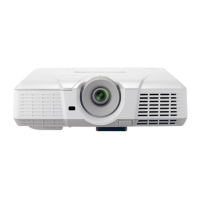
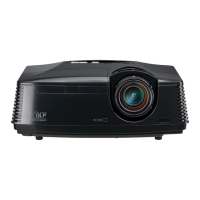
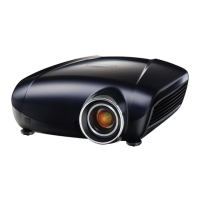
Mitsubishi XD95U - User Manual

Mitsubishi XD95U
45 pages
Print Icon
To Next Page IconTo Next Page
Loading...
ENGLISH
DATA PROJECTOR
MODEL
XD95U
User Manual
XD95U
This User Manual is important to you.
Please read it before using your projector.

Other manuals for Mitsubishi XD95U

Questions and Answers

  • B
    brentmonroeAug 10, 2025
    How to fix Mitsubishi XD95U that does not turn on?
    • A
      Alison DominguezAug 10, 2025
      If your Mitsubishi Projector isn't turning on, it could be due to a couple of reasons: * Check the power cable. Ensure it's securely plugged into both the AC inlet on the projector and the power outlet. Also, verify that the power outlet switch is on, if applicable. * If you've recently tried turning it on, the projector might be in the cooling process. Wait until this process is complete before attempting to turn it on again.
  • R
    Richard CarrollAug 18, 2025
    How to fix blurred image on Mitsubishi XD95U Projector?
    • J
      Jennifer SantiagoAug 18, 2025
      A blurred image on your Mitsubishi Projector can often be resolved with these steps: * The projection lens may not be correctly focused. Adjust the focus using the focus ring. * The projector and screen might not be properly aligned. Adjust the projection angle, direction, and height of the unit as needed. * Ensure the lens cover is open.
  • C
    Charles AlvaradoAug 25, 2025
    Why Mitsubishi Projector has no picture?
    • J
      Jacqueline OnealAug 26, 2025
      If your Mitsubishi Projector displays no picture, several factors could be the cause: * The video source might not be turned on or connected correctly. Ensure the video source is on and the signal cable is properly connected. * The projector may not be correctly connected to the input signal device; check the connection. * The input signal might not be correctly selected. Use the SOURCE key on the projector or remote to select the correct input signal. * The lens cover might still be closed; open it.
  • P
    phillipalvaradoSep 2, 2025
    What to do if Mitsubishi Projector remote control does not work?
    • L
      Linda EstesSep 2, 2025
      If the remote control for your Mitsubishi Projector isn't working, consider these possibilities: * The battery may be out of power. Try replacing it with a new one. * There might be an obstacle blocking the signal between the remote and the projector. Remove any obstructions. * You could be too far from the projector. Ensure you are within 8 meters (26 feet) of the projector.

Summary

Important Safeguards

General Safety & Instruction Adherence

Adhere to all operating instructions, warnings, and retain documentation for future reference.

Environmental and Electrical Safety

Protect from moisture, ensure proper ventilation, use correct power sources, and avoid overloading.

Servicing and Replacement Parts Safety

Refer servicing to qualified personnel, use specified replacement parts, and perform safety checks.

Safety and Warnings

Place of Installation Guidelines

Details proper environmental conditions, temperature, humidity, and location for projector setup.

Controls and Functions

Positioning Your Projector

Choosing a Location

Guidance on selecting the best installation location based on room layout and screen placement.

Determine Projector Position for Screen Size

Method to find the correct projector distance and offset for a specific screen size.

Determine Screen Size for Given Distance

Method to find the appropriate screen size based on the projector's distance.

Connection

Connecting a Computer

Instructions for connecting the projector to a PC using a VGA cable.

Operation

Starting Up the Projector

Procedure for powering on the projector, including initial setup and checks.

Utilizing the Password Function

Setting a Password

Guide to setting up a password for projector security and power-on lock.

Forgetting the Password

Information on what happens if the password is forgotten and recovery options.

Password Recall Procedure

Steps to initiate the password recall process using the AUTO button.

Password and Input Management

Adjusting the Projected Image

Correcting Keystone

How to correct trapezoidal image distortion using the Keystone function.

Optimizing the Image

Image Quality Tuning

Projector Operation Modes

Operating in a High Altitude Environment

Guidelines for using the projector in high altitude conditions to prevent overcooling.

Shutting Down the Projector

Procedure for safely powering off the projector, including cooling down.

Lamp Information

Extending Lamp Life

Tips for maximizing lamp lifespan, including Low mode and Auto Power Off settings.

Timing of Lamp Replacement

Indicators and messages signaling when the projector lamp needs replacement.

Replacing the Lamp

Lamp Timer Management

Troubleshooting

Mitsubishi XD95U Specifications

General IconGeneral
Contrast Ratio2000:1
Display TypeLCD
Zoom Ratio1.2x
Display Technology3LCD
Native Resolution1024 x 768
Projection Size30 - 300 inches
Resolution1024 x 768
Lamp Life2000 hours
Weight2.9 kg
InputsS-Video

Related product manuals