EasyManua.ls Logo

Mitsubishi XL2U - User Manual

Mitsubishi XL2U
28 pages
Print Icon
To Next Page IconTo Next Page
Loading...
EN – 1
ENGLISH
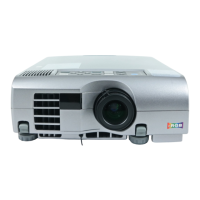
XL2
LCD
Projector
User Manual
MODEL XL2U
FRANÇAIS
DEUTSCH
ITALIANO
ESPAÑOL

Questions and Answers

  • D
    Debbie GoodwinAug 14, 2025
    How to troubleshoot a Mitsubishi XL2U that won't turn on?
    • N
      Nicole MayAug 14, 2025
      If your Mitsubishi Projector's power is off, check the following: Ensure the power cord is plugged into both the outlet and the projector. Turn the main switch on. Close the lamp lid. If the POWER indicator blinks red, wait for the lighting sequence. If the fan was running when the power was turned off, try turning the power switch on and off several times. If the lamp is no longer working and the POWER indicator blinks between red and green, replace the lamp with a new one and close the lamp cover correctly. If the LAMP or TEMP indicator is on or blinking, contact your dealer.
  • R
    Robert PhillipsAug 17, 2025
    What to do if no picture appears on the Mitsubishi XL2U screen?
    • J
      Jessica BerryAug 17, 2025
      If your Mitsubishi Projector displays no picture, first, remove the lens cap. Then, ensure the connected equipment is turned on and hooked up correctly. Finally, select the correct input source.
  • K
    ksmithAug 20, 2025
    Why is the Mitsubishi Projector image blurred and how to fix it?
    • D
      Danielle BowmanAug 21, 2025
      If your Mitsubishi Projector image is blurred, adjust the brightness and contrast. Also, ensure the projecting distance is within the focused area. Clean the lens if it's dirty, and reduce the screen size if it exceeds specifications (30" to 300"). Make FINE adjustments and adjust tracking. Finally, ensure the projector is at a right angle to the screen.
  • A
    Andrew FowlerAug 25, 2025
    What to do if Mitsubishi XL2U image is distorted with noise?
    • T
      Todd SpencerAug 25, 2025
      If the image on your Mitsubishi Projector is distorted and you hear noise, ensure the connecting cable is securely plugged into the terminal and install the projector far away from other equipment.
  • S
    Scott GordonAug 27, 2025
    Why does my Mitsubishi Projector image turn off?
    • N
      nicholaswilliamsAug 27, 2025
      If your Mitsubishi Projector image is turned off, the air inlet grille, outlet grille, or air filter might be clogged with dust or objects. Remove the object and turn off the main power switch. After about 10 minutes, turn the projector back on.
  • S
    Sara SmithAug 30, 2025
    How to fix no sound on Mitsubishi Projector?
    • C
      Clinton WilliamsAug 30, 2025
      If no sound is heard from your Mitsubishi Projector, first, ensure the volume is turned up. If that doesn't work, check the connections to other equipment.
  • B
    Bryan BatesSep 3, 2025
    How to brighten a dark image on Mitsubishi Projector?
    • N
      Nathan FrenchSep 3, 2025
      If your Mitsubishi Projector image is dark, adjust the brightness, tint, and color settings.
  • W
    walkerjeffreySep 6, 2025
    How to correct a distorted image on a Mitsubishi Projector?
    • M
      morrowvernonSep 6, 2025
      If the image on your Mitsubishi Projector is distorted, adjust the angle of the projector to make it a right angle to the screen.
  • J
    Jay RogersSep 9, 2025
    What to do if adjustments cannot be made on Mitsubishi XL2U Projector?
    • V
      vramosSep 9, 2025
      If adjustments cannot be made on your Mitsubishi Projector, it may be due to noise or interference. Press the reset button on the Terminal board.

Summary

Safety Precautions

Electrical Shock and Hazard Warnings

Details risks of electrical shock, fire, and the need for qualified service personnel.

Appliance Usage Warnings

Instructions regarding rain, moisture, extension cords, and proper grounding.

Important Safeguards

General Safety Guidelines

Instructions for reading, retaining, warnings, cleaning, and attachments.

Safe Usage and Handling

Covers water, accessories, ventilation, and cart combinations.

Electrical and Servicing Safety

Details power sources, cords, overloading, objects, liquids, servicing, damage, parts, and safety checks.

Operational Safety and Installation

Critical Operational Warnings

Warnings about unplugging, cabinet removal, modification, dropping, voltage, surface, lens, and power cycling.

Installation Environment and Placement

Guidance on installation site, temperature, humidity, and avoiding heat sources or magnetic fields.

Projector Installation

Projection Setup and Distance

Determining screen size and projector distance.

Mounting and Placement Guidelines

Ceiling mounting, rear projection, and placement restrictions.

Basic Connectivity

Connecting AV and Video Devices

Hooking up VCRs, cameras, and other AV equipment.

Connecting DVD and HDTV Sources

Details for component video and RGB connections.

Computer Connectivity

PC Connection Setup

Wiring for RGB and audio from a PC.

Preparing for Use

Initial Setup Procedures

Connecting power, removing lens cap, and initial checks.

Adjusting Projection Angle and Position

Using feet and keystone correction for image alignment.

Powering On and Initial Setup

Operation and Shutdown

Projector Shutdown Procedure

Steps to turn off the projector safely.

Menu Navigation and Settings

Detailed Menu Functions

Picture Quality Adjustment

Lamp Maintenance

Procedure for Lamp Replacement

Step-by-step guide to safely replace the lamp.

Resetting the Lamp Timer

How to reset the internal lamp usage counter.

Troubleshooting Guide

Common Problems and Solutions

Table addressing issues like power, picture, sound, and noise.

Indicator Lights

Abnormal Operation Indicators

Diagnosis and solutions for error conditions.

Mitsubishi XL2U Specifications

General IconGeneral
BrandMitsubishi
ModelXL2U
CategoryProjector
LanguageEnglish

Related product manuals