EasyManua.ls Logo

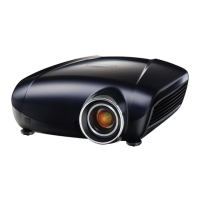
Mitsubishi UD8350 - User Manual

Mitsubishi UD8350
77 pages
Print Icon
To Next Page IconTo Next Page
Loading...
U
UD8400
UD8350
This User Manual is important to you.
Please read it before using your projector.
DLP™ PROJECTOR
MODEL
UD8400U
UD8400LU
UD8350U
UD8350LU
User Manual

Questions and Answers

  • R
    ryanhinesAug 14, 2025
    What to do if my Mitsubishi UD8350 says 'NO SIGNAL'?
    • L
      Lisa EstradaAug 14, 2025
      If your Mitsubishi Projector displays a 'NO SIGNAL' message, try these steps: * Ensure the connected device is powered on and functioning correctly. * Verify that the external device is outputting signals. * Check the cable connecting the projector to the external device for defects. * Confirm that the projector is connected to the correct terminals on the external device. * Ensure the connected device is correctly selected as the input source on the projector. * If using an extension cord, replace it with the supplied cable. If this resolves the issue, use an RGB signal amplifier with the extension cord.
  • D
    davisedwardAug 17, 2025
    Why is my Mitsubishi UD8350 Projector remote control not working?
    • J
      Jamie FullerAug 17, 2025
      If the remote control for your Mitsubishi Projector isn’t working well or at all, consider these potential solutions: * Check that the batteries are correctly loaded and not weak. * Make sure the remote control sensor isn’t exposed to direct sunlight or fluorescent light. * Use the remote control within its specified operation range. * Ensure you are using the remote control at least 10 cm away from the projector. * Verify that the CONTROLLER ID matches the PROJECTOR ID. * Check that the projector isn’t being controlled by a control panel or other device connected to the REMOTE 1 IN terminal. * If a terminal cover is attached, the remote control may not function properly from behind the projector.
  • G
    Geoffrey AlexanderAug 21, 2025
    Why are the projected images from my Mitsubishi UD8350 shaking?
    • M
      Michael DavisAug 21, 2025
      If the projected images from your Mitsubishi Projector are shaking or displaced, try the following: * Check the cable connected to the external device to ensure it isn’t intermittent. * Firmly connect the cable’s plug to the external device’s connector. * Project an image with many characters (like a help menu) and press the AUTO POSITION button. * If your computer outputs out-of-spec signals, adjust the SIGNAL menu. * Ensure no wind blows the exhausted air from the projector towards the projection lens.
  • K
    Kaylee BergAug 25, 2025
    How to fix blurred projected images on a Mitsubishi Projector?
    • P
      Pamela HansonAug 25, 2025
      If the projected images from your Mitsubishi Projector appear blurred, here are some troubleshooting steps: * Adjust the focus. * Clean the lens. * Press the ? or ? button on the remote control to eliminate flicker. * Adjust TRACKING and FINE SYNC in the SIGNAL menu. * Adjust BRIGHTNESS and CONTRAST in the IMAGE menu. * Ensure the projector and screen are perpendicular to each other.
  • B
    Brittany SheppardAug 27, 2025
    Why don't the buttons on my Mitsubishi UD8350 Projector work?
    • T
      Theresa ByrdAug 27, 2025
      If the buttons on your Mitsubishi Projector (except for the POWER button) aren’t working, it could be due to: * PASSWORD FUNCTION in the FEATURE menu has been set to MENU ACCESS, enabling the password lock. * The projector is being controlled by a control panel or other device connected to the REMOTE 1 IN terminal.
  • E
    emilyquinnAug 30, 2025
    How to fix distorted projected images on a Mitsubishi UD8350?
    • N
      Natasha OrrAug 30, 2025
      To correct distorted projected images on your Mitsubishi Projector, adjust the projector and the screen so that they are perpendicular to each other.
  • D
    Denise ChandlerSep 3, 2025
    Why are the projected images from my Mitsubishi UD8350 Projector dark?
    • C
      Christopher GilesSep 3, 2025
      If the projected images from your Mitsubishi Projector are dark, you can try the following: * Adjust the BRIGHTNESS and CONTRAST settings in the IMAGE menu. * Consider replacing the lamp.
  • J
    johnsonnicoleSep 6, 2025
    Why do the projected images from my Mitsubishi UD8350 Projector become wavy?
    • D
      Daniel FosterSep 6, 2025
      If the projected images from your Mitsubishi Projector become wavy, consider the following: * Ensure the plugs of the cables are securely connected to external devices. * Keep the projector away from devices emitting interfering radio waves. * If keystone adjustment is used, readjust it to minimize the amount of correction, as the image display may be affected by the input signal type.
  • E
    Elizabeth AlvarezSep 9, 2025
    What to do if the screen for entering the password appears on Mitsubishi Projector?
    • L
      Lisa McculloughSep 9, 2025
      If you see a password screen on your Mitsubishi Projector, you should enter the password or contact the person managing the projector.

Summary

Setting Up Your Projector

Advanced Setup and Image Correction

Details posture, altitude, image reversal, keystone, and projection orientation.

Viewing Computer Images

Projecting and Adjusting Computer Images

Covers projector power-up, input selection, image adjustment, and aspect ratio.

Viewing Video Images

Projecting Video Images

Covers projector power-up, input selection, and image adjustment for video sources.

Menu Operation

Key Menu Settings

Details IMAGE, INSTALLATION, FEATURE, SIGNAL, NETWORK, and INFORMATION menu options.

Adjusting Projected Images

Basic and Advanced Image Adjustments

Covers brightness, color, sharpness, super resolution, computer image, and multi-screen adjustments.

Initial Network Settings

Lamp Relay and Replacement

Lamp Replacement Procedure

Step-by-step guide for safely replacing projector lamps and resetting operation time.

Troubleshooting

Common Issues and Solutions

Provides guidance for power, image, sound, and indicator-related problems.

Specifications

Mitsubishi UD8350 Specifications

General IconGeneral
BrandMitsubishi
ModelUD8350
CategoryProjector
LanguageEnglish

Related product manuals