EasyManua.ls Logo

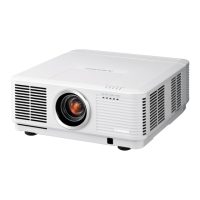
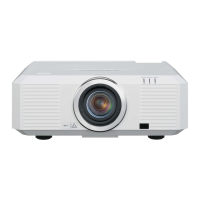
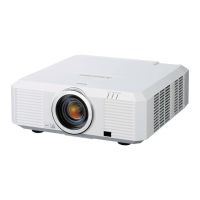
Mitsubishi UL7400U - User Manual

Mitsubishi UL7400U
68 pages
Print Icon
To Next Page IconTo Next Page
Loading...
U
UL7400
This User Manual is important to you.
Please read it before using your projector.
LCD PROJECTOR
MODEL
UL7400U
User Manual

Questions and Answers

  • H
    Hannah WilsonAug 15, 2025
    What to do if no image appears on my Mitsubishi UL7400U Projector?
    • P
      Philip SullivanAug 15, 2025
      If no image appears on the screen of your Mitsubishi Projector, consider the following: * Press the BLANK button to cancel BLANK. * Ensure the lens cap is removed. * Allow up to 1 minute for the lamp to light up. * If the lamp doesn't light, wait a few minutes and try again. * If the projector was turned off before the lamp cooled, wait for the fan to stop, then press the POWER button. * Set SCART INPUT in the FEATURE menu to OFF. * Ensure the intake vent is clean. * Check the cables connected to external devices for damage. * If using an extension cable, replace it with the supplied cable to check. If images display correctly, add an RGB signal amplifier to the extension cable.
  • A
    Amy WilliamsAug 18, 2025
    Why is my Mitsubishi UL7400U Projector remote control not working?
    • S
      Shelley WattsAug 18, 2025
      If the remote control for your Mitsubishi Projector isn’t working properly, check these items: * Make sure the batteries are correctly loaded and not weak. * Ensure the remote control sensor isn’t exposed to direct sunlight or fluorescent light. * Use the remote control within its operational range. * Use the remote control at least 10 cm away from the projector. * Verify that the CONTROLLER ID matches the PROJECTOR ID. * If the terminal cover is attached, remote control may not work properly from behind the projector. Remove the terminal cover.
  • A
    Ashley HurstAug 21, 2025
    Why are the projected images from my Mitsubishi Projector dark?
    • D
      Dr. David ThomasAug 21, 2025
      If the projected images from your Mitsubishi Projector appear dark, try the following: * Adjust BRIGHTNESS and CONTRAST in the IMAGE menu. * Replace the lamp. * Decrease the temperature if the ambient temperature is high and a warning is displayed.
  • M
    Miguel SheppardAug 25, 2025
    Why does my Mitsubishi UL7400U say 'NO SIGNAL'?
    • W
      wuthomasAug 26, 2025
      If your Mitsubishi Projector displays 'NO SIGNAL', try the following: * Ensure the connected device is powered on and functioning correctly. * Verify that the external device is outputting signals. * Check the cable connecting the projector to the external device for any defects. * Confirm the projector is connected to the external device using the appropriate terminals. * Ensure the correct input source is selected on the projector. * If using an extension cord, test with the supplied cable to rule out issues with the extension cord. If the supplied cable works, consider using an RGB signal amplifier with the extension cord.
  • J
    Joshua PatelAug 28, 2025
    How to fix shaking or displaced images on Mitsubishi UL7400U Projector?
    • N
      Nicholas PerezAug 28, 2025
      If the projected images from your Mitsubishi Projector are shaking or displaced, try these solutions: * Check the cable connected to the external device for intermittency. * Ensure the cable’s plug is firmly connected to the external device’s connector. * Project an image with many characters, such as a help menu, and press the AUTO POSITION button. * If the computer outputs out-of-spec signals, adjust the SIGNAL menu. * Ensure that wind isn't blowing the exhausted air from the projector towards the projection lens.
  • O
    otranAug 31, 2025
    What to do if my Mitsubishi Projector images are blurred?
    • M
      Miss Tammy WilsonSep 1, 2025
      If the projected images from your Mitsubishi Projector are blurred, try the following: * Adjust the focus. * Clean the lens. * Press the ? or ? button on the remote control to eliminate flicker. * Adjust TRACKING and FINE SYNC in the SIGNAL menu. * Adjust BRIGHTNESS and CONTRAST in the IMAGE menu. * Ensure the projector and screen are perpendicular to each other.
  • B
    Bryan RaymondSep 4, 2025
    Why does my Mitsubishi UL7400U display 'TEMPERATURE!!'?
    • A
      Angelica FosterSep 4, 2025
      The 'TEMPERATURE!!' indication on your Mitsubishi Projector appears when the ambient temperature rises too high, potentially causing the lamp to go out. It can also appear when the air inlet or outlet grille is blocked, which will also cause the lamp to go out. Try these steps: * Eliminate any causes of the rise in ambient temperature. * Remove any objects blocking the air inlet or outlet grille.
  • D
    Derek TapiaSep 7, 2025
    How to correct distorted images on a Mitsubishi Projector?
    • E
      Edgar PorterSep 7, 2025
      To correct distorted images on your Mitsubishi Projector, adjust the projector and the screen so that they are perpendicular to each other.
  • T
    thompsonlisaSep 12, 2025
    How to fix wavy projected images on my Mitsubishi Projector?
    • A
      Alyssa MurraySep 12, 2025
      If the projected images from your Mitsubishi Projector are wavy, consider the following: * Securely connect the plugs of the cables to external devices. * Keep the projector away from devices that emit interfering radio waves. * If the keystone adjustment is carried out, the image may not be displayed correctly depending on the type of input signal. In this case, readjust the keystone so that the amount of keystone correction is as small as possible.

Mitsubishi UL7400U Specifications

General IconGeneral
Zoom Ratio1.6x
Display Technology3LCD
Native Resolution1920 x 1200 (WUXGA)
NetworkingRJ-45 (LAN)
Brightness5000 lumens
ConnectivityHDMI, VGA
Keystone CorrectionVertical: ±30°
Input TerminalsHDMI, DVI-D, VGA, S-Video, Composite
Output TerminalsVGA
Projection Size40 - 300 inches
Lamp Life4, 000 hours (Normal mode), 6, 000 hours (Eco mode)

Related product manuals