EasyManua.ls Logo

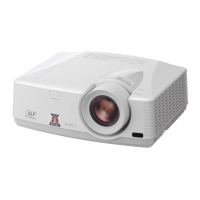
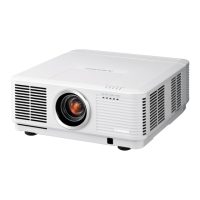
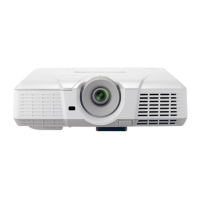
Mitsubishi WL7200U - User Manual

Mitsubishi WL7200U
68 pages
Print Icon
To Next Page IconTo Next Page
Loading...
U
WL7200
This User Manual is important to you.
Please read it before using your projector.
LCD PROJECTOR
MODEL
WL7200U
User Manual

Questions and Answers

  • S
    Shawn HuffAug 6, 2025
    What to do if my Mitsubishi WL7200U power can not be turned on?
    • R
      Ryan HudsonAug 7, 2025
      If the power on your Mitsubishi Projector will not turn on, unplug the power cord from the wall outlet, make sure the projector has cooled off, plug the power cord into a wall outlet, and press the POWER button.
  • S
    Stephen IrwinAug 10, 2025
    How to fix blurred images on a Mitsubishi Projector?
    • J
      John CrawfordAug 10, 2025
      To fix blurred images on your Mitsubishi Projector, adjust the focus and press the button on the remote control to eliminate flicker.
  • H
    Harold HudsonAug 15, 2025
    Why are projected images dark on my Mitsubishi WL7200U Projector?
    • P
      Paula KimAug 15, 2025
      If projected images are dark on your Mitsubishi Projector, check the brightness settings.
  • L
    Lindsey VillaAug 18, 2025
    How to remove afterimages persisting on the screen of my Mitsubishi Projector?
    • N
      Nancy AguilarAug 18, 2025
      To remove afterimages persisting on the screen of your Mitsubishi Projector, keep projecting an evenly bright image.
  • A
    Ashley DavisAug 23, 2025
    Why doesn't the Mitsubishi WL7200U remote control work?
    • J
      James RobertsAug 23, 2025
      If the remote control for your Mitsubishi Projector isn’t functioning, check if the batteries are weak and ensure there is no obstruction between the remote and the projector.
  • S
    stephanieflynnAug 28, 2025
    What does it mean when my Mitsubishi WL7200U Projector displays 'NO SIGNAL'?
    • K
      Kayla KellyAug 28, 2025
      If your Mitsubishi Projector displays 'NO SIGNAL', the connected device might be connected incorrectly. Unplug and check the connection to the device. Also, use an RGB signal amplifier along with the extension cord.
  • M
    marielarsonSep 1, 2025
    What to do if projected images are shaking on a Mitsubishi Projector?
    • K
      Kelly RoySep 1, 2025
      If the projected images are shaking or displaced on your Mitsubishi Projector, adjust the AUTO POSITION button.

Summary

Important Safeguards

Safety and Operating Instructions

Essential guidelines for safe operation, cleaning, and maintenance.

Installation Precautions and Environmental Guidelines

Rules for projector placement, ventilation, and operating conditions.

Setting Up Your Projector

Setup Environment and Screen Alignment

Covers optimal installation location, screen placement, and projection distance.

Viewing Computer Images

Connecting to Computers

Instructions for analog, digital, and audio connections from computers.

Viewing Video Images

Connecting Video Equipment

Guides for connecting players via BNC, S-Video, and HDMI/DVI-D interfaces.

Initial Network Settings

Projector Name, Password, and IP Configuration

Steps for setting network identity, security, and IP addressing.

Replacing the Lamp and Maintenance

Lamp Replacement Procedure and Warnings

Instructions for replacing the lamp safely and maintenance advice.

Troubleshooting

Power, Image, and Display Problems

Solutions for issues with power, no image, distortion, and display errors.

Indicators and Specifications

Technical Specifications and Connectivity

Detailed technical data, signal compatibility, and connector information.

Mitsubishi WL7200U Specifications

General IconGeneral
Resolution1280 x 800
Display TypeLCD
Display Technology3LCD
Aspect Ratio16:10
Projection Size30 - 300 inches
OutputsVGA, Audio
Native Resolution1280 x 800
InputsHDMI, VGA, Composite Video
Lamp Life2000 hours (Normal Mode) / 4000 hours (Low Mode)

Related product manuals