EasyManua.ls Logo

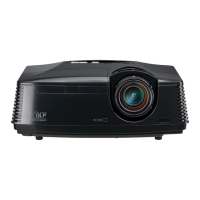
Mitsubishi HC3 - User Manual

Mitsubishi HC3
34 pages
Print Icon
To Next Page IconTo Next Page
Loading...
EN – 1
ENGLISH
H C 3
LCD PROJECTOR
MODEL
HC3
User Manual
FRANÇAIS
DEUTSCH
ITALIANO
ESPAÑOL
PORTUGUÊS

Questions and Answers

  • K
    kevin52Jul 31, 2025
    What to do if my Mitsubishi HC3 Projector displays 'NO SIGNAL'?
    • H
      herringtimothyJul 31, 2025
      If your Mitsubishi Projector is displaying "NO SIGNAL", try these steps: * Ensure the connected device is powered on and functioning correctly. * Verify that the external device is outputting signals, especially if it's a notebook computer. * Check that the cable connecting the projector to the external device is not defective. * Confirm that the projector is connected to the external device using the correct terminals. * Make sure the connected device is correctly selected as the input source. * If using an extension cord, replace it with the supplied cable to see if that resolves the issue. If it does, use an RGB signal amplifier with the extension cord.
  • C
    cherylrandallAug 10, 2025
    What to do if images suddenly disappear on my Mitsubishi HC3?
    • S
      Susan ThomasAug 10, 2025
      If images suddenly disappear from your Mitsubishi Projector, consider these potential causes and solutions: * **Blocked Airflow:** The air inlet or outlet grille might be blocked. Remove any obstructions, then wait for the fan to stop (or the STATUS indicator to go out). Unplug the power cord, wait 10 minutes, plug it back in, and press the POWER button. * **Lamp Issue:** If the STATUS indicator is blinking red, it indicates that the lamp needs to be replaced.
  • I
    Ian TerrellAug 18, 2025
    Why images aren't projected on the screen with my Mitsubishi HC3 Projector?
    • T
      Tanya MillerAug 18, 2025
      There are several reasons why images might not be projecting correctly. Here are a few things to check: * Ensure the lens cap is removed. * The lamp may take up to a minute to light up, so be patient. * On rare occasions, the lamp might fail to light up on the first try. Wait a few seconds and try again. * If the projector was turned off before the lamp cooled, wait for the fans to stop before turning it on again. * Confirm that the filter is clean and the lamp cover is closed. * Make sure the cable connected to the external device isn't broken. * If using an extension cord, try the supplied cable instead. If that works, use an RGB signal amplifier with the extension cord. * Ensure that SCART INPUT in the FEATURE menu is set to OFF.

Summary

Important Safeguards

General Safety Precautions

Essential safety guidelines for projector operation and maintenance.

Compliance Notices

FCC and Industry Canada compliance statements for the device.

Projector Overview

Control Panel and Terminals

Layout and functions of the projector's control panel and connection terminals.

Remote Control Operation

Explanation of remote control buttons, battery installation, and operating range.

Installation Guide

Projector Placement and Layout

Diagram and guidelines for optimal projector positioning and image size.

Mounting Configurations

Instructions for front projection, ceiling, and rear projection installations.

Connecting Devices

AV and Component Connections

How to connect projectors to AV devices, DVD players, and HDTVs.

Computer Connectivity

Connecting the projector to computers, including Macintosh and DDC features.

Projector Preparation

Initial Setup Steps

Procedures for attaching the power cord, plugging in, and removing the lens cap.

Adjusting Projection Angle

Using adjustment feet to tilt the projector for optimal image alignment.

Basic Operation

Powering On and Off

Step-by-step instructions for turning the projector on and safely powering it down.

Image and Audio Adjustments

Using AUTO POSITION, volume controls, mute, aspect ratio, and REAL mode.

Menu System Navigation

Image Settings Menu

Adjusting visual parameters like contrast, brightness, and color.

Installation and Feature Menus

Configuring installation options, projector features, and language settings.

Signal Input Management

Selecting and adjusting video signal inputs and synchronization.

Image Adjustment Details

Fine-Tuning Image Levels

Detailed steps for adjusting contrast, brightness, color, and tint.

Color and Sharpness Control

Settings for color matrix, color temperature, and image sharpness.

Computer Image Optimization

Specific methods to correct computer image display issues like flickering or displacement.

Advanced Projector Features

Customizing Startup Screens

Setting a custom image for the startup or background display.

Password Protection

How to enable, set, and manage the projector's password function.

Remote Control Programming

Installing Other Remote Commands

Process for teaching the projector's remote to control other devices.

Using Programmed Functions

How to operate the projector using programmed remote commands.

Lamp and Maintenance

Lamp Replacement Procedure

Step-by-step guide for safely replacing the projector lamp.

Lamp Timer Reset and Cleaning

Resetting the lamp operation time and cleaning the air filter and projector vents.

Troubleshooting Common Issues

Image Display Problems

Solutions for no image, distortion, flickering, and color issues.

Operational and Remote Control Issues

Troubleshooting overheating, audio, menu access, and remote control malfunctions.

Indicator Status Guide

Normal Operation Indicators

Understanding POWER and STATUS lights during normal use.

Abnormal Operation Indicators

Diagnosing and resolving problems based on abnormal indicator signals.

Technical Specifications

Projector Specifications

Detailed technical data including resolution, inputs, and dimensions.

Connectivity and Signal Support

Information on connectors, included items, and supported computer signal modes.

Mitsubishi HC3 Specifications

General IconGeneral
BrandMitsubishi
ModelHC3
CategoryProjector
LanguageEnglish

Related product manuals