EasyManua.ls Logo

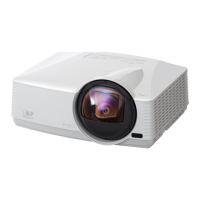
Mitsubishi SL4SU - User Manual

Mitsubishi SL4SU
34 pages
Print Icon
To Next Page IconTo Next Page
Loading...
EN – 1
ENGLISH
XL5
SL4S
LCD PROJECTOR
MODEL
XL5U
SL4SU
User Manual

Other manuals for Mitsubishi SL4SU

Questions and Answers

  • C
    coxmichaelJul 30, 2025
    What to do if my Mitsubishi Projector says 'NO SIGNAL'?
    • B
      Brian AdamsJul 31, 2025
      If your Mitsubishi Projector displays 'NO SIGNAL', ensure the connected device is powered on and functioning correctly. Verify the external device outputs signals, especially if it's a notebook computer. Check the cable connecting the projector to the external device for any defects. Ensure the projector is connected to the external device using the correct terminals and that the connected device is correctly selected as the input source. If you are using an extension cord, replace it with the supplied cable to check if images are projected correctly. If they are, use an RGB signal amplifier with the extension cord.
  • J
    James SmithAug 7, 2025
    How to fix a Mitsubishi SL4SU Projector when images aren't projected on the screen?
    • R
      Raymond LawsonAug 7, 2025
      If images aren't projecting on the screen with your Mitsubishi Projector, try the following: * Cancel the AV mute by pressing the MUTE button. * Remove the lens cap. * Be aware that the lamp sometimes takes about one minute to light up. On rare occasions, the lamp may fail to light up, so wait a few minutes and try again. * If the projector was turned off before the lamp cooled down, wait for the fans to stop and then press the POWER button. * Set SCART INPUT in the FEATURE menu to OFF. * Ensure the filter is clean and the lamp cover is closed. * Check the cable connected to the external device for damage. * If using an extension cord, try the supplied cable. If that works, use an RGB signal amplifier with the extension cord.
  • B
    Brandy OnealAug 15, 2025
    Why do images suddenly disappear on my Mitsubishi Projector?
    • D
      danielruizAug 15, 2025
      If images suddenly disappear on your Mitsubishi Projector, it could be due to a blocked air inlet or outlet grille. Remove any obstructions and then: 1. Wait for the air inlet or outlet fan to stop (or the STATUS indicator to go out). 2. Unplug the power cord from the wall outlet. 3. Wait about 10 minutes. 4. Plug the power cord back in. 5. Press the POWER button. Alternatively, if the STATUS indicator is blinking red, the lamp needs replacing.
  • K
    Karen LewisAug 22, 2025
    What to do if the password screen appears on my Mitsubishi Projector?
    • M
      Melvin HaleyAug 22, 2025
      If the password screen appears on your Mitsubishi Projector, it means the PASSWORD FUNCTION in the FEATURE menu has been set to DISPLAY INPUT. You should enter the password or contact the person in charge of managing the projector.

Summary

Important Safeguards

Remote Control Operation

Battery Loading and Range

Explains battery installation and the operational range of the remote control.

Projector Installation

Projection Setup and Layout

Guides on projector placement, image sizing, and specific installation types like ceiling and rear projection.

Basic Connections

Computer and Macintosh Connectivity

Covers connecting computers, including Macintosh specifics, and the DDC standard.

Preparation for Projection

Basic Operation

Menu Navigation and Settings

Image Quality Adjustment

Computer Image Fine-Tuning

Advanced Features

Password Protection

Lamp Replacement and Care

Lamp Replacement Procedure

Step-by-step guide for safely replacing the projector's lamp, including cooling.

Lamp Timer Reset and Intervals

Covers resetting the lamp operation time and guidance on recommended replacement intervals.

Projector Maintenance

Troubleshooting Guide

Image Projection Issues

Solutions for problems where no image is displayed, it disappears, or the password screen appears.

Image Quality and Display Problems

Addresses issues like image distortion, incorrect colors, blurriness, and afterimages.

Indicator Status and Troubleshooting

Technical Specifications

Customer Support and Contact Information

Mitsubishi SL4SU Specifications

General IconGeneral
BrandMitsubishi
ModelSL4SU
CategoryProjector
LanguageEnglish

Related product manuals