EasyManua.ls Logo

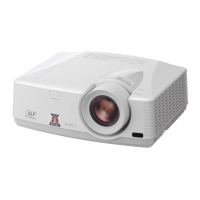
Mitsubishi HC1500 - User Manual

Mitsubishi HC1500
39 pages
Print Icon
To Next Page IconTo Next Page
Loading...
HC1500
DLP™ PROJECTOR
MODEL
HC1500
User Manual
This User Manual is important to you.
Please read it before using your projector.

Other manuals for Mitsubishi HC1500

Questions and Answers

  • C
    Crystal KingAug 15, 2025
    How to fix a Mitsubishi HC1500 Projector when no image appears on the screen?
    • B
      bthomasAug 15, 2025
      If no image appears on the screen of your Mitsubishi Projector: * Ensure the lens cap is removed. * Allow up to one minute for the lamp to light up. * If the lamp fails to light, wait a few minutes and try again. * If the projector was turned off before cooling down, wait for the fan to stop, then press the POWER button. * Verify the intake vent is clean. * Set SCART INPUT in the FEATURE menu to OFF. * Ensure the lamp cover is closed. * Check the external device cables for damage. * If using an extension cable, test with the supplied cable; if it works, add an RGB signal amplifier to the extension cable. * Consult the video device's operation manual for connection guidance.
  • D
    Daniel GreerAug 18, 2025
    What to do if my Mitsubishi HC1500 Projector displays 'NO SIGNAL'?
    • M
      Mr. Francis SmithAug 18, 2025
      If your Mitsubishi Projector displays 'NO SIGNAL': * Ensure the connected device is powered on and functioning correctly. * Verify the external device is outputting signals, especially if it's a notebook computer. * Check the cable connecting the projector to the external device for any defects. * Confirm the projector is connected to the external device using the correct terminals. * Ensure the connected device is correctly selected as the input source. * If using an extension cord, replace it with the supplied cable to check for signal issues. If the supplied cable works, use an RGB signal amplifier with the extension cord.
  • J
    justin98Aug 21, 2025
    Why does my Mitsubishi Projector power turn off by itself?
    • J
      Joshua OconnorAug 21, 2025
      Your Mitsubishi Projector might be turning off due to these reasons: * Blocked intake and/or exhaust vents. Remove any obstructions and then: 1. Wait for the intake/exhaust fan to stop (until the STATUS indicator goes out). 2. Unplug the power cord. 3. Wait 10 minutes. 4. Plug the power cord back in. 5. Press the POWER button. * A steady red STATUS indicator means the lamp needs replacing. Replace the lamp. * AUTO POWER OFF may be enabled. Check that AUTO POWER OFF has been set to OFF. * The lamp may be deteriorating and needs replacing.
  • J
    Jennifer ByrdAug 25, 2025
    How to fix blurred projected images on my Mitsubishi Projector?
    • J
      Jennifer GonzalezAug 26, 2025
      To correct blurred projected images on your Mitsubishi Projector: * Adjust the focus. * Clean the lens. * Press the W or X button on the remote control to eliminate flicker. * Adjust TRACKING and FINE SYNC in the SIGNAL menu. * Adjust BRIGHTNESS and CONTRAST in the IMAGE menu. * Ensure the projector and screen are perpendicular to each other.
  • D
    Denise BarberAug 28, 2025
    What to do if the Mitsubishi HC1500 remote control is not working?
    • E
      Emily ChungAug 28, 2025
      If your Mitsubishi Projector remote control isn't working: * Ensure the batteries are correctly loaded and not weak. * Make sure the remote control sensor isn’t exposed to direct sunlight or fluorescent light. * Use the remote control within its operational range. * Use the remote control at least 10 cm away from the projector.
  • J
    jeanstanleyAug 31, 2025
    Why are the projected images from my Mitsubishi HC1500 Projector dark?
    • L
      lucasdanielSep 1, 2025
      If the projected images from your Mitsubishi Projector are dark: * Adjust the BRIGHTNESS and CONTRAST in the IMAGE menu. * Consider replacing the lamp.
  • K
    khutchinsonSep 4, 2025
    What causes obscured projected images on a Mitsubishi HC1500 Projector?
    • E
      Elizabeth BrownSep 4, 2025
      If the projected images from your Mitsubishi Projector are obscured: * Match the output resolution of your computer with the resolution of the projector. * If images are obscured during keystone adjustment, use the projector without applying keystone adjustment.
  • M
    Maria TaylorSep 7, 2025
    What to do if the password screen appears on my Mitsubishi Projector?
    • R
      Ricky YoungSep 7, 2025
      If the password screen appears on your Mitsubishi Projector, it means the PASSWORD FUNCTION in the FEATURE menu has been set to DISPLAY INPUT. Enter the password or contact the person in charge of the projector's management.
  • K
    Kelli DrakeSep 12, 2025
    Why only motion areas are displayed from the computer on Mitsubishi Projector?
    • M
      Michael HicksSep 12, 2025
      This issue where only motion areas are displayed from the computer on your Mitsubishi Projector is caused by the computer itself. Contact the manufacturer of your computer for assistance.

Mitsubishi HC1500 Specifications

General IconGeneral
Display TechnologyDLP
Contrast Ratio2500:1
Zoom Ratio1.2x
Throw Ratio1.5 - 1.8:1
Projection Size30 - 300 inches
InputsHDMI, Component, S-Video, Composite, VGA
Resolution1280x720 (720p)

Related product manuals