45
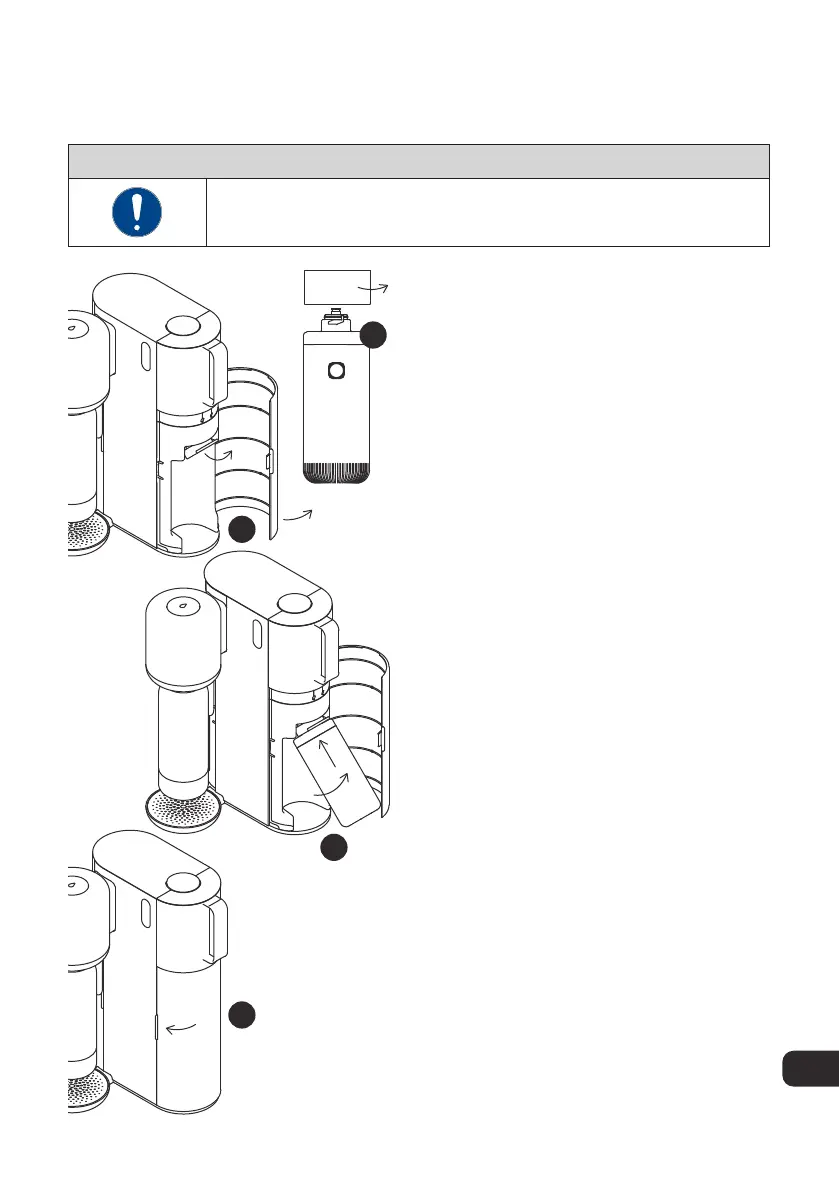
4.3. Inserting the Mitte Cartridge
NOTICE
Please check the indicators on the Mitte cartridge and the hinged
port to ensure you insert it correctly.
3
4
1
2
1. Remove the cap from the Mitte
cartridge. Hold onto the cap for the sake
of storing and returning the cartridge.
2. Open the cartridge door on the right.
Locate the hinged docking mechanism.
The port can be hinged up in order to
make it easier for the user to remove and
insert the cartridge.
3. Line up the two arrows and push the
cartridge into the connection point.
Rotate it a ¼ turn to the right until the
arrow meets the lock icon.
4. Hinge the cartridge down and close the
cartridge door
EN



 To Next Page