52
3
4
5
6
7
8
9
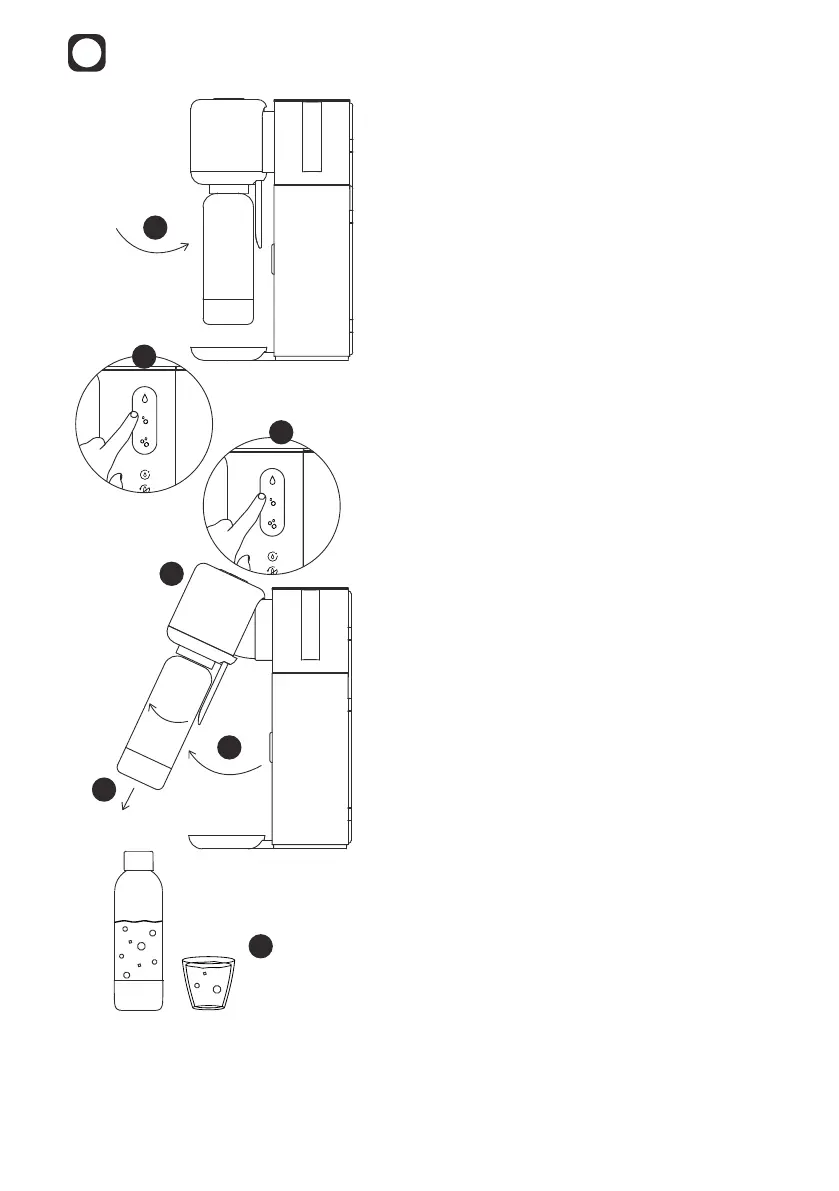
3. Ensure that the bottle is empty and
locked into the dispense head.
4. Select your desired carbonation level in
the touch menu.
• The notication light for the selected
carbonation level will begin a fast
white pulse and the water quality
indicator will show a steady white
light.
5. Touch the carbonation level again.
• The carbonation level will show a
steady white light and the water quality
indicator on the top will begin a slow
white pulse.
• The selected water is dispensed into
the bottle.
6. Wait until the water quality indicator
light turns o.
7. Lift the dispense head to a hinged
position using the handle.
8. Remove the bottle.
9. Enjoy your Mitte Water immediately or
store in a refrigerator for a maximum of
1-2 days.
Note:
The water dispensing should only
be interrupted if necessary, as each
dispense is deducted from the cartridge
capacity.
To interrupt a dispense, touch any
carbonation level.
Before initiating another dispense,
please make sure the bottle is empty.
Sleep Mode: The device will go into Sleep Mode after a few minutes. You can wake up
your Mitte Home by pressing any button.



 To Next Page