54
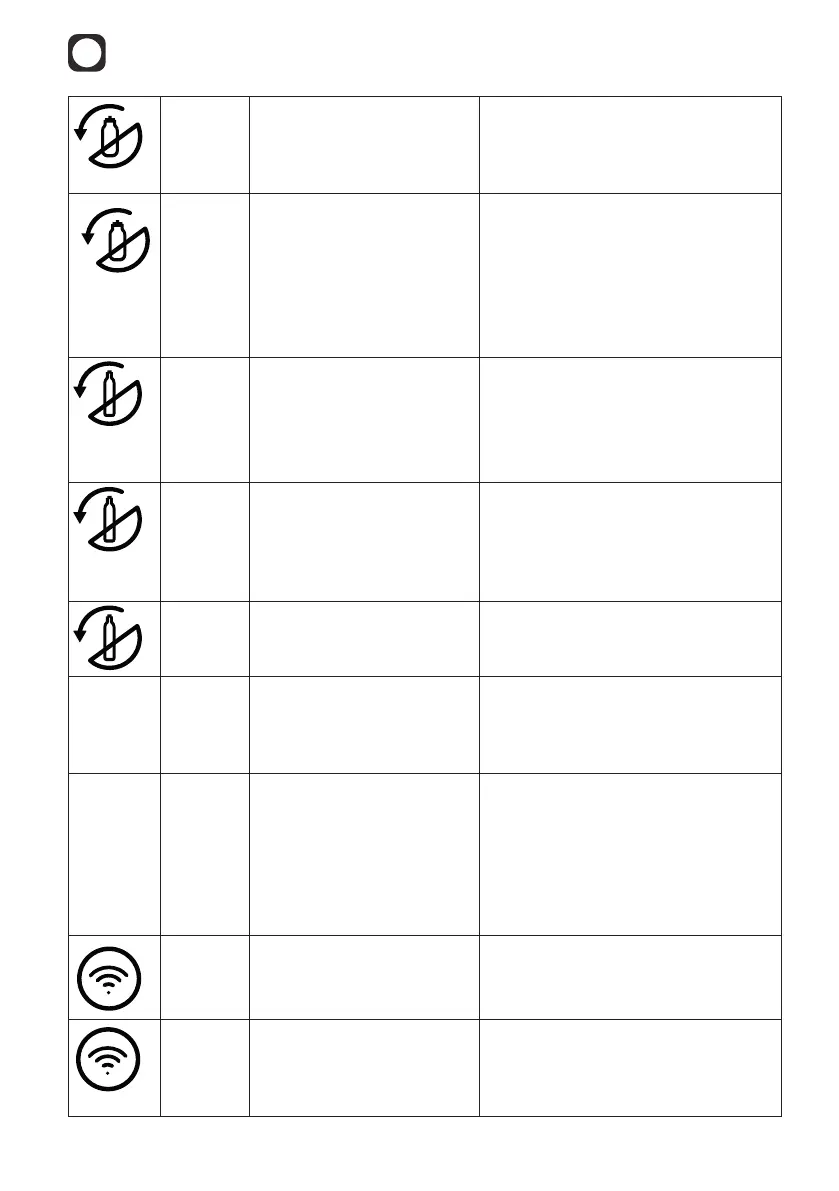
Steady
orange
light
Mitte cartridge is inserted
incorrectly or is missing.
Ensure that a Mitte cartridge is
in place and that it is inserted
correctly (lock and arrow symbols
are aligned).
Flashes
orange
three
times
after
water
selection
Best before date
exceeded.
Change cartridge to ensure the best
water quality.
Slow
orange
pulse
CO cylinder is almost
empty.
Mitte CO cylinder needs to be
replaced soon.
Note: It is also necessary to have
a full CO cylinder to dispense still
water.
Fast
orange
pulse
Mitte CO cylinder is
empty.
Replace the Mitte CO cylinder. See
chapter 7.5.
Note: It is also necessary to have
a full CO cylinder to dispense still
water.
Steady
orange
light
The Mitte CO cylinder is
inserted incorrectly or is
missing.
Make sure that a Mitte CO cylinder
is installed and that it is inserted
correctly.
All
symbols
ash 5
times
rapidly
The dispense head is not in
the vertical position when
the dispense starts.
Move the dispense head to the
vertical position and restart water
dispense by touching the selected
carbonation level again.
All
symbols
Slow
pulse
Restart after reset: Device
is being reset.
Or
New rmware: Firmware
is being updated.
No action necessary.
Please wait until the reboot
or update is complete before
continuing to use the device. All
icons will ash 5 times quickly when
the reboot or update is complete.
Slow
orange
pulse
Device in pairing mode Device is ready to be connected via
Bluetooth and WiFi
Fast
orange
pulse
WiFi connection issue. Use Mitte app to troubleshoot. To
put the device into pairing mode, all
3 water selection touch keys must
be touched at the same time.



 To Next Page